Uso
Note
Esta documentação foi traduzida utilizando tradução automática assistida por IA. As traduções são fornecidas “no estado em que se encontram”, sem qualquer garantia quanto à sua precisão. A versão em inglês deste conteúdo é a fonte oficial e de referência.
Entenda o Relatório de uso do Ally
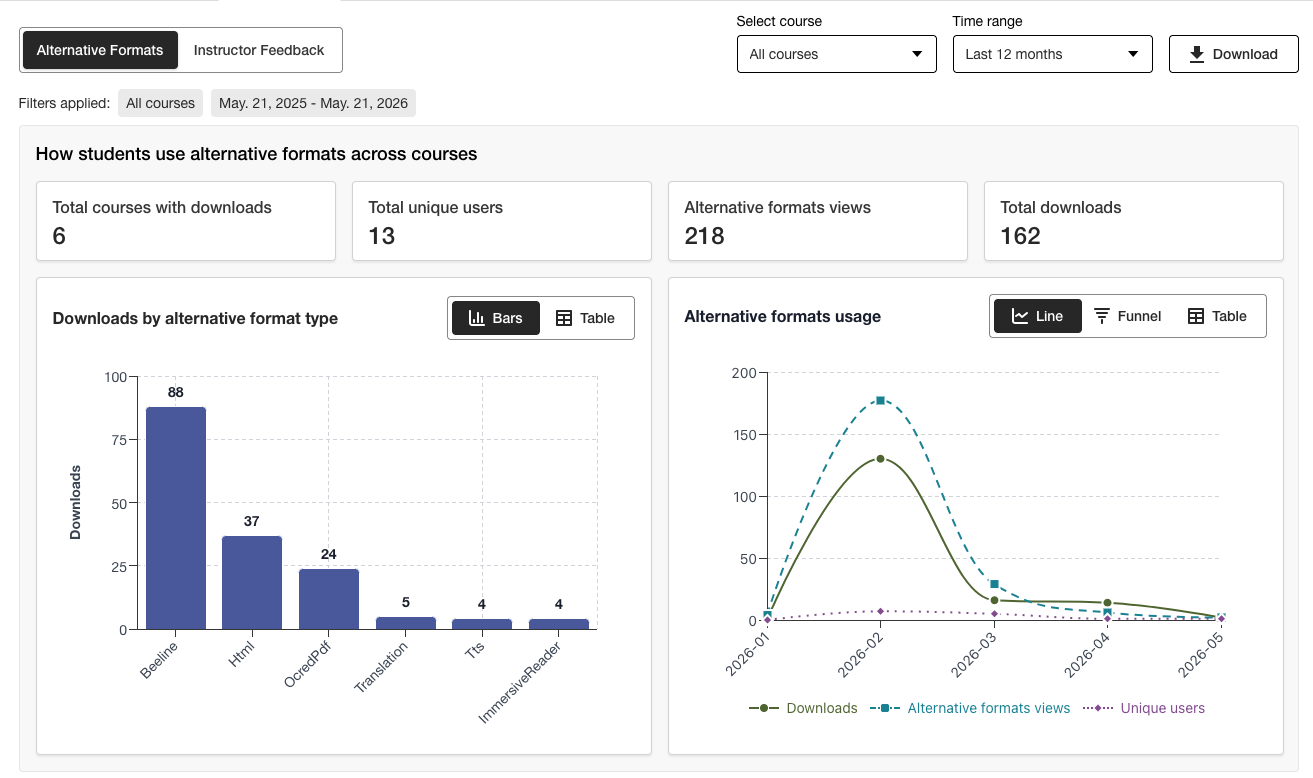
O relatório de uso mostra detalhes sobre como seus alunos e professores estão utilizando o Ally. Descubra com que frequência os alunos baixam um formato alternativo e como os professores resolvem problemas de acessibilidade.
Acesse o Relatório de uso
No relatório de acessibilidade institucional Ally, clique na guia Utilização.
Baixar um relatório de utilização
O relatório de downloads é uma pasta de trabalho dividida em cinco planilhas. Cada planilha contém detalhes relacionados a um intervalo de datas que você definir.
Lançamentos em formatos alternativos
Semanal em formato alternativo
Lançamentos de feedback de instrutores
Comentários semanais de instrutores
Dados
No relatório de acessibilidade institucional Ally, clique na guia Utilização.
Escolha o intervalo de datas para o relatório.
Clique no botão Baixar o Relatório de utilização.
Nota
Talvez não seja possível ver os dados ao abrir o relatório pela primeira vez. O arquivo baixado pode estar protegido. Ative a edição para ver os dados.