Exports: Bulk Download Faculty Reports
On the Exports page, you can export and download evaluation data from Blackboard Evaluate. This page supports bulk faculty PDF reports. One request generates a PDF for every instructor in a term and evaluation, and you download them all as a single .zip file.
Before you begin
Note that reports can be exported only after the Administrator Report date set within the administration. Until that date, the evaluation's faculty reports aren't available to export.
Create an export request
Choose Exports under Reporting in the navigation panel.
Under New Request, select a Term.
Select an Evaluation. This list is available once you've chosen a term, and it shows the evaluations in that term.
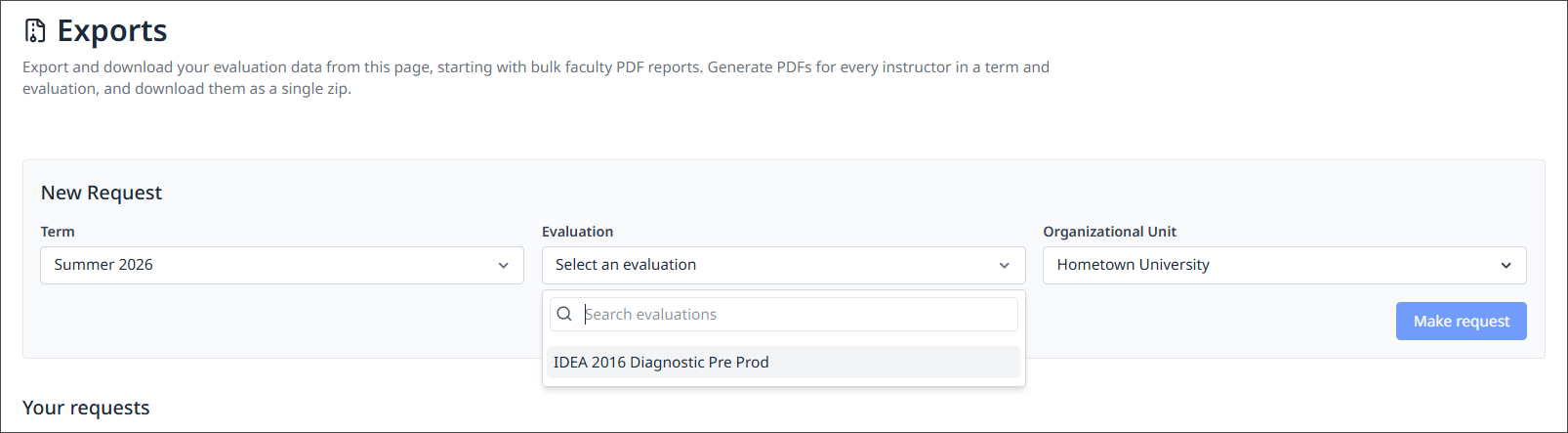
Select an Organizational Unit. The default is All Units, which includes every instructor in the evaluation. To export results for a single college or department, choose that unit instead.
Select Make request.
Check the request's status and progress under Your requests. When it shows Complete, select Download to get the .zip file.
Note
Your request appears under Your requests and starts processing in the background. You can leave the page while it runs.
Track your requests
The Your requests table lists every export you've requested.
Column | What it shows |
|---|---|
Term | The term you selected |
Evaluation | The evaluation you selected |
Organization Unit | The organizational unit the export covers |
Created | When you made the request |
Status | Where the request is in processing, such as Complete |
Progress | How many PDFs have been generated out of the total, such as 8 of 8 |
Actions | A Download button once the request is complete. |
The Updated time in the top right corner of the table shows when the list was last refreshed.
Download your reports
When a request shows Complete, select Download. You'll get one .zip file with reports for every instructor who has reports available. Each instructor has a separate folder in the .zip, and the folder holds their two reports:
Quantitative report
Qualitative report
FAQs
Why does my request show "0 of 0"? A request returns 0 of 0 in the progress column because no faculty reports were found for that term, evaluation, and unit. Check that the evaluation has responses and that you selected the right organizational unit.
How long does a request take? The amount of time a request takes to process depends on the how many instructors are included. Large exports covering all units may take longer.
Where did my single PDF export go on the Faculty Reports page? Individual report PDFs are no longer available on the Faculty Reports page. You can still open each faculty member's report by going into the Course Reports and Summary Reports.