Evaluate Navigation: A New Look and Feel
Evaluate is getting a refreshing new navigation experience. The updated layout makes the platform easier to use and moves it closer to accessibility standards.
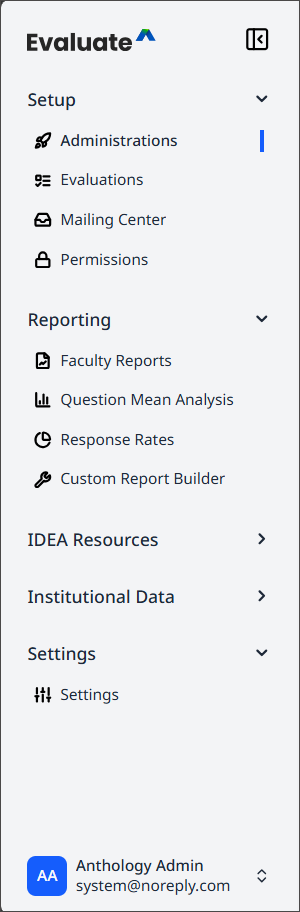
All navigation now appears on the left side of the screen, organized into five sections: Setup, Reporting, IDEA Resources, Institutional Data, and Settings. Users can expand or collapse the navigation bar based on personal preference, making it easier to focus on relevant content.
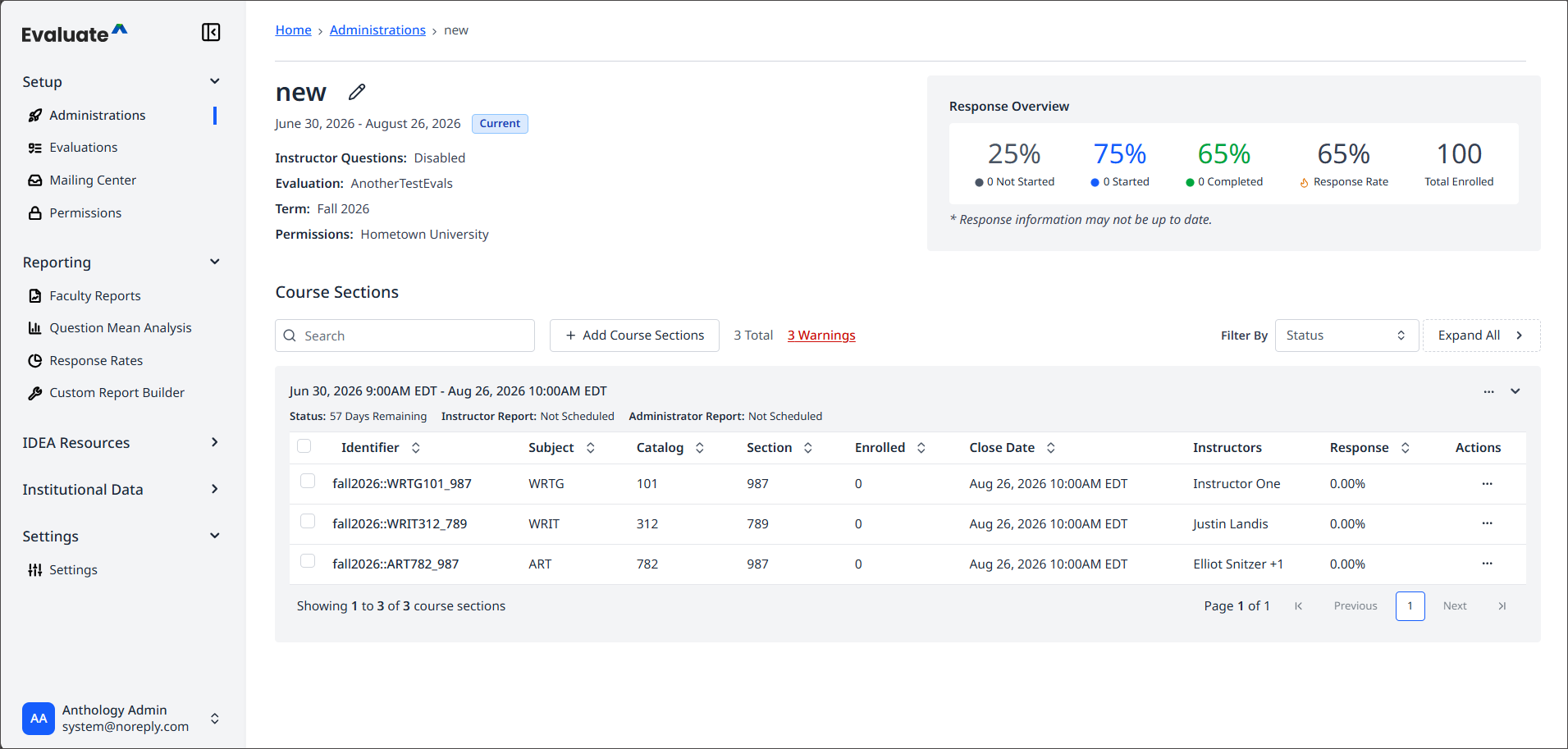
Evaluate takes users directly to the Administrations page after login. If a user doesn't have access to Administrations, Evaluate opens the first page they can access instead. For example, users with access only to Faculty Reports go straight to that page.
Setup
This section is where users build surveys, configure administrations and mailing campaigns, and manage user permissions for reporting and site access.
Reporting
This section is the central hub for creating reports, including Faculty Reports, Question Mean Analysis, Response Rates, and the Custom Report Builder.
IDEA Resources
This section is a dedicated space for all idea tools available to clients, such as the Unit Summary Report and Aggregate Reports. It is specifically designed for institutions that use IDEA.
Institutional Data
This section shows the data available to an institution's site.
Settings
This section gives administrators greater control over their site through more configurable options. Evaluate will add more settings here over time.