Evaluate Direct Access Link Guidelines
Overview
Instructors can now provide a unique evaluation link to enrolled students for direct access to a course section's evaluation. Only students enrolled in the course section will be authenticated into the evaluation, bypassing the landing page. When the evaluation is completed, the student can simply click the return to course list button, where any other available evaluations will be listed. During class, instructors can post this link or QR code on the board/projector for students to then access from their mobile devices.
Tips for Usage
Block off time for students to complete their evaluations in class. Share the direct access link or QR code on the board.
Directions
Log in to faculty experience.
Select the term and individual course section.
Select the View Evaluation Link button.
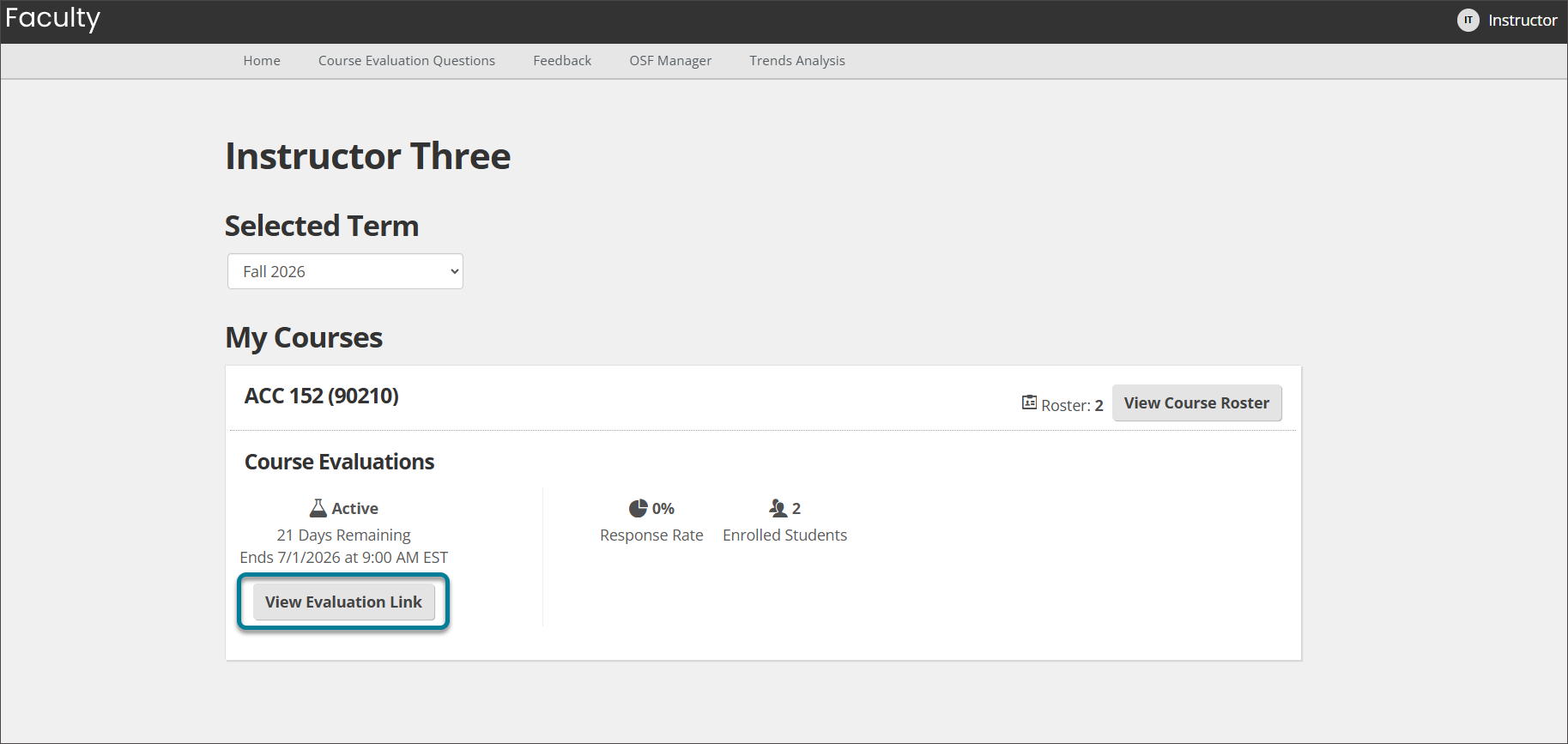
Choose one of two options in the modal that appears:
Copy and paste the Evaluation link to share.
Download the QR code for students to scan and be authenticated into the evaluation.
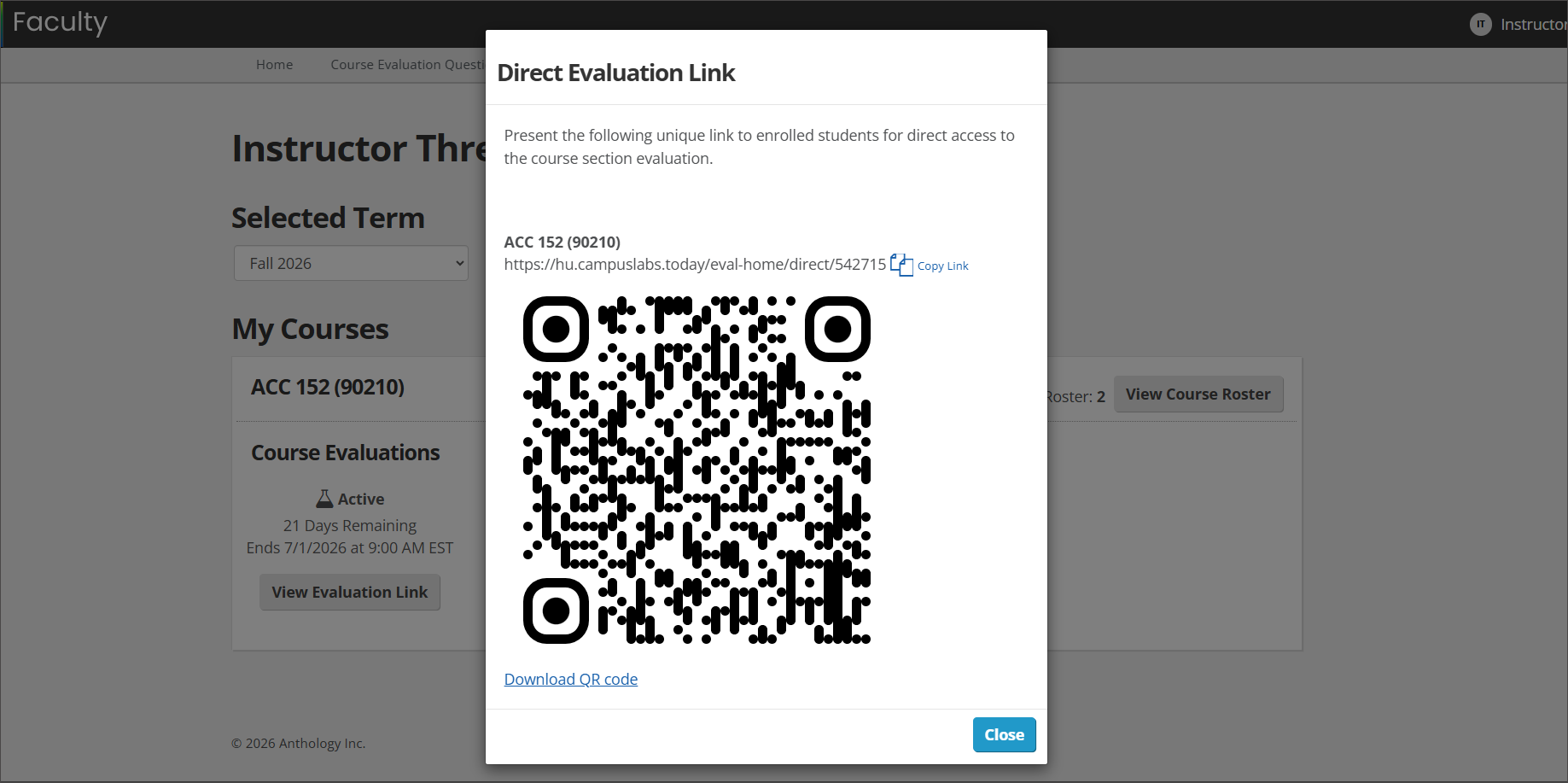
The direct access link will be available to instructors once an administration has opened. Only students enrolled in the course section will be authenticated into the evaluation, bypassing the landing page. When the evaluation is completed, the student can simply click the return to course list button, where any other available evaluations will be listed.