Utilisation
Note
Cette documentation a été traduite à l'aide d'un outil de traduction automatique assisté par l'IA. Les traductions sont fournies « telles quelles », sans aucune garantie quant à leur exactitude. La version anglaise de ce contenu fait foi.
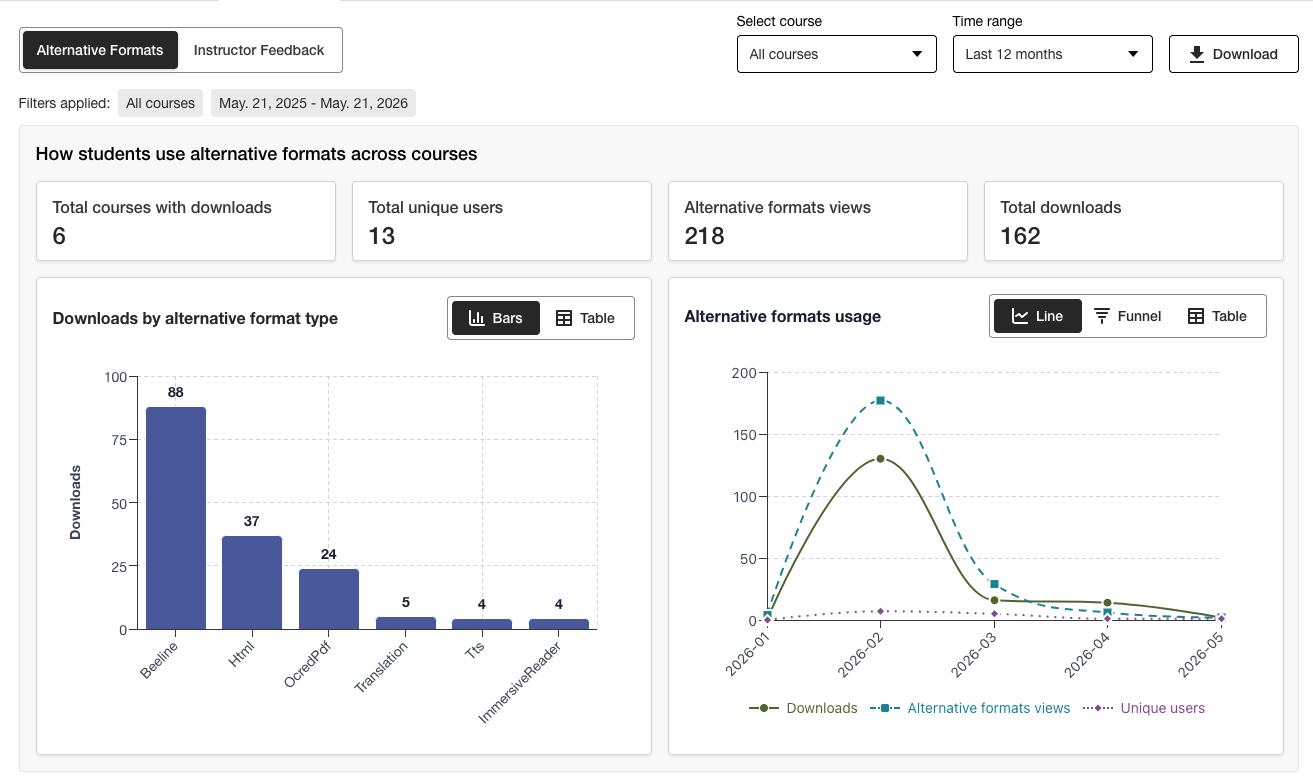
Comprendre le rapport d’utilisation Ally
Le rapport d'utilisation fournit des informations détaillées sur la manière dont vos étudiants et vos enseignants utilisent Ally. Découvrez à quelle fréquence les étudiants téléchargent un format alternatif et à quelle fréquence les enseignants corrigent les problèmes d'accessibilité.
Accéder au rapport d’utilisation
Dans le rapport d'accessibilité Ally de l'établissement, sélectionnez l'onglet Utilisation.
Télécharger un rapport d’utilisation
Le rapport de téléchargement est un tableur divisé en cinq feuilles de calcul. Chaque feuille de calcul contient des informations relatives à la période que vous choisissez.
Lancement de « Format alternatif »
Hebdomadaire « Format alternatif »
Lancer des retours des formateurs
Commentaires hebdomadaires de l’enseignant
Données
Dans le rapport d'accessibilité Ally de l'établissement, sélectionnez l'onglet Utilisation.
Choisissez une plage de dates pour le rapport.
Sélectionnez le bouton Télécharger le rapport d'utilisation.
Note
Il se peut que vous ne voyiez pas de données lorsque vous ouvrez le rapport pour la première fois. Il est possible que le fichier téléchargé soit protégé. Activez le mode édition pour afficher les données.