学习模块
Note
本文档采用 AI 辅助机器翻译。译文仅供参考,不保证准确性;此内容的英文版为官方权威版本。
学习模块是用于组织有序的内容集合的容器。模块允许学生从一个内容项目导航到下一个内容项目,而不会受到干扰或需要额外点击。学习模块使您可以专注于所学习的课程或概念。如果您的课程使用教材,则教师可能使用模块对内容分组,以与这些资料的步调保持一致。
学习模块类似于课程内容页上的一个文件夹。选择标题或箭头以打开学习模块并查看其内容。
学习模块可以包括:
阅读和档案
评估(作业和测验)
小组项目
讨论和协作工具
你可以在学习模块中查看所有可见内容,包括截止日期。
浏览学习模块
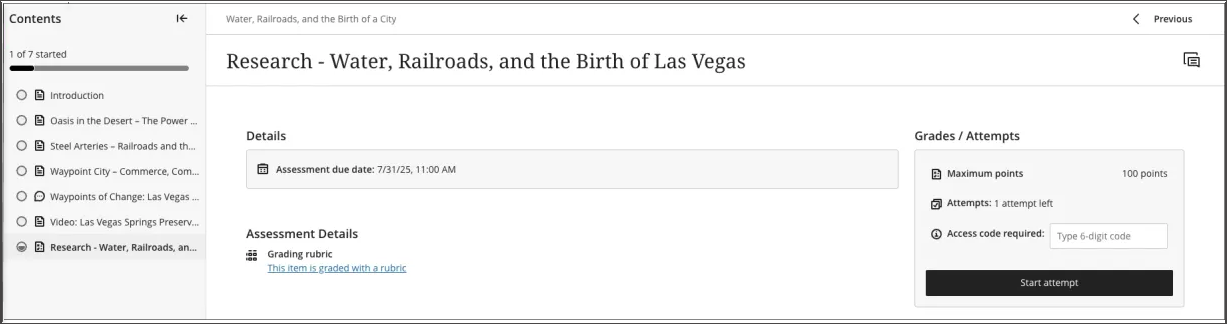
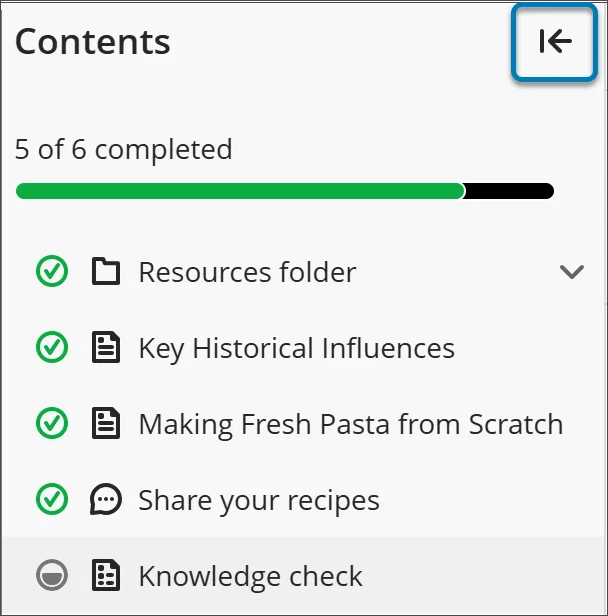
当您打开学习模块时,屏幕的侧面板上会显示一个可折叠的目录。该面板显示学习模块中的所有内容项,帮助您快速了解内容的范围和组织。
选择目录面板中的任何项目即可直接打开它(除非您的讲师强制执行了特定的顺序)。
如果要隐藏目录,请选择目录右上角的箭头按钮。
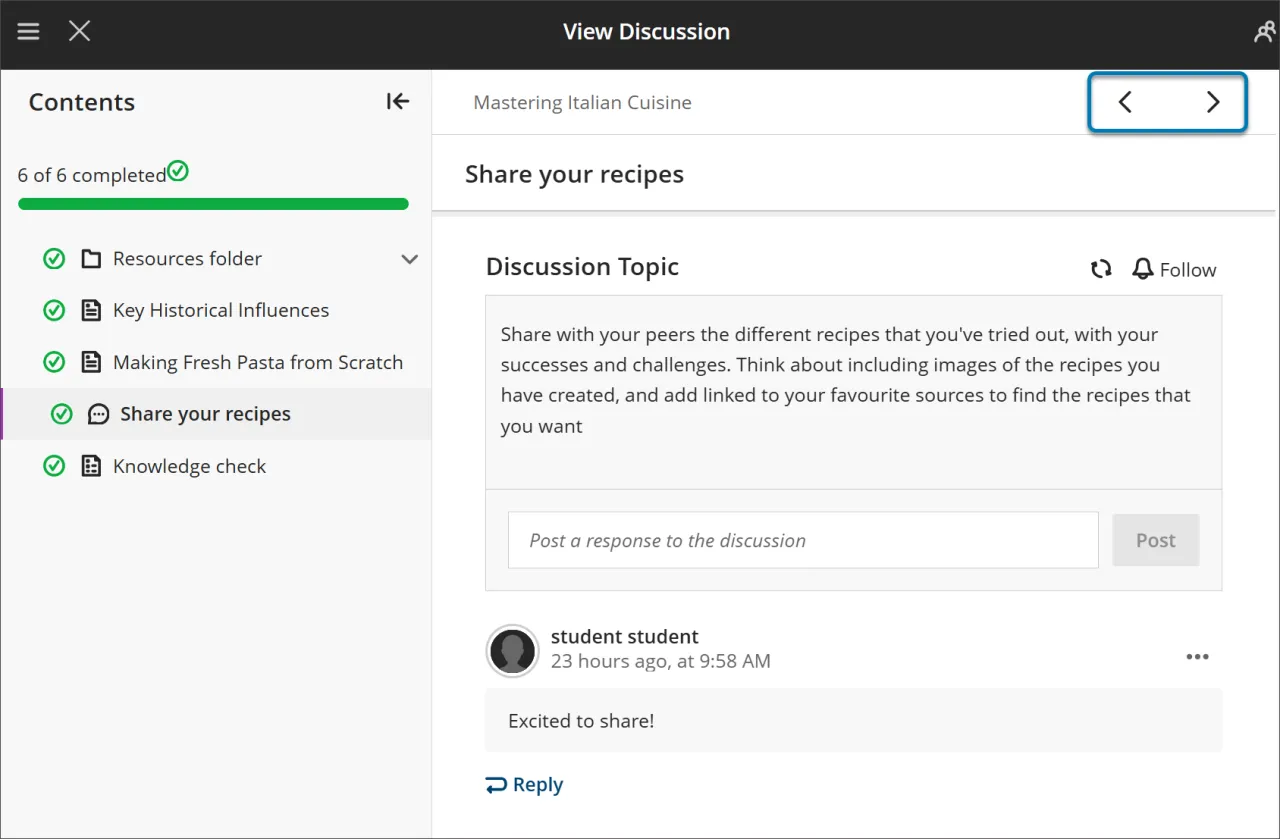
使用右上角的下一个和上一个按钮按顺序浏览内容。如果您的教师启用了强制序列,您可能会注意到下一个项目被锁定。
您需要满足某些条件,然后“下一个”和“目录”菜单中的下一个项目才可用。您仍然可以重新访问任何以前解锁的项目。
强制序列
如果您的讲师要求按照特定顺序完成学习模块中的项目,则会出现一条消息。其他条件(例如访问日期或先决条件)也可能适用。
如果学习模块包含文件夹,您可以按照与其他内容相同的方式浏览它们。您的教师可能会要求您在继续之前完成文件夹中的内容。
跟踪您的进度
您可以在完成学习模块前退出。当你返回时,内容旁边会出现图标,显示你的进度,这样你可以从中断的地方继续。
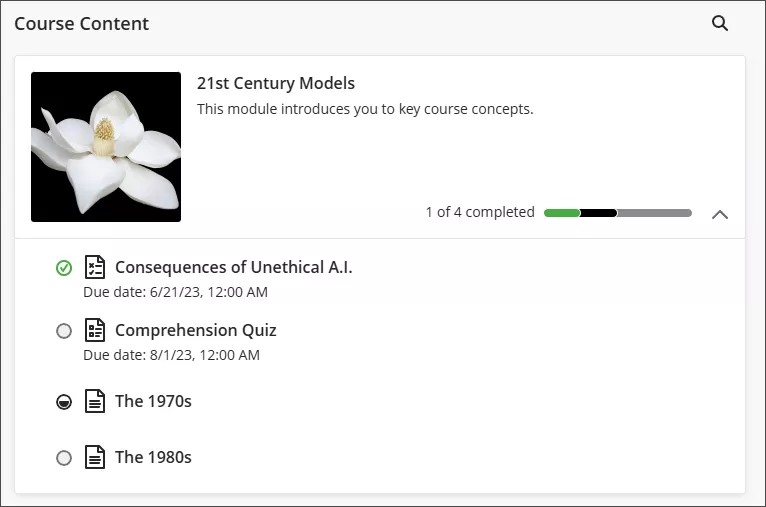
进度图标有四种类型:
绿色圆圈带勾选表示内容已完成。
部分填充的灰色圆圈表示内容正在进行中。
空白的圆圈表示你尚未开始内容。
锁定图标表示您尚未满足访问内容的条件。
学习模块中的评估
当您从学习模块中打开评估时,它会显示在整页面板中。这种布局提供了一致且集中的体验,帮助您专注于材料。