AI-samtale
Note
Denne dokumentasjonen er oversatt ved hjelp av AI-støttet maskinoversettelse. Oversettelsene leveres «som de er», uten garanti for nøyaktighet. Den engelske versjonen av dette innholdet er den offisielle og gyldige kilden.
AI-samtaler er for å utforske et emne eller scenario med en AI-persona som er definert av læreren din. Læreren din vil gjennomgå samtalen med AI-personaen etter at du er ferdig med samtalen.
Læreren din vil for eksempel at du skal tenke mer på en historisk hendelse i kurset ditt. Underviseren oppretter en AI-persona som skal diskutere emnet med deg. Underviseren definerer AI-personaens samtaleegenskaper, for eksempel at AI-personaen skal være støttende. Etter at du har samhandlet med AI-personaen, blir du bedt om å reflektere over hvordan interaksjonen bidro til å øke forståelsen din av emnet.
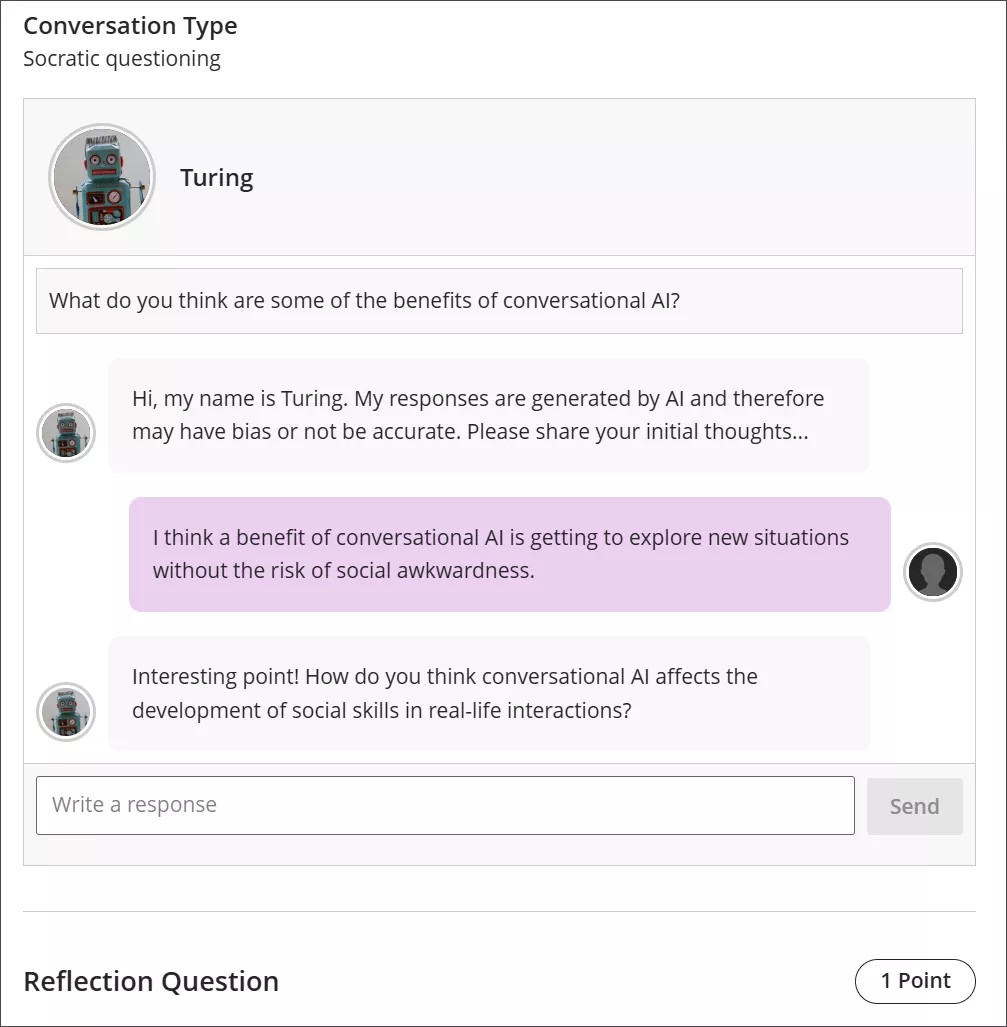
Conversation types
Socratic Questioning conversations encourage you to think critically through continuous questioning. The AI persona won’t tell you that you have a right or wrong answer. It gives you a series of questions so you can explore the topic. When you feel like you’ve fully considered the topic, you can move on to the reflection question.
Role Play conversations are for playing out a scenario with an AI persona. You can get experience with new situations in a way that is close to real life, such as workplace interactions and preparing for interviews.
Pulse Quiz conversations ask you quickfire questions about material you have covered. A host greets you, says how many questions the quiz contains, asks them one at a time, and responds to each answer before moving on. At the end, the host summarizes how you did. Questions are generated as you go, so another student taking the same quiz won’t get the same questions.
Start a conversation
Open the AI Conversation from your course and select Start attempt, then select Start conversation. The conversation opens in its own view with more room for the exchange, and the settings and assessment details are hidden while you work.
The notice explaining that responses are AI-generated and may be inaccurate or contain bias stays visible while you work.
Take part in a conversation
Hvis du vil samhandle med AI-personaen, skriver du inn svaret ditt i tekstfeltet.
For å lage et linjeskift, bruk Enter-tasten på tastaturet.
Velg Send -knappen, eller bruk Shift + Enter for å sende svaret.
AI-personas kan ha skjevhet eller være unøyaktige. Bruk din beste dømmekraft i svarene dine på AI-personaen og refleksjonen din over samtalen. Hvis du identifiserer noen skjevheter eller unøyaktigheter i interaksjonen din med AI-personaen, kan du inkludere dette i refleksjonen din over samtalen.
Conversation language
Your instructor can set the language a conversation is conducted in. When a language is enforced, the whole conversation is in that language from the first message onward. You can’t change it partway through: if you ask the AI to continue in a different language, it declines and carries on in the language your instructor set.
Reflect on the conversation
AI personas may have bias or be inaccurate. Use your best judgment in your responses to the AI persona and your reflection on the conversation. If you identify any bias or inaccuracies in your interaction with the AI persona, you can include this in your reflection on the conversation.
Notat
Lovlig, etisk og ansvarlig bruk av kunstig intelligens er en hovedprioritet for Anthology og for utviklingen av AI Conversation-funksjonen. For mer informasjon om Anthologys tilnærming til AI, besøk vårt Trust Center.