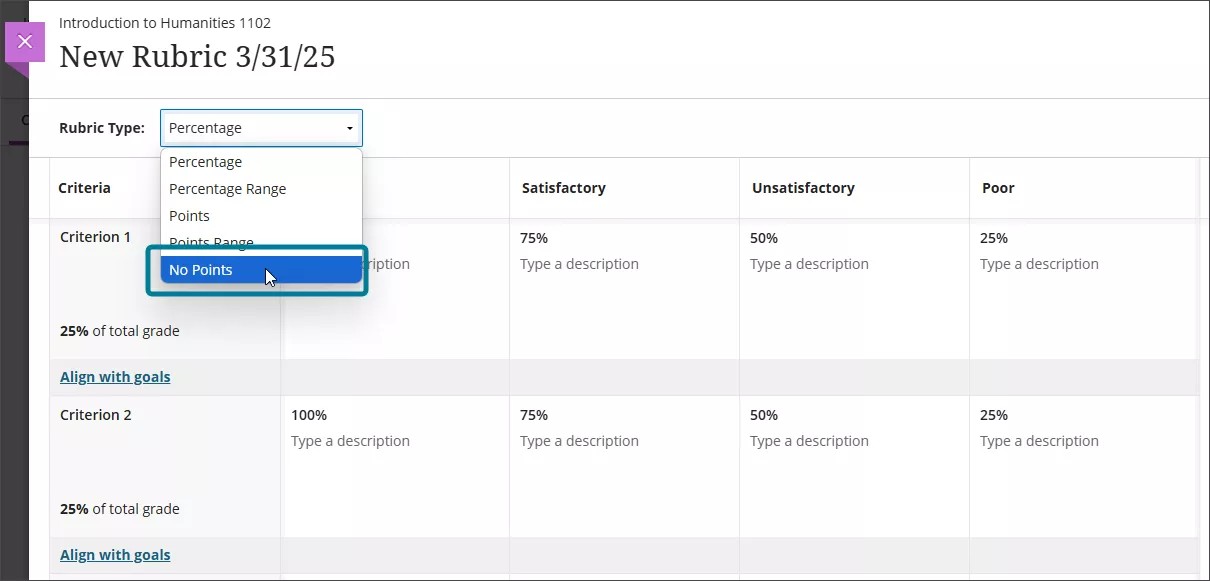
Tipos de rúbricas
Las rúbricas se organizan en una tabla con filas y columnas:
Las filas representan criterios, lo que muchos instructores consideran entregables de la actividad o áreas que se evalúan (por ejemplo, Contenido, Organización o Citas).
Las columnas representan los niveles de rendimiento, como Excelente, Satisfactorio o Necesita mejorar.
La forma de calcular puntos o porcentajes depende del tipo de rúbrica que elija.
Tipos de rúbricas
Puede crear varios tipos de rúbricas en un curso:
Rúbricas basadas en porcentajes
Rúbricas de rango de porcentaje
Rúbricas basadas en puntos
Rúbricas de rango de puntos
Rúbricas sin puntos
Rúbricas basadas en porcentajes
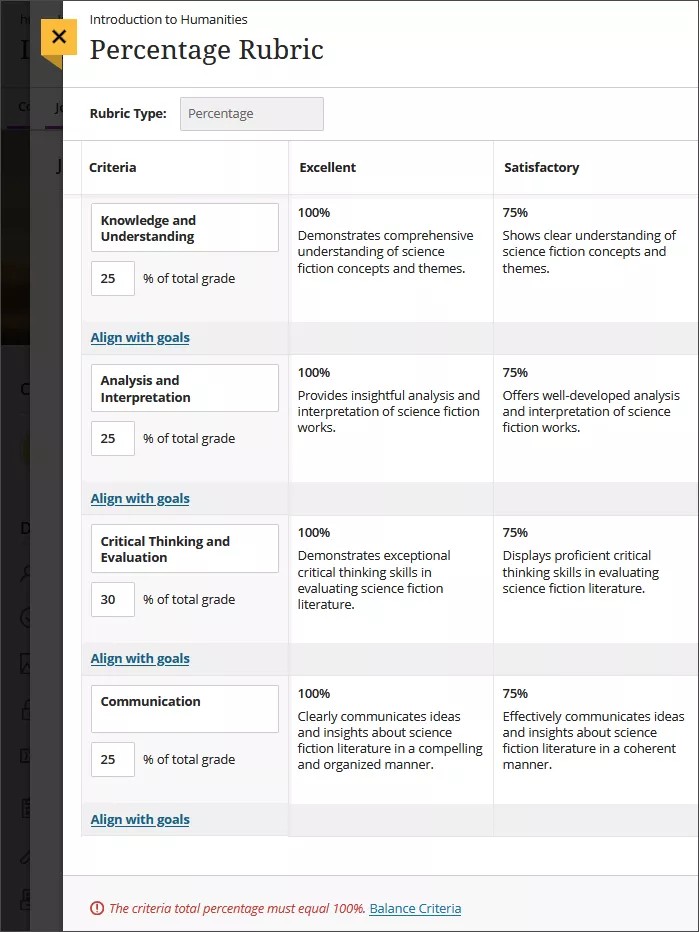
En las rúbricas basadas en porcentajes, a cada criterio (fila) se le asigna un peso porcentual. La ponderación de todos los criterios debe sumar el 100%.
Los niveles de rendimiento (columnas) definen la ponderación de ese criterio que obtiene un estudiante. Por ejemplo, un nivel establecido en el 80% otorga el 80% del peso del criterio.
Puede editar el peso porcentual de cada criterio de forma independiente, así como los valores porcentuales de cada nivel de rendimiento. Un nivel de rendimiento debe establecerse en el 100%.
Si los porcentajes de los criterios no son iguales al 100%, aparece un mensaje de advertencia. Puede seleccionar Criterios de equilibrio para ajustar automáticamente los porcentajes o actualizarlos manualmente.
Rúbricas de rango de porcentaje
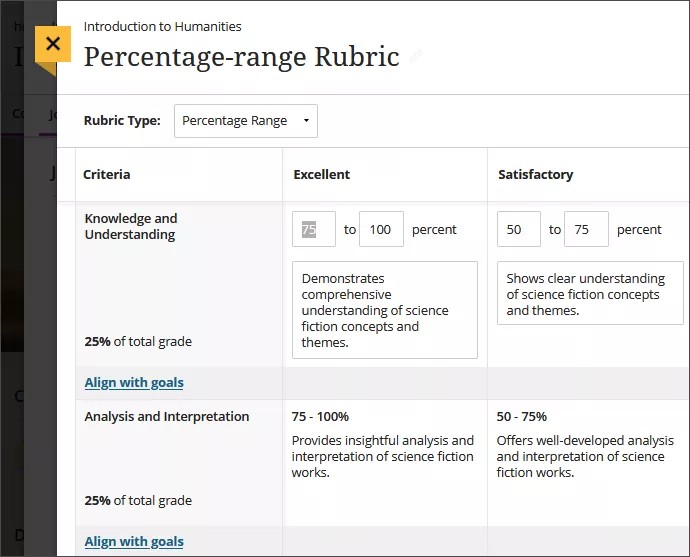
En las rúbricas de rango porcentual, cada nivel de rendimiento utiliza un rango porcentual en lugar de un valor único.
Al calificar, seleccione un porcentaje dentro del intervalo definido para un nivel de rendimiento. El sistema calcula la puntuación final basándose en la ponderación del criterio, el porcentaje seleccionado y el total de puntos disponibles para el elemento calificado.
Rúbricas basadas en puntos
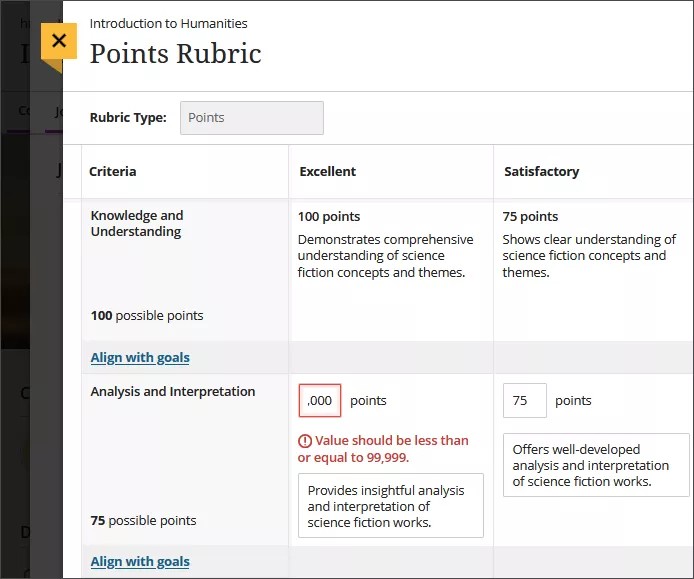
En las rúbricas basadas en puntos, estos se asignan a los niveles de rendimiento (columnas). Estos valores de puntos determinan los puntos máximos disponibles para cada criterio (fila).
El total del criterio se calcula automáticamente como la suma de los puntos de sus niveles de rendimiento. Si modifica el valor en puntos de un nivel, el total del criterio se actualiza automáticamente.
Solo puede usar números enteros. El total de puntos disponibles en toda la rúbrica debe ser menor o igual que 99.999.
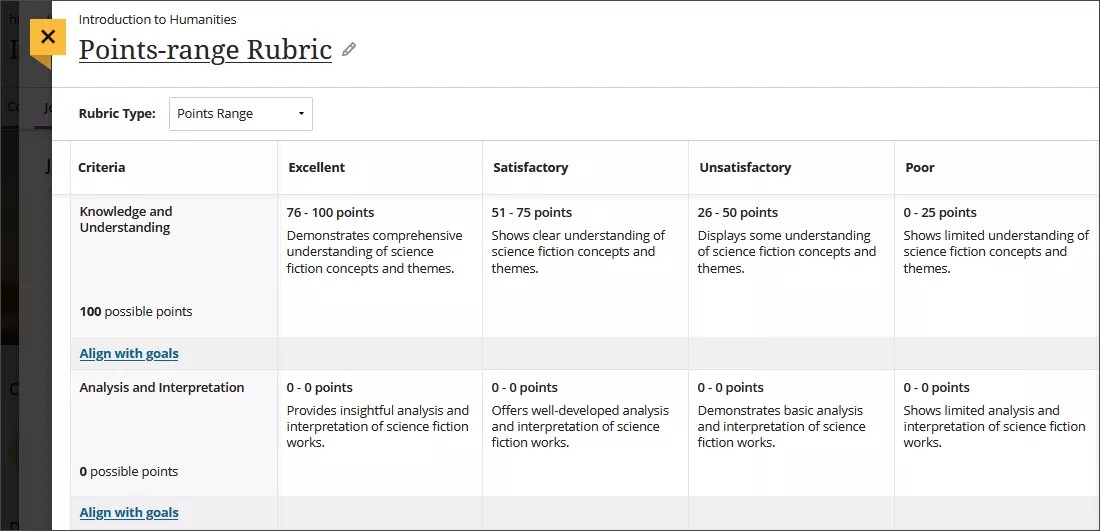
Rúbricas de rango de puntos
En las rúbricas de rango de puntos, cada nivel de rendimiento utiliza un rango de valores de puntos en lugar de un valor único.
Al calificar, se selecciona un valor en puntos dentro del intervalo definido. El sistema utiliza ese valor para calcular la puntuación del criterio y, a continuación, suma los puntos de todos los criterios.
El total de puntos disponibles en toda la rúbrica debe ser menor o igual que 99,999, y los rangos de puntos deben progresar de valores inferiores a superiores.
Rúbricas sin puntos
Las rúbricas sin puntuación permiten a los profesores evaluar el trabajo de los alumnos de forma cualitativa, basándose en criterios definidos y comentarios, en lugar de en valores numéricos.
Este tipo de rúbrica hace hincapié en la evaluación descriptiva y la orientación sin asignar una puntuación numérica.