Bruk
Note
Denne dokumentasjonen er oversatt ved hjelp av AI-støttet maskinoversettelse. Oversettelsene leveres «som de er», uten garanti for nøyaktighet. Den engelske versjonen av dette innholdet er den offisielle og autoritative kilden.
Forstå Ally-bruksrapporten
Brukrapporten viser detaljer om hvordan studentene og lærerne dine bruker Ally. Finn ut hvor ofte studentene laster ned et alternativt format og hvordan lærerne løser tilgjengelighetsproblemer.
Åpne bruksrapporten
I Ally Rapport om institusjonell tilgjengelighet velger du fanen Bruk.
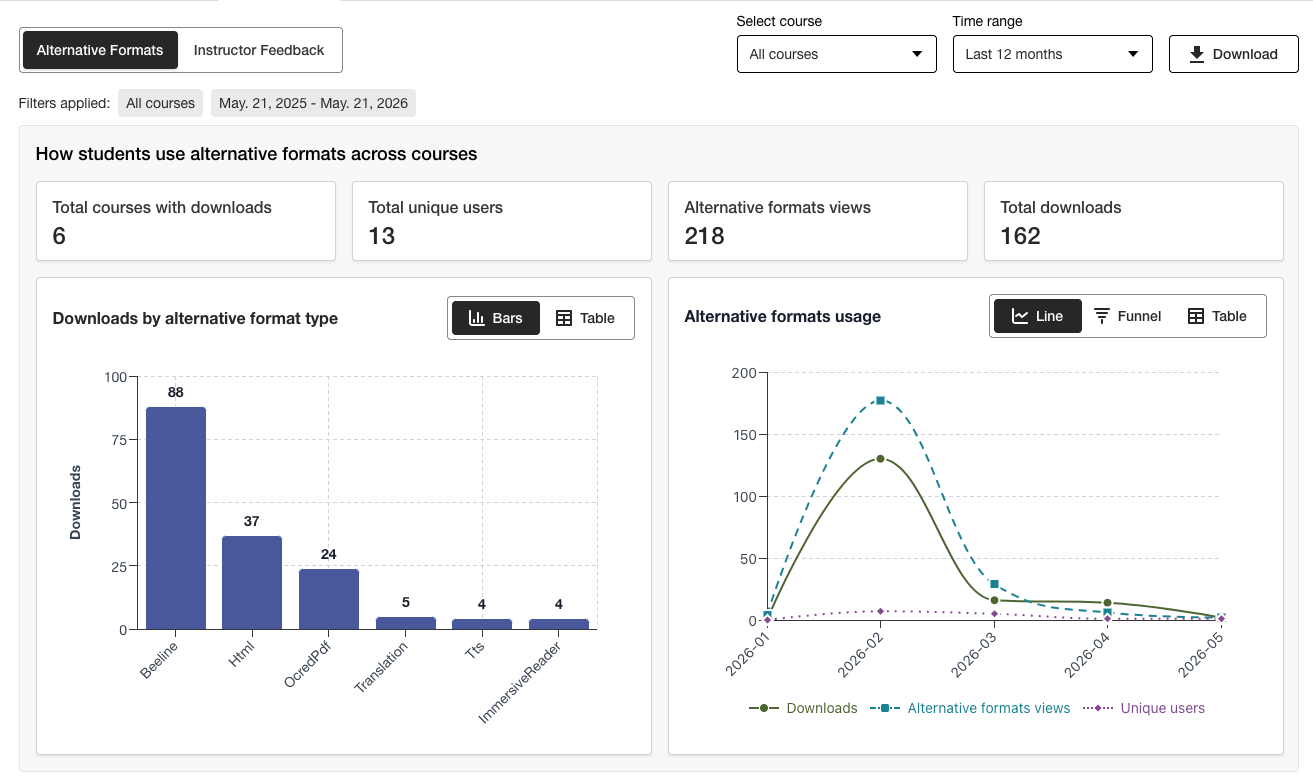
Last ned en bruksrapport
Nedlastingsrapporten er et regneark som er delt inn i fem regneark. Hvert regneark inneholder informasjon knyttet til datointervallet du velger.
Lansering av alternativt format
Ukentlig i et alternativt format
Instruktørtilbakemeldinger lanseres
Ukentlig tilbakemelding fra læreren
Data
I Ally Rapport om institusjonell tilgjengelighet velger du fanen Bruk.
Velg et datoområde for rapporten.
Trykk på Last ned bruksrapport-knappen.
Notat
Det kan hende at du ikke ser noen data når du åpner rapporten for første gang. Den nedlastede filen kan være beskyttet. Aktiver redigering for å se dataene.