AI Conversation
Note
Cette documentation a été traduite à l'aide d'un outil de traduction automatique assisté par l'IA. Les traductions sont fournies « telles quelles », sans aucune garantie quant à leur exactitude. La version anglaise de ce contenu fait office de source officielle et fait autorité.
Les conversations IA permettent d’explorer un sujet ou un scénario avec un personnage IA défini par votre professeur. Votre professeur examinera votre conversation avec le personnage IA une fois que vous aurez terminé la conversation.
Par exemple, votre professeur souhaite que vous réfléchissiez davantage à un événement historique dans le cadre de votre cours. Il crée un personnage d'IA pour discuter du sujet avec vous. Il définit les traits conversationnels du personnage d'IA, par exemple en le définissant comme un soutien. Après avoir interagi avec le personnage d'IA, il vous demandera de réfléchir à la manière dont l'interaction vous a permis de mieux comprendre le sujet.
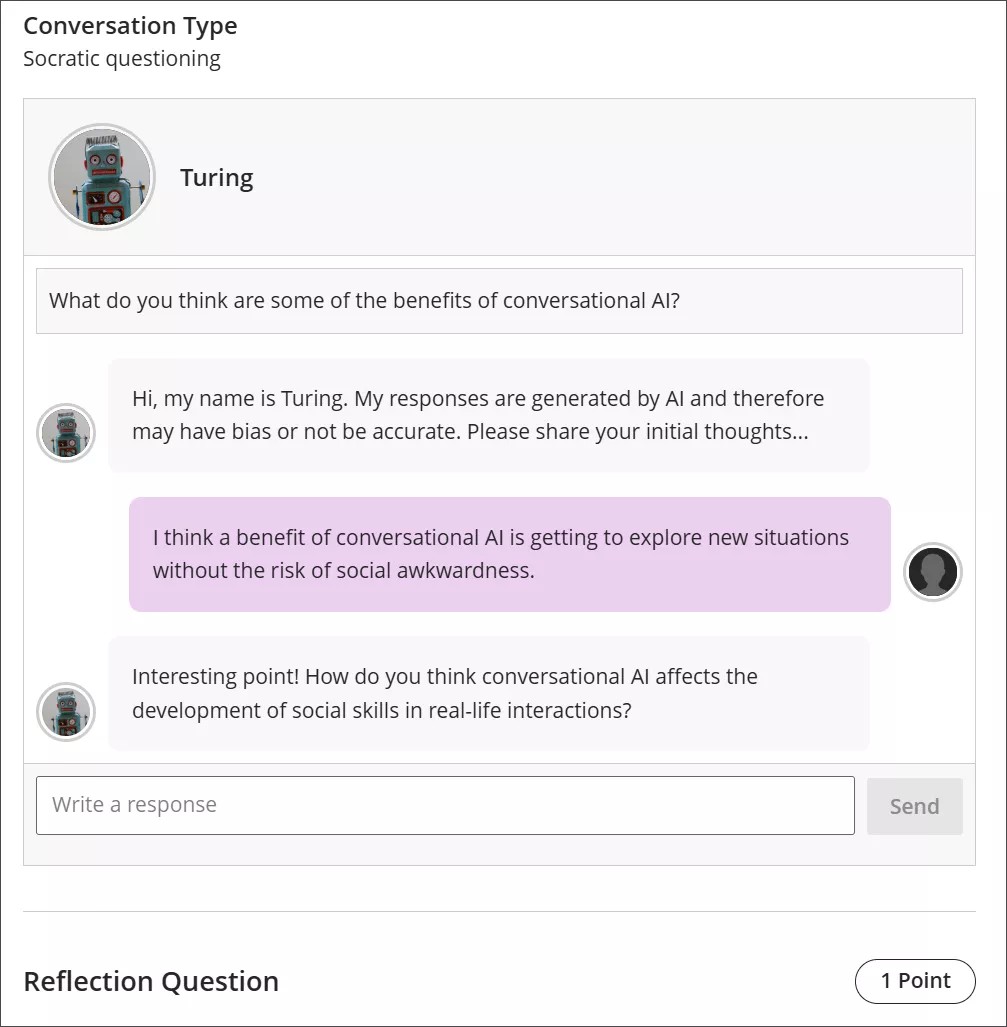
Conversation types
Socratic Questioning conversations encourage you to think critically through continuous questioning. The AI persona won’t tell you that you have a right or wrong answer. It gives you a series of questions so you can explore the topic. When you feel like you’ve fully considered the topic, you can move on to the reflection question.
Role Play conversations are for playing out a scenario with an AI persona. You can get experience with new situations in a way that is close to real life, such as workplace interactions and preparing for interviews.
Pulse Quiz conversations ask you quickfire questions about material you have covered. A host greets you, says how many questions the quiz contains, asks them one at a time, and responds to each answer before moving on. At the end, the host summarizes how you did. Questions are generated as you go, so another student taking the same quiz won’t get the same questions.
Start a conversation
Open the AI Conversation from your course and select Start attempt, then select Start conversation. The conversation opens in its own view with more room for the exchange, and the settings and assessment details are hidden while you work.
The notice explaining that responses are AI-generated and may be inaccurate or contain bias stays visible while you work.
Take part in a conversation
Pour interagir avec le personnage de l'IA, saisissez votre réponse dans le champ de texte.
Pour créer un saut de ligne, utilisez la touche Enter de votre clavier.
Sélectionnez le bouton Envoyer ou utilisez Shift + Enter pour envoyer votre réponse.
Les personnages de l'IA peuvent être biaisés ou inexacts. Faites preuve de discernement dans vos réponses au personnage de l'IA et dans votre réflexion sur la conversation. Si vous identifiez des biais ou des inexactitudes dans votre interaction avec le personnage IA, vous pouvez les inclure dans votre réflexion sur la conversation.
Conversation language
Your instructor can set the language a conversation is conducted in. When a language is enforced, the whole conversation is in that language from the first message onward. You can’t change it partway through: if you ask the AI to continue in a different language, it declines and carries on in the language your instructor set.
Reflect on the conversation
AI personas may have bias or be inaccurate. Use your best judgment in your responses to the AI persona and your reflection on the conversation. If you identify any bias or inaccuracies in your interaction with the AI persona, you can include this in your reflection on the conversation.
Note
L'utilisation légale, éthique et responsable de l'IA est une priorité essentielle pour Anthology et pour le développement de la fonctionnalité « AI Conversation ». Pour plus d'informations sur l'approche d'Anthology en matière d'IA, visitez notre Centre de confiance.