Usage
Understanding the Ally Usage Report
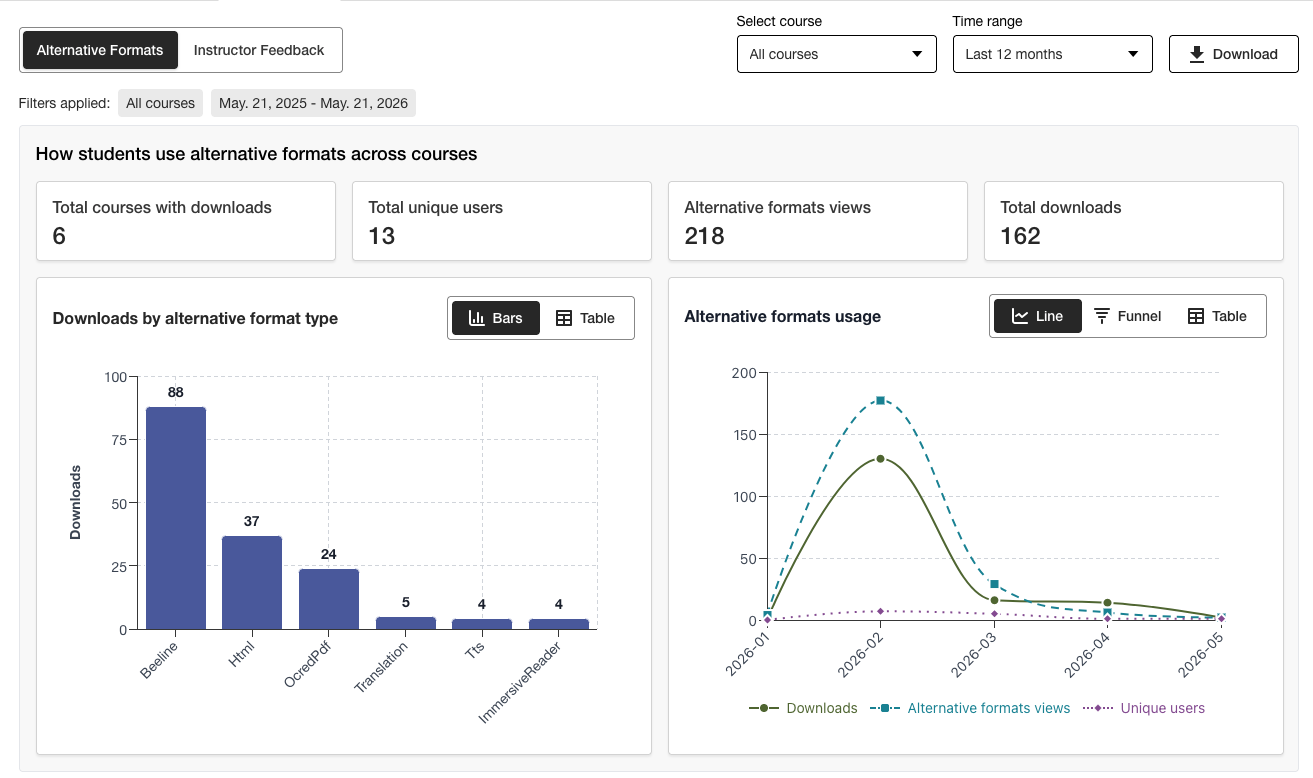
The Usage report shows details about how your students and instructors are using Ally. Find out how often students download an alternative format and instructors fix accessibility issues.
Access the Usage Report
From the Ally Institutional accessibility report, select the Usage tab.
Download a Usage Report
The download report is a spreadsheet that is split into five worksheets. Each worksheet has details related to a date range you pick.
Alternative Format Launches
Alternative Format Weekly
Instructor Feedback Launches
Instructor Feedback Weekly
Data
From the Ally Institutional accessibility report, select the Usage tab.
Choose a date range for the report.
Select Download.
Note
You may not see data when you first open the report. The downloaded file may be protected. Enable editing to see the data.