Data Dictionary
The Data Dictionary for Illuminate Developers provides table and column definitions in an easy-to-read format. Use this resource to create reports. Learn about the source, usage, and relationships of the entities available.
Here are a few things you should know about Illuminate's Data Dictionary:
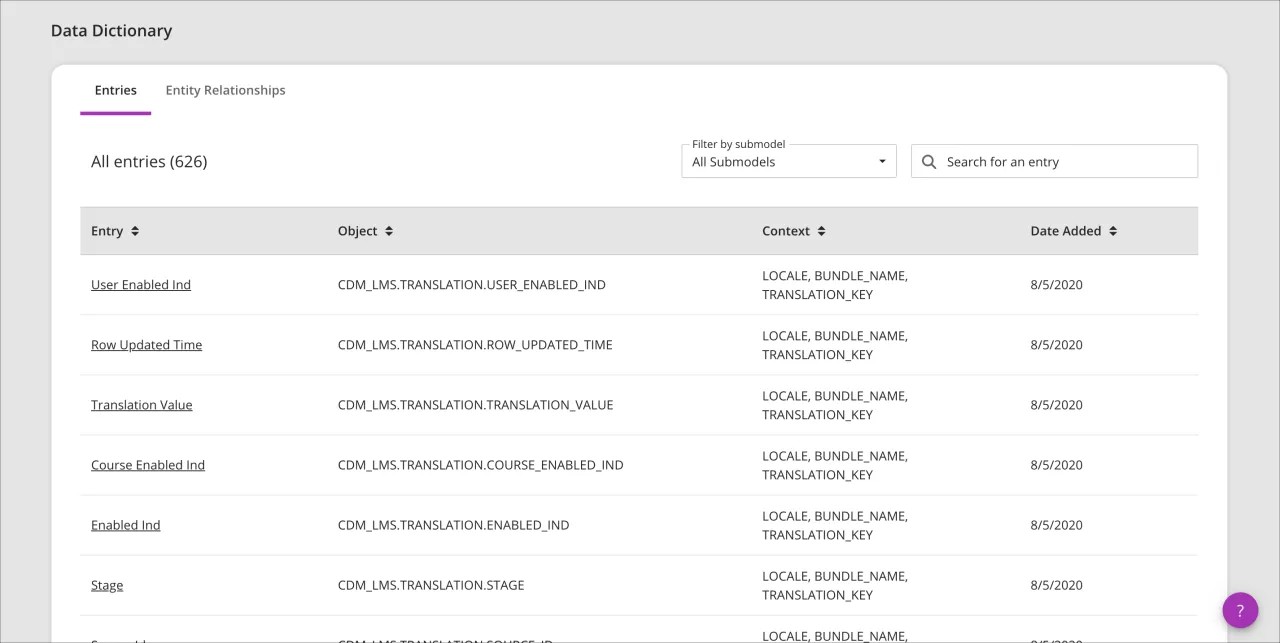
Entries document tables and columns.
Submodels group related entries.
Illuminate uses the Snowflake data warehouse.
Visit the Snowflake documentation website for tutorials and help with all supported SQL commands, functions, and operators.
Entries
Entries document tables and columns. Select an entry to see the definition, technical specifications, and entity relationships for the entry.
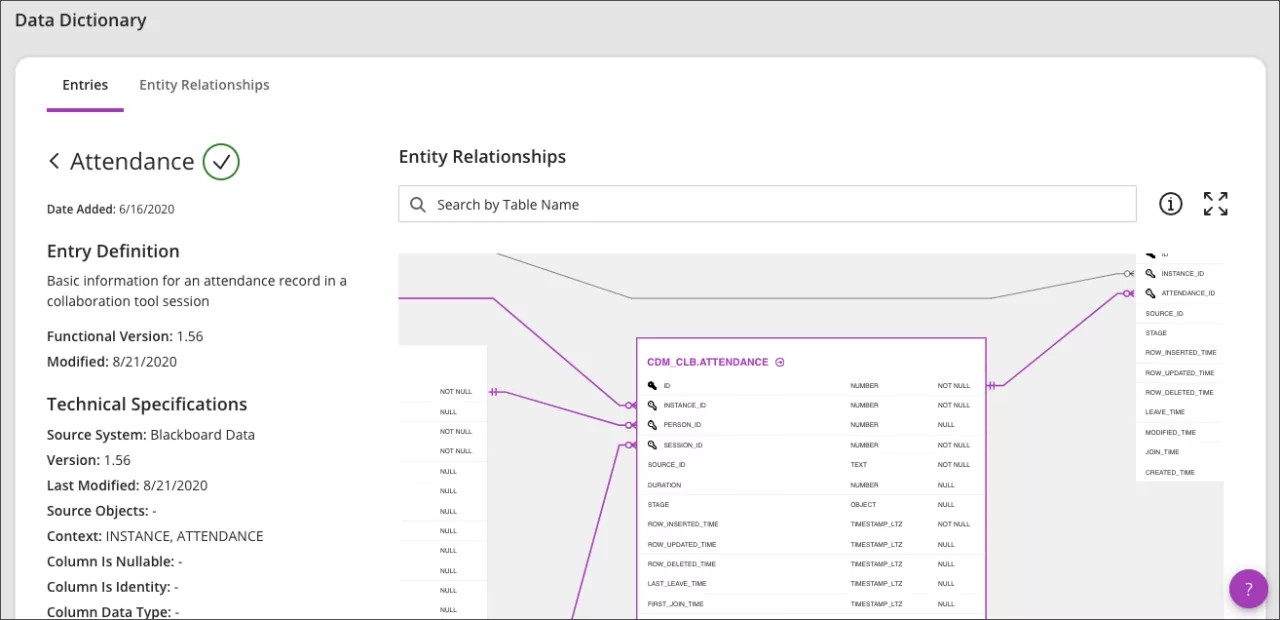
Verified checkmark icon: See at a glance if an entry is mapped and validated as recommended.
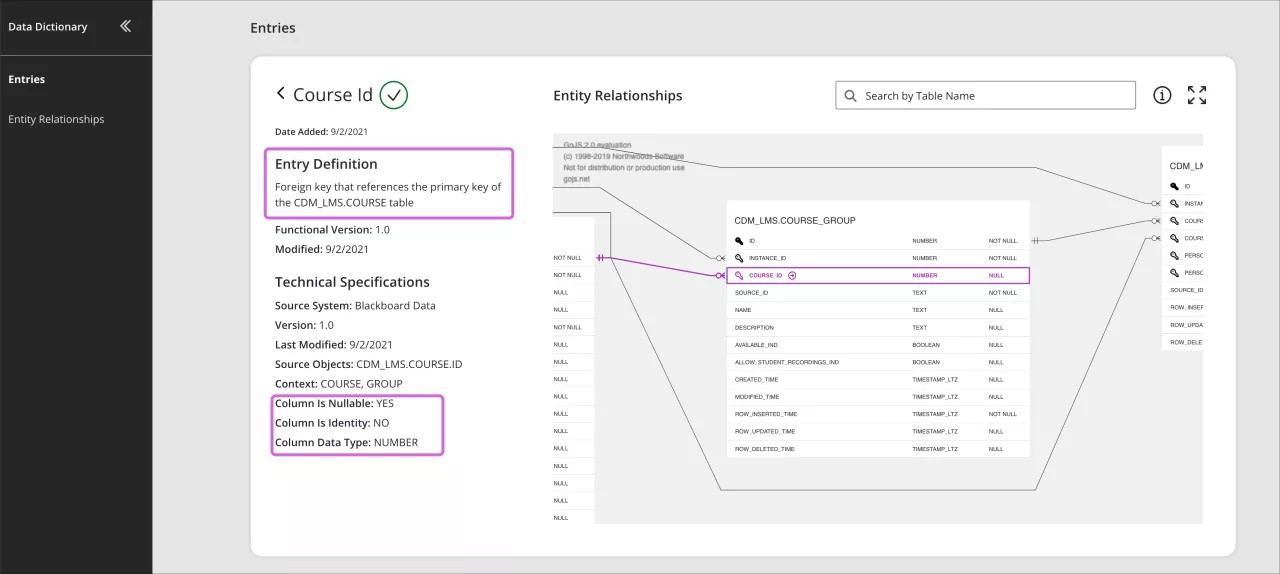
Entry Definition: Describes the table or column in an easy-to-read format
Source System: Identifies where the information is coming from. For example, Blackboard LMS.
Source Objects: Identifies the schema, table, and column the information is coming from.
Context: Identifies where entries apply. For example, in a course or a user session.
Column Is Nullable: Tells you if the column data can be Null.
Column Is Identity: Tells you if the column is an identity column.
Column Data Type: The type of data in the column. Learn more about Snowflake's supported data types.
Entity Relationships: The Entity Relationship Diagrams (ERD) show you the relationship and flow of data in the database. Blackboard Illuminate's ERD uses crow's foot notation to show you the relationships.
Note
You can use the language selector to choose your preferred language. There are terms that are not currently localized and will remain in English after you’ve selected another language. The localized version of these terms will be delivered in a progressive manner throughout 2021 and 2022.
Entity Relationship Diagram
Entity Relationship Diagrams (ERD) show you the relationship and flow of data.
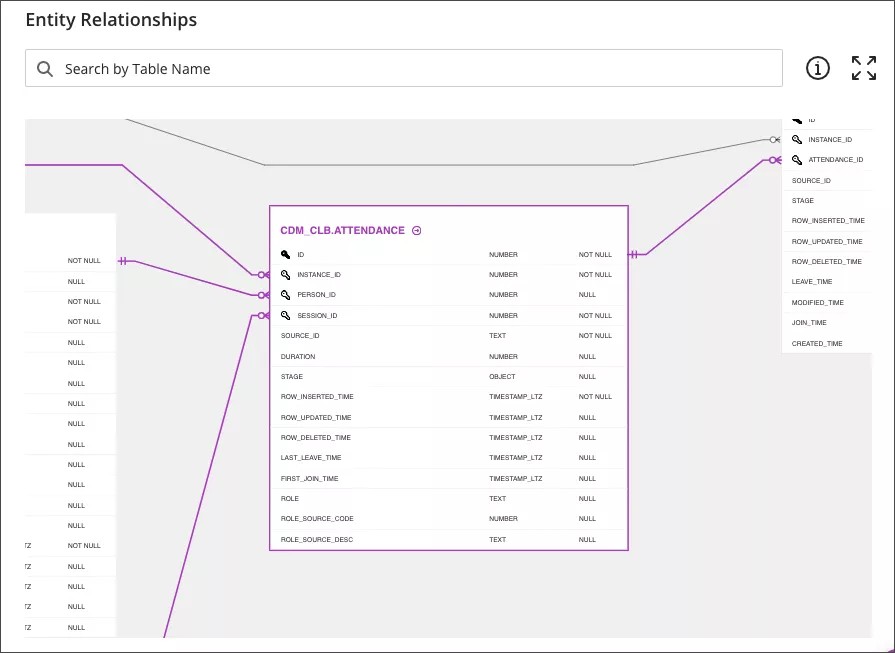
The ERD is interactive.
To highlight the relationships, select a table or column to highlight the relationships.
To see an entry definition, select the link next to the table or column name.

To expand your view, select Full screen.

To see a legend of ERD icons, move your pointer over the information icon.

Use the Search tool to find a table in the ERD.
Use two fingers or your scroll wheel to zoom the ERD in or out.
Press Ctrl and select the ERD to move it. On a Mac press Command and select the ERD.
Tip
The ERD uses crow's foot notation to show relationships. Learn more about Crow’s Foot Notation quick reference cheat sheet.
Localization
You can use the language selector to choose your preferred language. Nevertheless, there are terms that aren't currently localized and will remain in English after you’ve selected another language. The localized version of these terms will be delivered in a progressive manner throughout 2021 and 2022, except for the Data Dictionary terms related to these fields, which will remain in English:
Entry description
Column is Nullable
Column is Identity
Column Data Type