2020 - Product Releases
Release Notes: December 14, 2020
Please note that product releases are scheduled as followed by environment: Australian = Monday morning | Canadian = Monday evening | U.S. = Monday evening
Special Release Available for Early Adopters ️
Decision Analytics Portal
Decision Analytics is a brand new portal within Encompass that captures and scores engagement data to allow you and your staff to understand how alumni and donors are engaging so you can take your team and make better decisions about where to focus time and energy, and deepen and broaden engagement and financial support.
Developed a Higher-Ed Advancement specific model that incorporates weighting of constituent activity.
Statistically-based model including, email, events, giving, membership, online activity, and volunteerism.
Provide engagement scores at the constituent level as well as overall population. Each constituent is assigned an engagement score, engagement level, and dimension score
Visualize the engagement data through a portal in Encompass with the ability to drill into populations, and export scores
To learn more about the product, please visit us here.
On Tuesday morning, early adopters are going to see the following new additions to their portal:
First things first, enjoy your new filter option. Being able to focus uniquely on these different levels (Highly, Moderately, Low or None) allow you and your staff to redefine or maintain existing strategy and KPIS with these constituents.
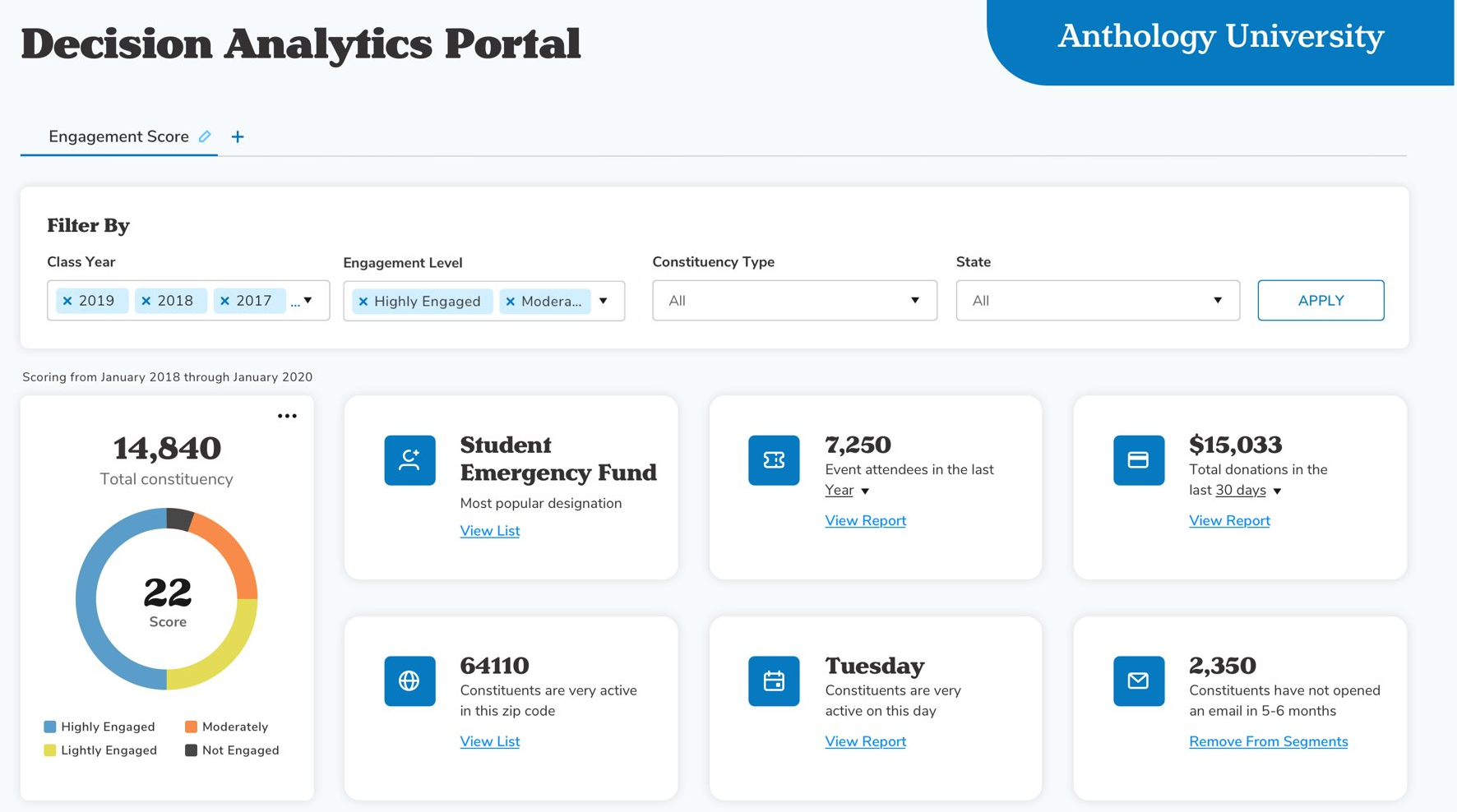
We are not done yet, though. Email has joined the family too. Don't worry other dimension specific data will be joining the portal soon but be sure to dive into what communications work with different populations and WHEN the most popular day for them to open is. So excited :)

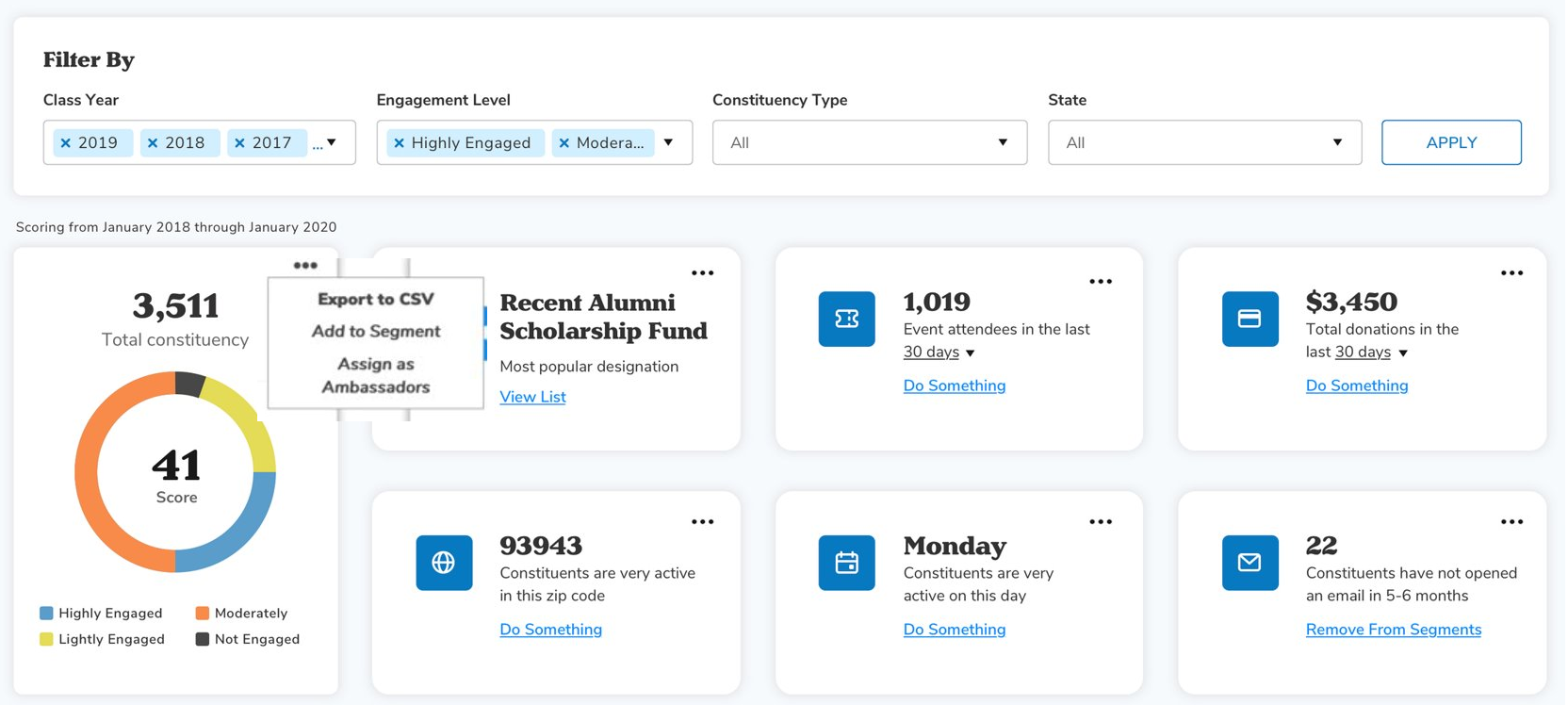
Another exciting thing we would like to announce is Export of populations you view via filters can now be exported from the total constituency box. This will supply of a file of all of those constituents, their ConstID, Class Year, Email Address, Engagement Score, and Engagement Level.
Release Notes: Hotfix - November 23, 2020
Defects
Email Marketing
Improved sending performance of emails. (ADO: 1221226)
Release Notes: November 9, 2020
Please note that product releases are scheduled as followed by environment: Australian = Monday morning | Canadian = Monday evening | U.S. = Monday evening
Email Marketing
Extended the auto-refresh on email home to help prevent unnecessary load on email services during the elevated email sending season. As always, you can still manually refresh the page or audience count to retrieve the latest information. (ENC-41884, ADO: 1204296)
Release Notes: Hotfix - November 2, 2020
Defects
Billing Submission Errors
Resolved an issue where billing form submissions were generating error messages and caused some confirmations not to be sent. (ADO: 1224616/1225056)
Release Notes: Hotfix - October 27 , 2020
Defects
Data Viewer
Fixed an issue where data viewer queries using equals were not working (ADO: 1224149)
Release Notes: October 26, 2020
Please note that product releases are scheduled as followed by environment: Australian = Monday morning | Canadian = Monday evening | U.S. = Monday evening
Product Enhancements
Notification Token Manager
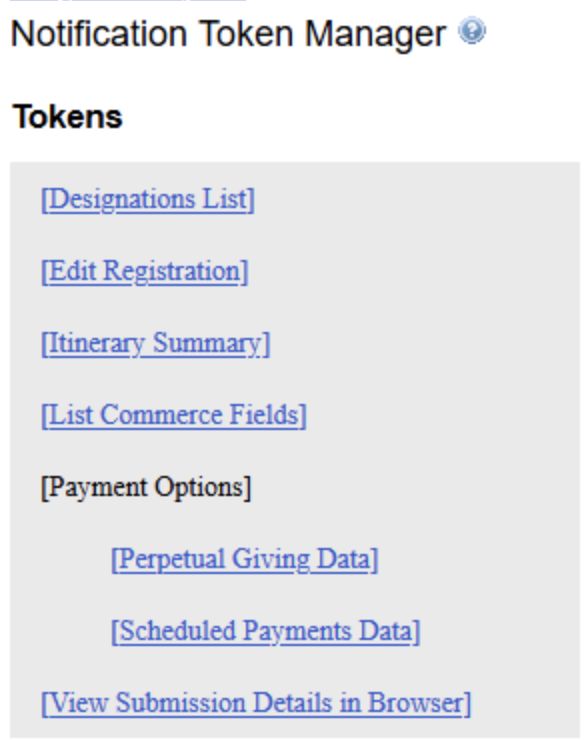
A new option is now available in the "Notification Token Manager" to change notification tokens on a sub-community level. This will allow customers to send out the same confirmation email across sub-communities, but change the verbiage of the tokens when needed. The following tokens can be customized:
 |
Events
Changed the Alt text attached to the "Add to Calendar" button, so that it now reads "Add [Event Name] to Calendar", with [Event Name] reflecting the event it is linked to.
Defects
Commerce
Fixed an issue where accented letters are being displayed as é type characters in Billing Information (ENC-41286, ADO: 1203708)
Fixed an issue on the Designations Grid where the Date Updated column shows date added, not date updated (ENC-41611, ADO: 1205313)
Fixed an issue where skipped billing transactions were not displaying on donor roll (ADO: 1205075)
Login
Fixed an issue where "Reset password" was not requiring a value to be entered (ENC-41626, ADO: 1205311)
Fixed an issue where First Time Login was not generating confirmation emails upon completion (ENC-41265, ADO: 1205229)
Fixed an issue where users were able to complete the "Manage Card Details" form in Encompass for payments made through the Stripe hosted gateway. As the gateway is hosted this is managed by the gateway and not by Encompass. The Manage Card Details form has been updated so that it will not display if the customer has Stripe set as their primary gateway. The following message will be displayed instead(ENC-41469, ADO:1203890)
"The payment gateway currently in use (Stripe), updates all credit card changes (where the card has been lost, stolen or has expired) automatically, therefore this form is not needed. If, however, you wish to add a brand new payment method, then please contact the alumni office."
Web Services
Fixed an issue where billing fields that contained accented characters were not being returned correctly via the API (ENC-13244 , ADO: 1183303)
Class Notes
Fixed an issues where creating class notes was resulting in an error (ENC-41355, ADO: 1205190)
Events
Updated the [Event Summary] Token to reflect Canadian date formatting and display months in French when that sub community's culture settings are set to French-Canadian in Group Manager. (ENC-40130, ADO: 1205068)
Fixed an issue where the superscript and subscript option on the email text menu in the editor were no longer displaying. (ADO: 1221366)
Release Notes: Hotfix - August 19 , 2020
Defects
Fixed an issue where A/B Winner was not delivered if test duration was greater than 5 hours. (ENC-41820)
Release Notes: Hotfix - August 12, 2020
Defects
Resolved issue where large audiences can cause email to fail sending (ENC-41775)
Fixed issue in reporting where the incorrect send date/time was displaying for A/B Campaigns. (ENC-41720)
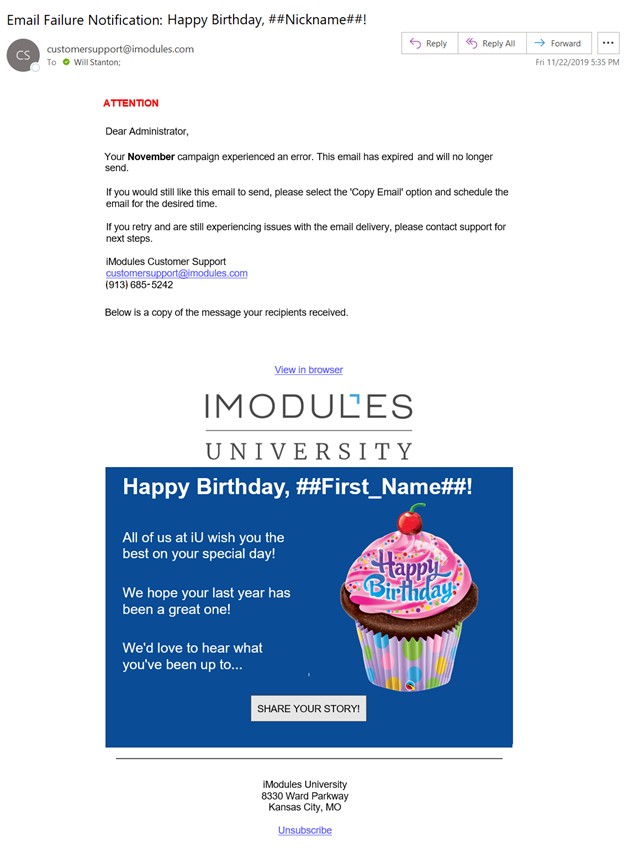
Fixed issue where email notifications were sent indicating a failure but queued and history pages show success. (ENC-41761)
Release Notes: Hotfix - August 11, 2020
Defects
Authentication
Resolved issue where some sites were resolving in an error when admins were logging in (ENC-41762)
Release Notes: August 10, 2020
Please note that product releases are scheduled as followed by environment: Australian = Monday morning | Canadian = Monday evening | U.S. = Monday evening
Product Enhancements
Email Marketing
Do you know why your constituent chooses to open or not open your email?
By simply testing one variable of your email you can easily determine which one generates more opens and resonates more with your constituents. This small change can make a big difference on how your alumni respond to your emails.
A/B testing is the process of sending one variation of your campaign to a subset of your audience and a different variation to another subset, with the ultimate goal of working out which variation of the campaign garners the best results.
The new feature, Automated A/B Testing Campaign, has simplified this process by providing the following capabilities.
Guided Process: Create an easy to follow process to setup an A/B Testing Campaign
Variables: Select Subject Line, Pre-Header or From as your test variable
Test Duration: Select how long the test should run before the winning version is determined
Winner Determination Metric: The winner will be determined by Opens
Test Group - Randomize Audience: The system will randomly select recipients to be part of the test group. The test group will be split between the two versions.
Automatically Send to the Winner: The admin can determine if the winning version should automatically be sent to the remaining recipients or if they want to manually select.
Reporting: Allows you to see what is resonating with constituents by monitoring test results and overall email performance in one location. Easier to analyze the data.
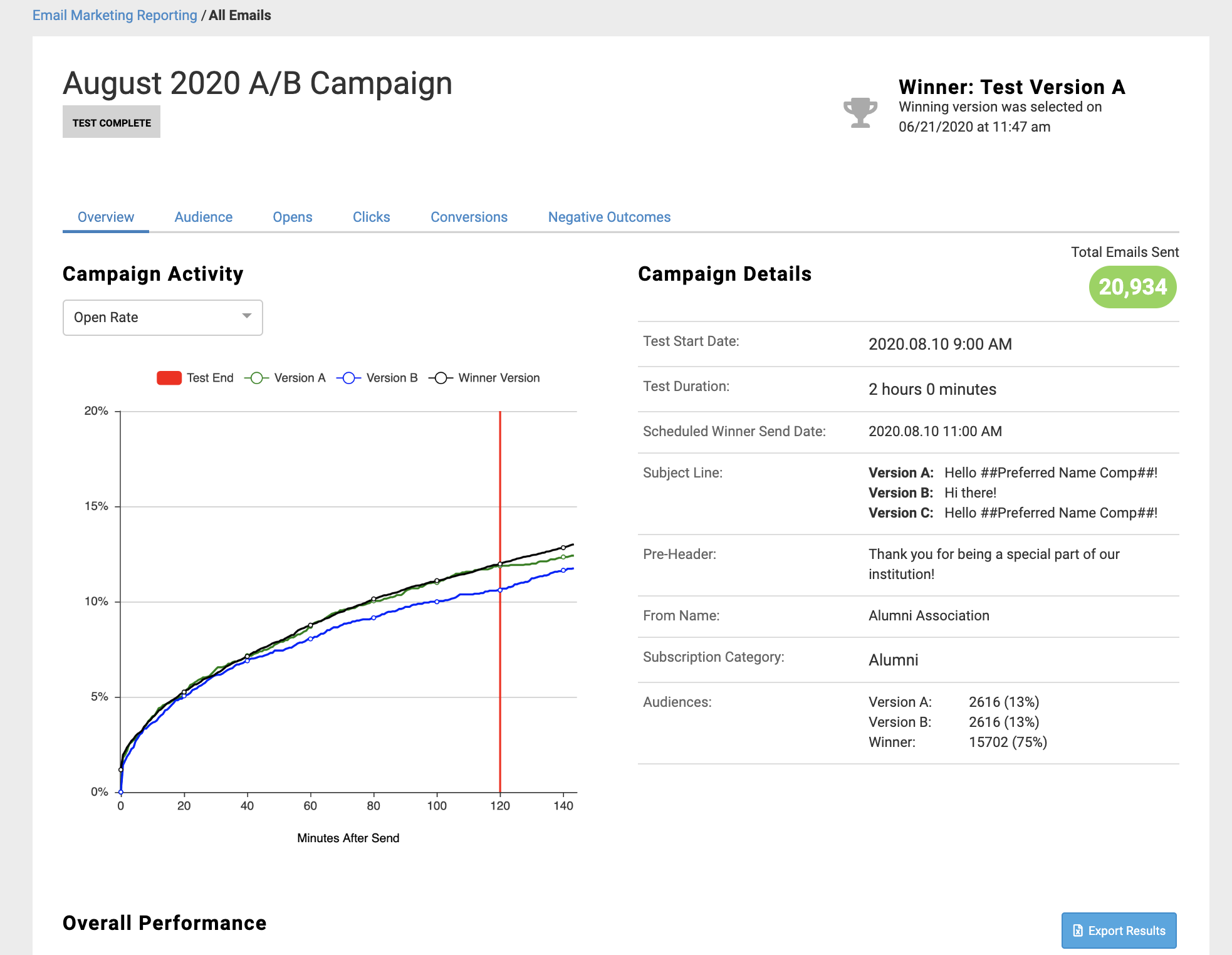
To learn more about this exciting new feature to email click here to check out our training sessions available to you and your staff.
The Grid View option will no longer be available on Email Home.
Refreshing the estimated audience has now become more robust. You will see faster refresh times as well as automated refreshing based on various actions such as adding/removing an audience and Subscription Category updates. The primary focus was enhancing the Segmented Campaign experience when working with the estimated audience counts.
Segmented Campaign Rules
If all versions have an audience the estimated recipient count for the versions and total count will automatically refresh for the following actions.
Add an audience
Remove an audience
Re-prioritize versions
Toggle prioritization on/off
Delete a version
Change a Subscription Category
If at least one version does not have an audience then the estimated recipient counts will not display.
If at least one version does not have a Subscription Category then on auto or manual refresh the subscription modal appears.
Online Giving Reporting
Users now have the ability to filter on-demand GTE Reports by time (down to the hour), as well as designations. This will enable customers to export more specific transaction data, removing the need to make manual changes after the fact.
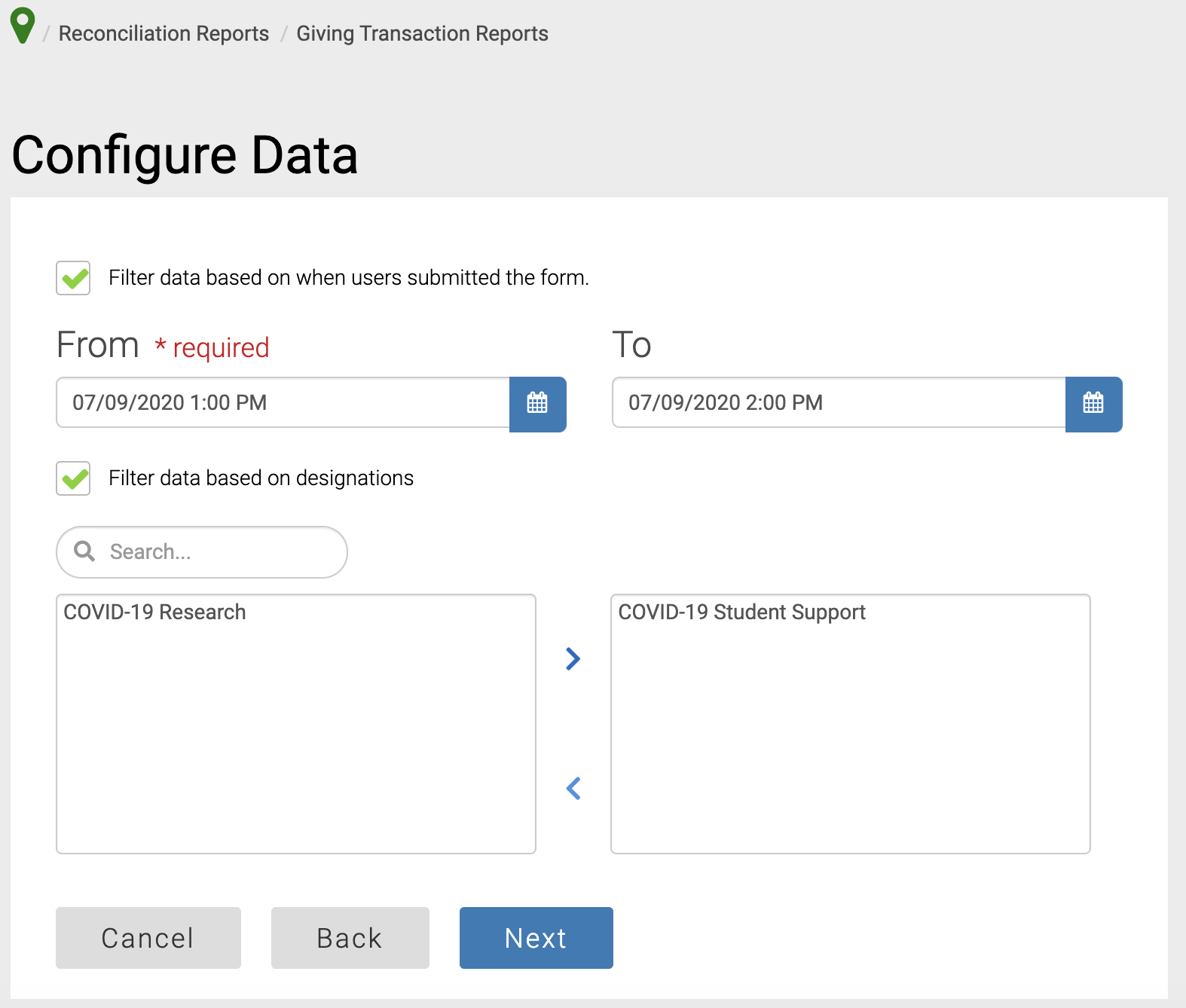
Please note this is currently available for on-demand reporting.
Events
With the August release, we will be activating the Event Check-in module for all customers using the Events module. We understand that in-person events are pretty scarce right now, but hopefully this will give you some time to jump in and test these awesome new features before you need them later this year.
The new module will allow you to check people in to events and instantly track that and report on it back in Encompass via a new attendance export.
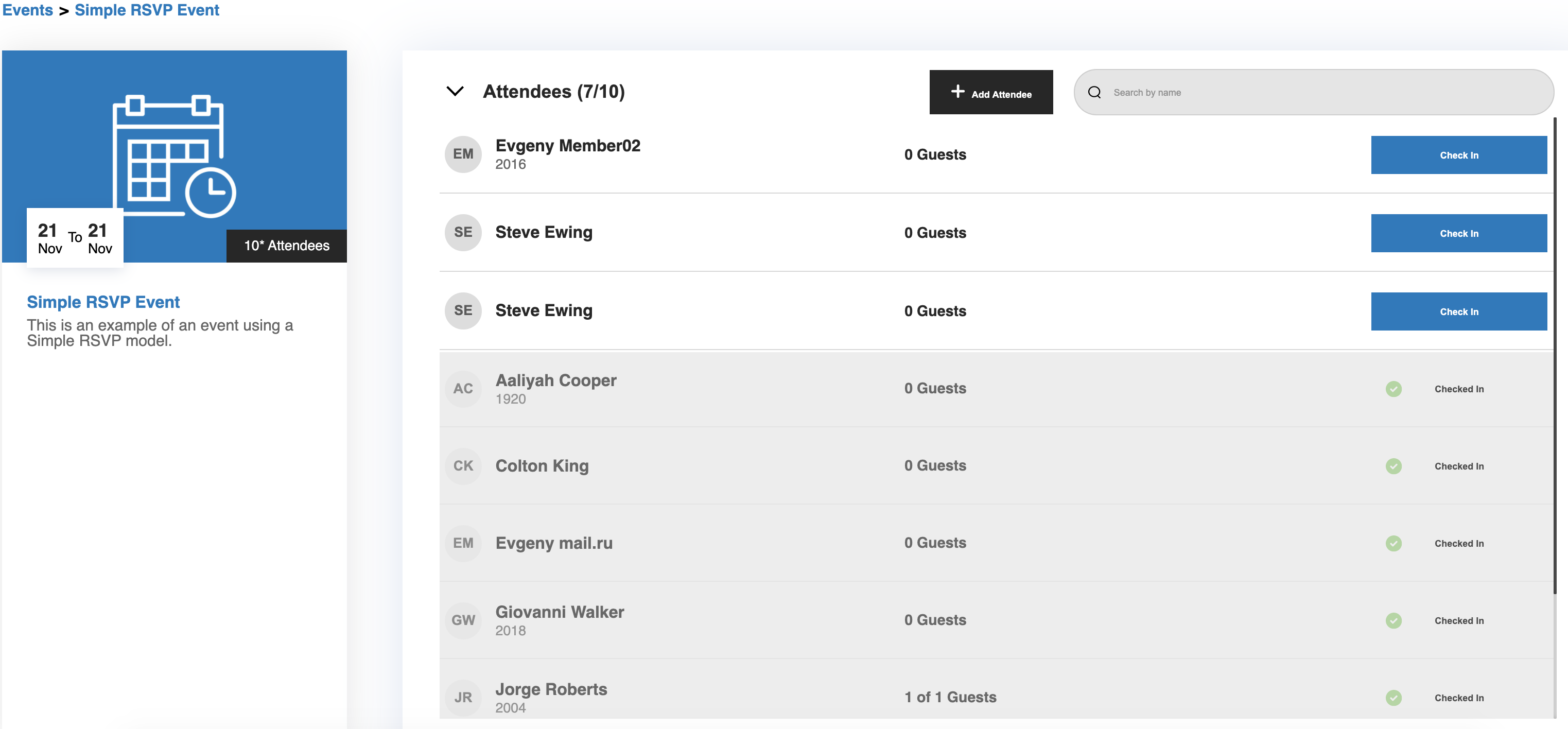
Our support center is full of great resources to help you jump right in here, and you can reserve a spot on one our upcoming training sessions here.
Defects
Content Management
We fixed an issue where the page title field would allow too many characters to be entered, resulting in an error upon saving. Now, when you hit the 100 character limit you cannot enter anymore (ENC-41289)
Fixed an issue where the icons generated by [Tools Icons] are appearing twice by each item in the listing when you use the calendar to advance the month (ENC-41000)
Events
Fixed an issue where it was not possible to edit event registration fields on an event that does not have registrations.(ENC-36302)
Fixed an issue where activities on an event lose their sort order when new activities are added or existing ones are edited (ENC-41183)
Fixed an issue where a 500 error was being thrown when attempting to run a custom event export for certain events (ENC-40938)
Fixed an issue where the "Guest of [registrant name]" was not being included in the PDF export. (ENC-40465)
Fixed an issue where disabling the guest option on an event causes adjustments to error - you cannot unregister attendees (ENC-40472)
Login
Fixed an issue where the hidden field value on Events were being added to every activity record, even if they do not select to attend that activity (ENC-39737)
Community
Fixed an issue with profile view limits. Now, when profile view limit is reached, an error message specific to profile view limit being reached is displayed, not a general error message. (ENC-30306
Memberships
Fixed an issue where membership reporting is returning no results when using expiration date filters (ENC-40482)
Forms
Fixed an issue where marking the email field as required on a form does not put an asterisk behind the Email and Confirm Email labels (ENC-41328)
Member tracking
Fixed an issue where on the member tracking tab the form ID is correct but the form name is often not correct (ENC-40324)
Fixed an issue where regardless of what name tokens are used, password reset emails are displaying blank values even if sent to records that have name information (ENC-40581)
Online Giving
Confirmation receipt emails displaying incorrect values
Fixed an issue where the next payment amount/total amount remaining on scheduled payments was calculating incorrectly for confirmation emails (ENC-39787)
Email Marketing
Fixed an issue where the pagination was not displaying correctly on the Email Home Queued Page (ENC-40164)
Fixed an issue where the send date for segmented campaigns was not display as 12/31/1969. (ENC-41299)
Release Notes: Hotfix - July 22, 2020
Defects
Email Reporting
Fixed issue with the recipient email history spinning and users are unable to access past 1st page. (ENC-41456)
Release Notes: July 13, 2020
Please note that product releases are scheduled as followed by environment: Australian = Monday morning | Canadian = Monday evening | U.S. = Monday evening
Product Enhancements
Email Reporting
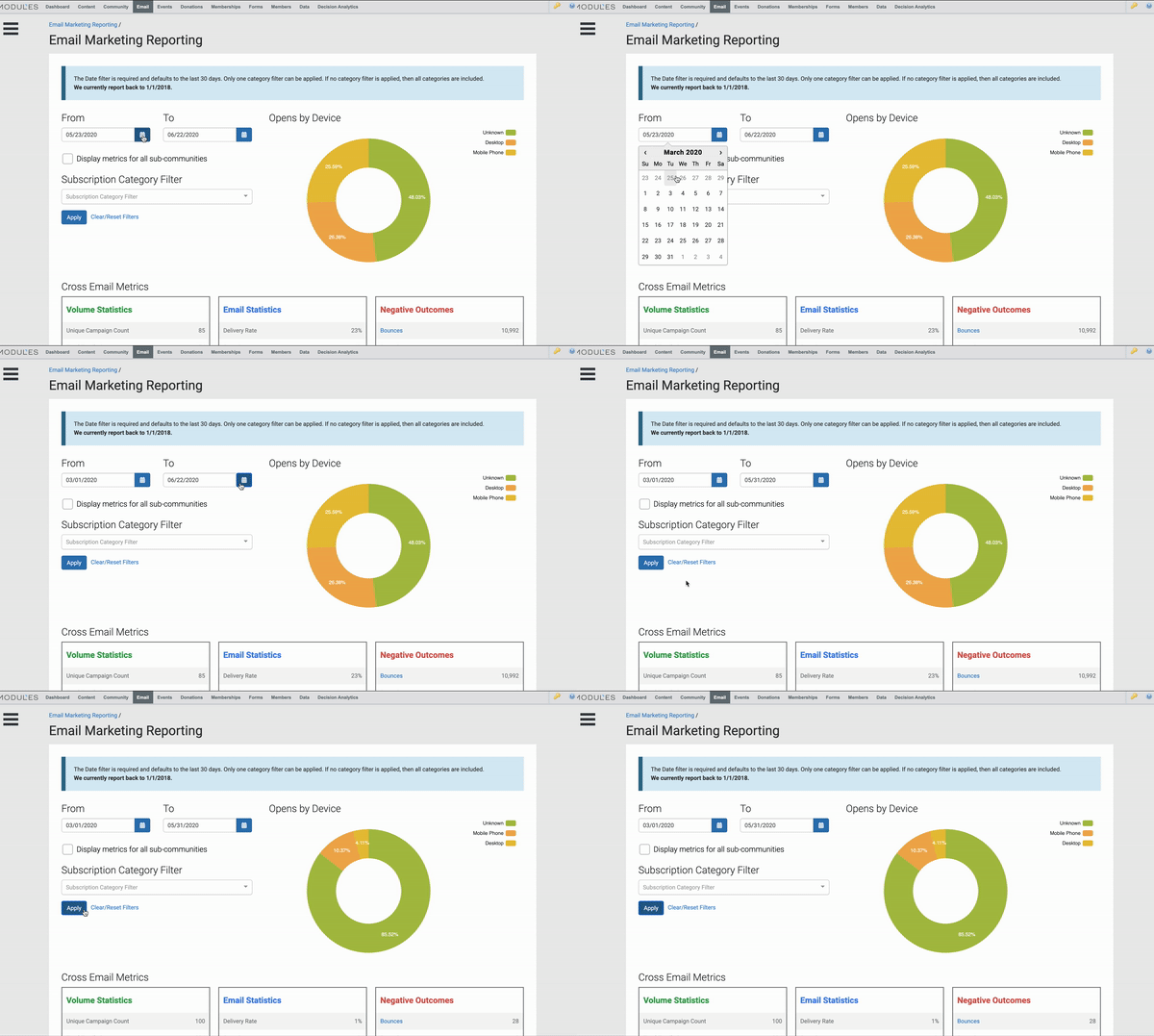
A new "Apply" button has been added to all pages within reporting where the date and category filters are present. Moving forward updates made to the filter options within reporting will not process until the user hits this button indicating that all filters have been updated and the admin is ready to proceed. This will help improve the load times on pages and eliminate the need to wait for a page to load after you update a field but want to make additional filter updates.
Email Marketing
The version name of a Segmented Campaign will now appear along with the campaign name in the upper left corner of the screen.
Events
Event Reporting Admins now have the ability to update and edit Campaign Progress Indicator modules.
To add more clarity around event details, a new [Event Date With Timezone] token has been added to confirmation emails, which adds the timezone abbreviation to the end of an Events start and end time.

Ambassador Challenges (Peer-to-peer fundraising Early Adopter Phase)
In preparation for our new peer-to-peer module coming this fall, there will be a couple of additional fields added to some Encompass pages. At this time these fields will be visible, but inactive (greyed out), and will remain like that until General Release. With the July release the following new fields will be visible:
A new "Is Ambassador" field is available to be added to the profile. When the Ambassador Challenges module goes live, this will indicate whether a member should be granted access to the module.

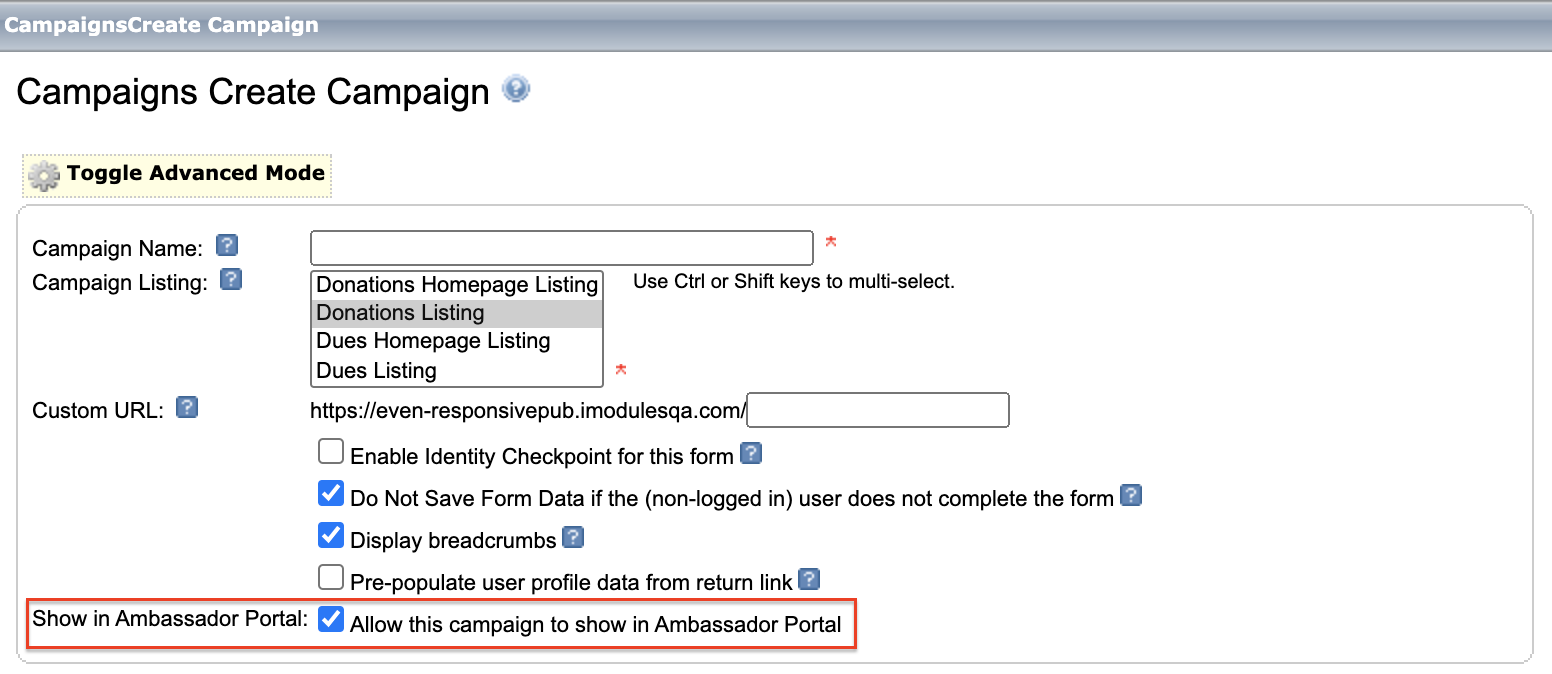
A new "Show in Ambassador Portal" field has been added to the campaign setup form.
Defects
Web Services
Fixed an issue where the API was not sending the price_label of the option selected in the Commerce field so the customer was unable to tell which option was selected. (ENC-39263)
E-Commerce
Fixed an issue where "ZZ" was displaying on PDF receipts (ENC-40219)
Fixed an issue where changes made to commerce tokens were only displaying in the confirmation email on the initial submission, not recurring (ENC-36864)
Web Services
Fixed an issue where Last_Updated and Last_Submission attributes were missing in the Control Query WSDL (ENC-40344)
Community Content
Fixed an issue where the Event & News Listings content filter was not changing the items displayed in the listing or still showed additional items were not in the selected content type (ENC-40505)
WCAG Compliance
Fixed an issue where the new WCAG compliant designations view was displaying incomplete styling before $ sign (ENC-40856)
Fixed an issue where inline WCAG error messaging doesn't pass WCAG color contrast requirements (ENC-40446)
Fixed an issue where there was an extra "ghost" tab at the end of some forms (ENC-40860)
Forms
Fixed an issue where cancelling the pre-selected designation on a form using an "&dids=" URL string would not allow the user to proceed through the form or select other designations (ENC-19685)
Events
Fixed an issue where a duplicate row was being added for an adjusted registrant in the submissions grid and in the submissions grid export (ENC-39955)
Email Reporting
Resolved an issue where the unopens drill down lists all of delivered, not just the true list of unopens from the ones sent (ENC-40308)
Resolved an issue where Assigned Audiences were showing as unavailable or deleted. (ENC-41179)
Release Notes: June 15, 2020
Please note that product releases are scheduled as followed by environment: Australian = Monday morning | Canadian = Monday evening | U.S. = Monday evening
Product Enhancements
Email Marketing
Drafts, Queued and History Pages
The following updates have been made on the Drafts, Queued and History pages.

Email Name - moved to the first column and the label "Name" for General Campaigns removed
Type (new column) - displays the type of campaign (General, Segmented) and the Segmented Icon no longer displays
Content - moved to the third column; HTML icon will continue to display
Sender (no change)
Audience (no change)
Schedule (no change)

Email Name - the label "Name" for General Campaigns removed
Type (new column) - displays the type of campaign (General, Segmented) and the Segmented Icon no longer displays
Sender (no change)
Audience (no change)
Schedule (no change)
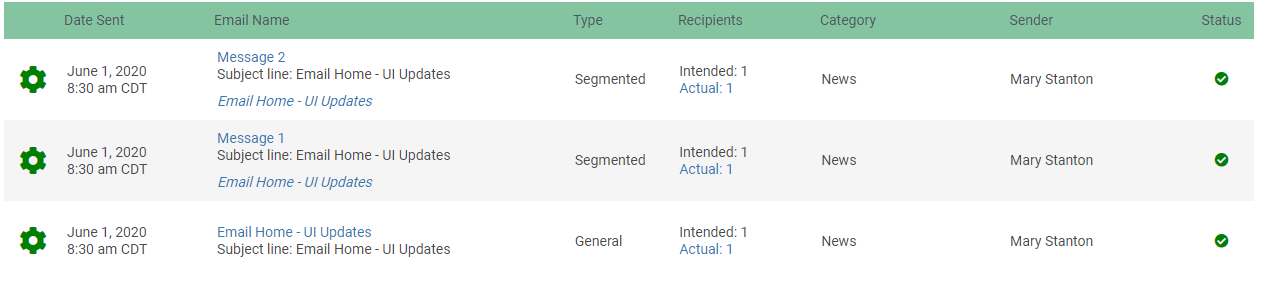
Date Sent (no change)
Email Name - the label "Name" was removed
Type (new column) - displays the type of campaign (General, Segmented) and the Segmented Icon no longer displays
Recipients (no change)
Category (no change)
Sender (no change)
Status (no change)
Grid and List Views
As we move forward with additional features it has been decided to sunset the Grid View as part of the August 2020 Encompass Release.
We have implemented the following changes in the June Release so you can begin transitioning to the List View.
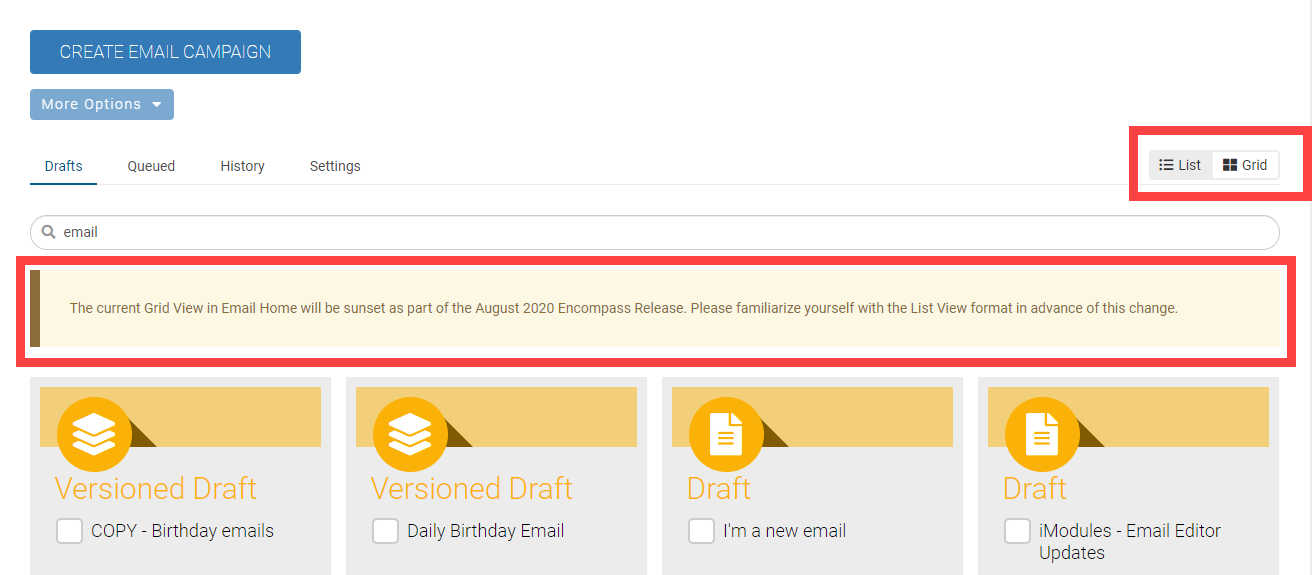
Toggle buttons - List View now displays first
Default View - List View will now be the default view for Admins who have never accessed new email
Sunset Message - The message will appear when Grid View is selected on the Drafts or Queued pages - "The current Grid View in Email Home will be sunset as part of the August 2020 Encompass Release. Please familiarize yourself with the List View format in advance of the change."
Email Reporting
A "Dropped" bounce type will now be visible within all the bounce tables inside of reporting. The reason code will display as "Bounced Address"
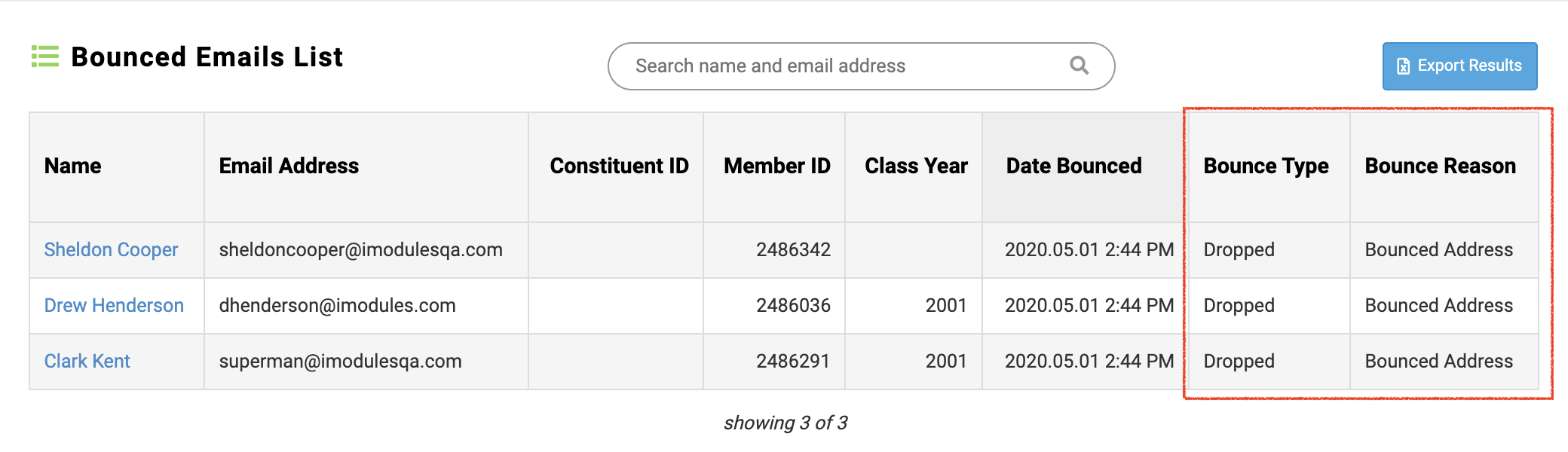
A drop occurs when a message is suppressed for a specific email address in order to protect your sender reputation by avoiding duplicate spam or bounce actions.
Defects
Email Marketing
Added release validation message for links which have "&" instead of "&". ENC-39311
Fixed an issue where file uploads below the upload limit would not load correctly. ENC-38804
Release Notes: Hot Fix - June 3, 2020
Defects
Email Marketing
Fixed an issue when trying to refresh an audience on a segmented campaign caused an error "Failed to communicate with the API". (ENC-41069)
Release Notes: June 1, 2020
Please note that product releases are scheduled as followed by environment: Australian = Monday morning | Canadian = Monday evening | U.S. = Monday evening
Note: We will have two releases for the month of June. The first release will be on 6/1 and the second is planned for 6/15.
Defects
Community
Fixed an issue where a random success message box was showing up on member to member emails (ENC-23665)
Fixed an issue where if a member is emailed through the link on their profile, the 'Email member - From Profile Page' tracking action is recorded on the recipient's profile instead of the sender (ENC-39709)
Admin Experience
Fixed an issue where member admins could not access data change history from Member Management tool (ENC-30677)
Payment confirmation
Fixed an issue where member's perpetual gift confirmation email no longer included the "Amount Paid to Date" information or token data (ENC-40327)
Events
Fixed an issue where Itinerary Summary Token were sorting Activities by Date Added Instead of Activity Date (ENC-38362)
Fixed an issue with misleading "beta" verbiage on the Events recon w/adjustments report page (ENC-40797)
Scoreboards
Fixed an issue where Leaderboards data was displaying incorrectly when linked to an Event form (ENC-39717)
Content Editor
Due to a persistent issue regarding connecting to LinkedIn, we have removed the LinkedIn icon from our social sharing buttons (ENC-37283)
Release Notes: May 11, 2020
Please note that product releases are scheduled as followed by environment: Australian = Monday morning | Canadian = Monday evening | U.S. = Monday evening
Product Enhancements
Decision Analytics
When uploading offline volunteer data, the Constituent IDs in the file must exist and live within that sub-community. In the event where we are unable to match invalid IDs, the upload will fail and an error message will be presented.

A file is also generated that can be downloaded to display the list of invalid Constituent ID(s) and their respective reason.
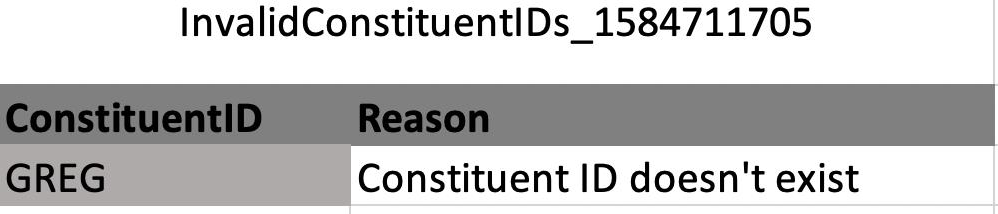 |
With the rejection file, your staff will then have the opportunity to resolve those as they see fit. Keep in mind, GID=1 has all the records so you should never see "Constituent ID does not belong to this community."
We removed the label "Fiscal" from applicable date fields (Dashboard and Setting). Now End Dates are simply that End Dates for whichever time frame you wish to calculate.
Ok... you may need to buckle up for this because I certainly had to.
Event Registrations & Revenue are calculated different ways depending on if you are scoring members only or member and non-member records. A main registrants total amount paid is summed, then the average is based on that total divided by the number of distinct registrations found within that Class Year(s) and time frame applied. This will be no different if the main registrant has guests, because the event total is paid by the registrant; however, if non-members are included in your dashboard then the Registrations count will include guests that have been added to a registration.
 |
Gift Count & Avg Gift Amount will also change depending on if you are scoring members only or member and non-member records... albeit a bit more simpler than events. One time gifts will be summed accordingly; however, scheduled and perpetual will only count as one within the defined time frame. Money donated regardless of one time, scheduled or perpetual will be summed to help calculate the average gift amount.
With that said, our math lesson will now conclude.
E-Commerce Partners
When used as Secondary gateway, digital wallets will now display on all transaction forms (single and multi page).
Stripe gateway now splits all Events with donation payments into 2 line items when using the checkout and 2 transactions within the Stripe dashboard, making for easier distinction when reconciling.
Commerce Reporting
With the May release you will notice a change on your Giving Transaction Export (GTE) and Event Recon with Adjustments. These reports will include a new " Merchant Account Name" column to help you differentiate the gateway in which the incoming payment was processed. Through this inclusion, you can track the percent of transactions that occur through any given gateway, and (if using digital wallets) you can take this 1 step further and track the percent of transactions per digital wallet using the "Credit Card Type" field changes made in the April release.

Email Marketing

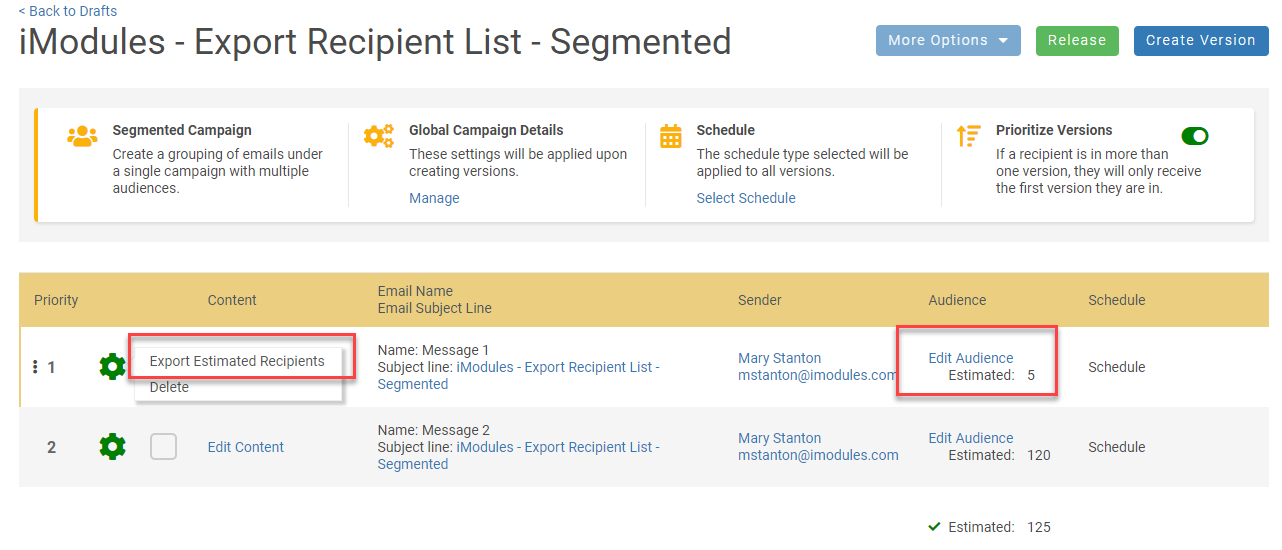
The option to "Export Estimated Recipients" will be available on the gear icon  once a refresh has occurred. It will not be available if the audience displays "Add Audience" or "Updating".
NOTE: This feature is only available when viewing drafts in List View.
Export as a .csv file
Data included in the report
Member ID
Constituent ID
First Name
Last Name
Email
Report Name Format: EstimatedRecipient_[Campaign Name]_[Date].csv
Displays the recipients from the last refresh.
Segmented Campaign
Available for each version; NOT the entire Segmented Campaign
Prioritization - If enabled the list will reflect the recipients accordingly. (i.e. Recipient is in both versions; The recipient will only be listed for the version with the highest priority.)
Defects
E-Commerce
Fixed an issue where the "click to expand summary" section of a transaction was not show anything (ENC-40286)
Email Marketing
Fixed an issue where Dynamic Content in new email marketing was looking at the Archive Date Time when pulling in stories. (ENC-38408)
URL Handling
Fixed an issue where custom links built with an anchor token in the query string were being truncated when using the custom link (ENC-39035)
Web Services
Fixed an issue where the API was not sending the price_label of the option selected in the Commerce field so the customer was unable to tell which option was selected. (ENC-39263)
Release Notes: April 6, 2020
Please note that product releases are scheduled as followed by environment: Australian = Monday morning | Canadian = Monday evening | U.S. = Monday evening
*Note*
System Requirements
Microsoft® Internet Explorer® support has changed. Click here to view those changes.
Product Enhancements
Decision Analytics
A couple of exciting changes to the export, which include a engagement count for all the YES values found on the record. This will allow you to bubble up the most engaged records across all dimensions. Also, if you have uploaded a volunteer file you will have a new volunteer column indicating yes/no for respective records.
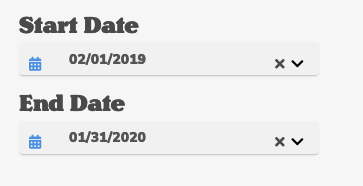
Start and End Date have been added to enable admins to look at shorter time frames. Max scoring will still cap at a year; however, you can look at events like a Give Day to determine collectively if strategies worked and with what groups.
 |
Apply button has been added as well to allow you to select time frame and classes before the dashboard fires off your search. Small change to dimensions where if the engagement percentage falls between .49 and greater than 0, we will now display less than 1% for those applicable dimensions.
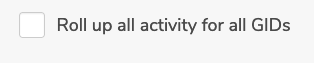
If you are at the top level, you have a new option that allows you to roll up all activity of engagement to your dashboard. This includes the export and will changes some of those NO values to YES for respective records.
 |
E-Commerce Partners
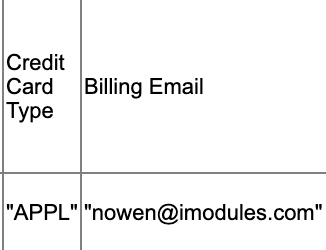
When using Apple Pay or Google Pay through Stripe, transaction reports will now contain the name of the digital wallet under "Credit Card Type" in transaction reporting.
 |
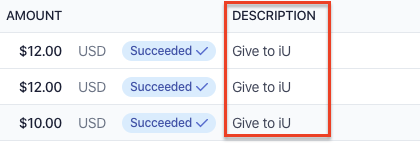
When using Stripe, we now pass the form name through to Stripe to display on the dashboard to easily distinguish between payments linked to different campaigns. Users can search by form name, as well as transaction ID if they have that available.
Email Marketing
To improve visibility within the email editor and create more vertical space, the element menu will move from the opt of the display to the left-hand side.
When you have an element selected, the border will now pulse / flash with a blue border instead of displaying a red dashed border.
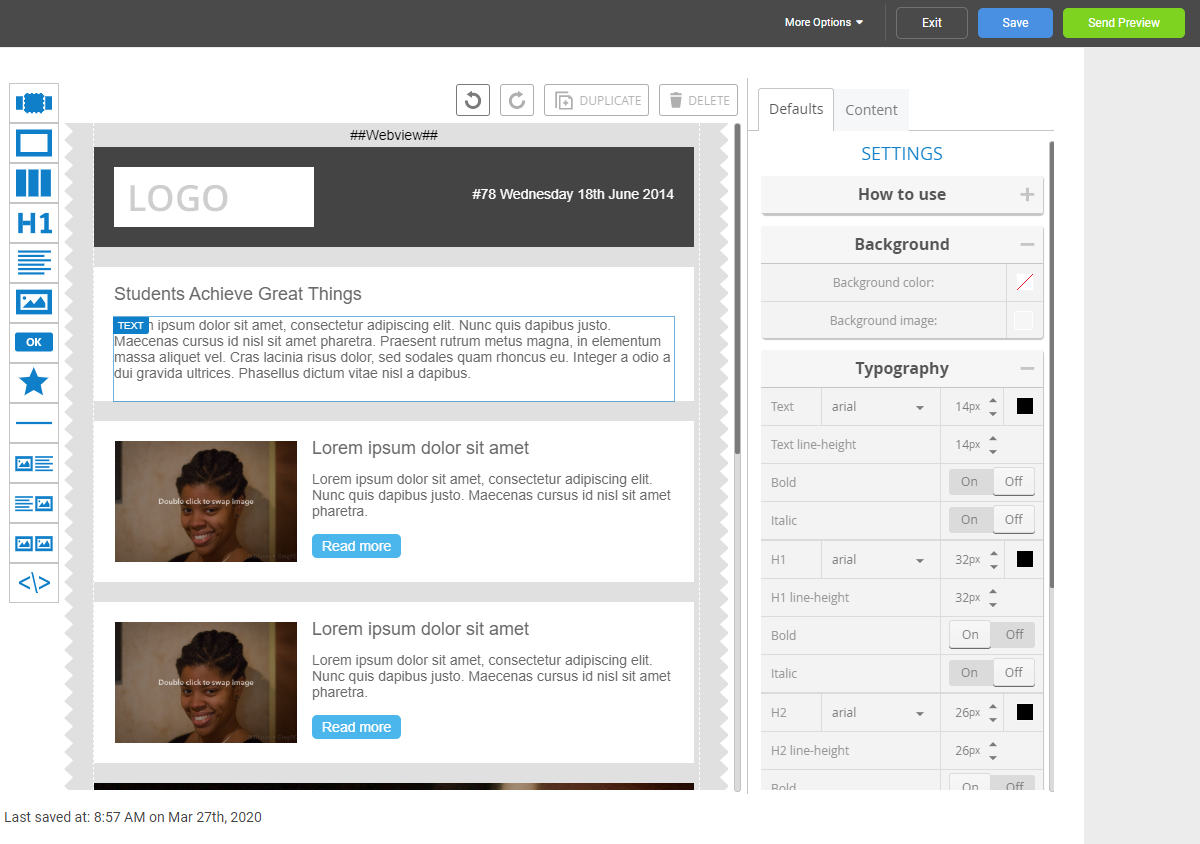
New Location for Action Buttons
In the Email Editor, HTML Editor, and Template Editor, the series of Action buttons at the bottom of the tool will shift to the upper right-hand side of your screen, allowing for more work space in the editor. Additionally, the Next button will be renamed to reflect Send Preview.
 |
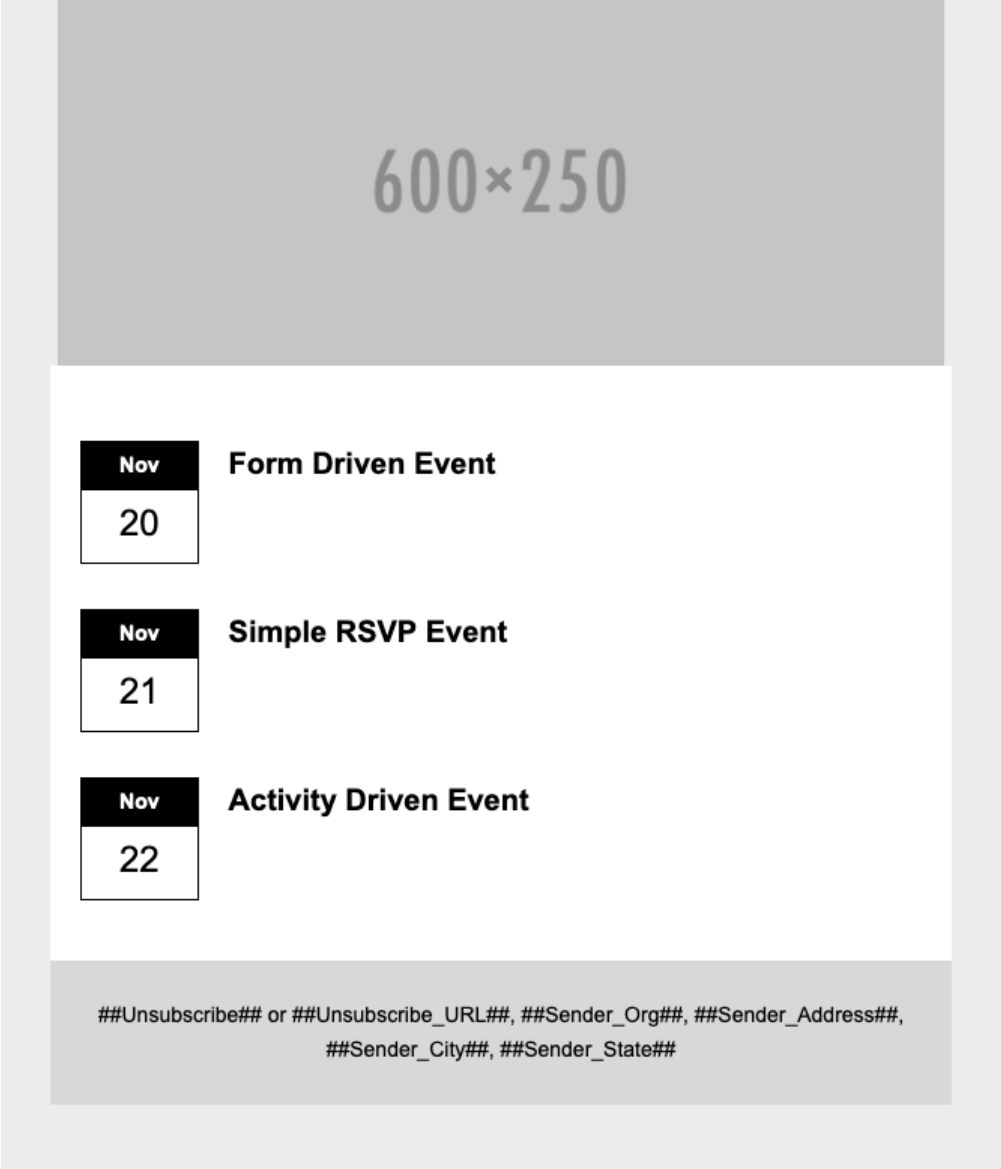
This new Dynamic Event Layout will be available for both "Events Feed" and "Events - Pick Specific Content" options.
It will allow you to show a visual but concise list of your upcoming events without all the bulk. The new layout is a bit smaller and can be easily used in a 50/50 two column layout.
 |
Defects
E-Commerce
Fixed an issue where Events with Donation payments were not being split into 2 transactions within Stripe (ENC-40176)
Fixed an issue where Apple Pay was not passing billing information back to Stripe (ENC-39960)
Email Marketing
Editor Defects
Subscript and superscript are now available on the text editor toolbar
Fixed an issue where a space in or after any link will prevent previews and emails from sending (ENC-38907)
Fixed an issue where the automatic text background color is white and not transparent (ENC-39449)
Fixed an issue where scrolling when editing a text area causes the text editor toolbar to scroll off the page (ENC-38110)
Fixed an issue when content pasted from Microsoft Word into a text element is missing upper case"i" (I) when using the paste method - right click (ENC-38021)
Fixed an issue when editing text, the text editor toolbar covered the text being edited (ENC-37857)
Fixed an issue where bottom borders are being added to box elements (ENC-36597)
Fixed an issue where buttons are not remaining centered in Gmail app (ENC-36863)
Scoreboards
Fixed an issue wherein users were getting a 400 (Bad Request) error when initiatlly configuring a Leaderboard and trying to group all Designations / Custom Data Points (ENC-37816)
Fixed an issue wherein mismatched time zone settings resulted in incorrect display (ENC-38678)
Fixed an issue wherein the removal of all previously configured groupings resulted in page error (ENC-40029)
Fixed an issue wherein Leaderboards which were configured without the 'Goal' column would always show Percentage of Goal = 0% (ENC-39895)
Groups
Fixed an issue wherein the addition of Groups to Profile Navigation resulted in an error that prevent changes from being saved (ENC-38088)
Calendar Listing(s)
Fixed an issue wherein Calendar Listings configured with Archive filters were displaying content with no Archive date configured (ENC-35635)
URL Handling
Fixed an issue wherein URLs using secure.imodules.com now seamlessly redirect to securelb.imodules.com (ENC-37382)
Release Notes: March 9, 2020
Please note that product releases are scheduled as followed by environment: Australian = Monday morning | Canadian = Monday evening | U.S. = Monday evening
Product Enhancements
Decision Analytics
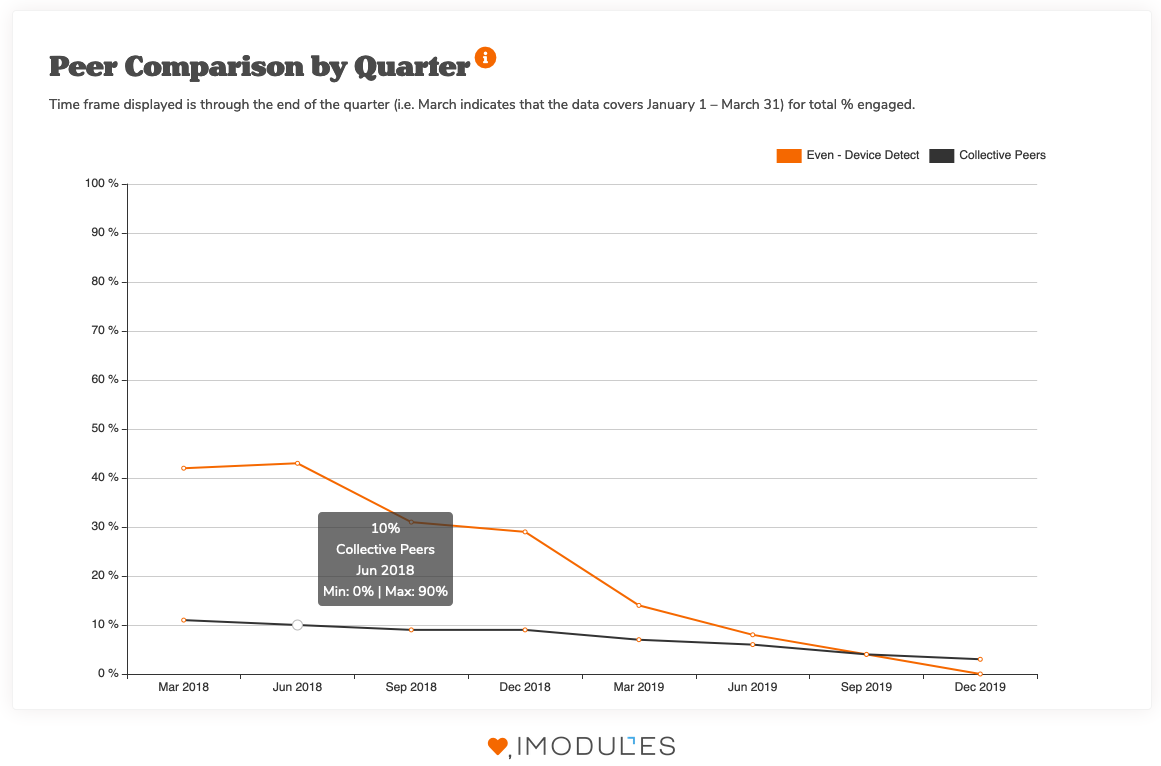
This chart compares the percent of constituents who have engaged during a 12-month period to that of other institutions to provide comparative data. An individual is counted as engaged if they have taken any measurable action during the 12 month period across any of the dimensions. (Email, Events, Giving, Membership, Online Usage, and Volunteerism).
By hovering over the percent engaged, the Minimum and maximum Percent Engaged for the peer group is also displayed.
NOTE: iModules has developed new peer groups to create better comparison opportunities for institutions with similar types and size of institutions. These peer groups have been based on the newest Carnegie classifications and also consider institutional data from IPEDS, as well as US university rankings.
We hope you enjoy this new settings page that allows you to set some default configurations for your Engagement Metrics Dashboard.
The first option will allow you to set your fiscal end date. This will control what time frame the dashboard will load when any admins in that gid access that page. Keep in mind, you will still have the option to change this value on the dashboard so you ad your staff can view different time frames on the fly.

Also found on this page, will be the option to score your non-member records. By default, the dashboard will no longer pull in non-members; however, you can override this in the settings should you wish to see this information.

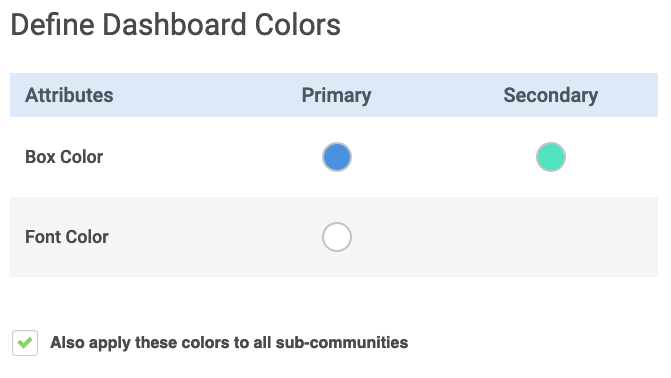
The next option allows you to REPRESENT!!! If you are not York University orrrrrr the University of Nebraska - Lincoln, you may not want a predominately red dashboard. Using the Primary color picker you can set this to control most color accents on the EMD. Secondary will control what color your gradient expands to as the population becomes more engaged. Font Color will change your site name's color in the upper right hand corner.
Last but not least on this topic... if you are at GID=1 you can control the colors for all of your subs. Simply set the colors you want and enable the checkbox. Once set, all sub communities will not be able to set or override colors you have applied. Enjoy your new super power.
Export will behave a little differently by looking at the Class Years you have selected and allows you to only export those records. Also, we needed to clean house a bit and made some modifications to the way we ask for the data. This in turn means you should expect a dashboard that performs like Beyoncé at The Mrs. Carter Show World Tour.
Scoreboards - Leaderboards
For customers using Leaderboards as part of our Scoreboards module, we have now added an additional sorting option, so you can rank the leaderboard by Percentage of Goal.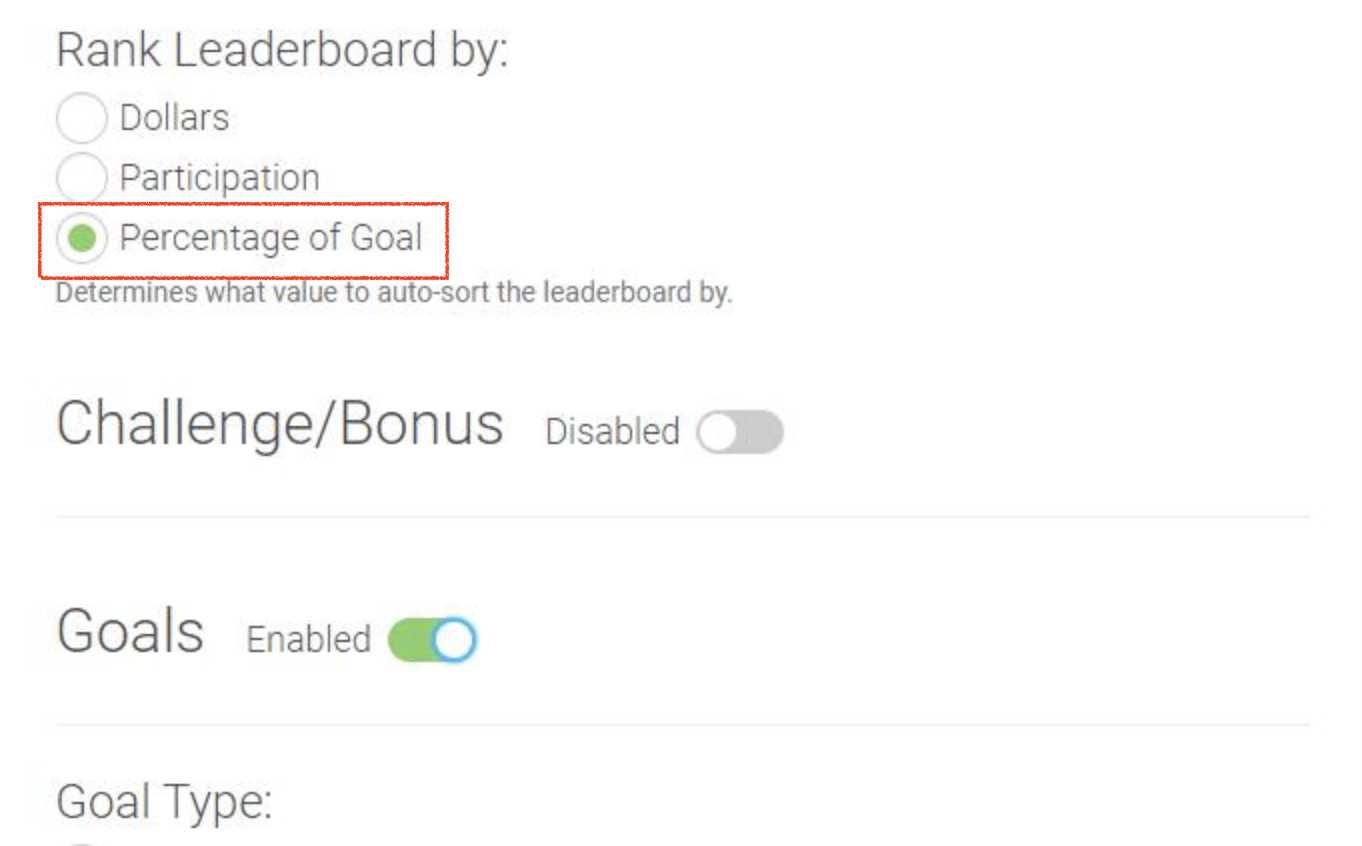
Email Marketing
Gone are the days of leaving home and going to another page to update your lists and segments. Refreshing the estimated audience count is now available from Email Home for both General and Segmented Campaigns.
Special Note: We understand the importance of seeing the list of recipients which make up the estimated audience count. Keep your eye out for this feature in a future release.
Details
The estimated audience count is calculated using the same filters when a message is sent. The following is considered when the count is calculated.
Audience Types
CSV of IDs
Segments
Email Lists
Email List with Merge Fields
Upon refresh the estimate count will exclude the following:
Duplicate addresses
Invalid format for email address
Emails flagged as invalid
Constituent's account is disabled
Constituent is deceased
Preferred email field is empty
Unsubscribes
Based on the Subscription Category selected
Subscription Category is required in order to perform a refresh
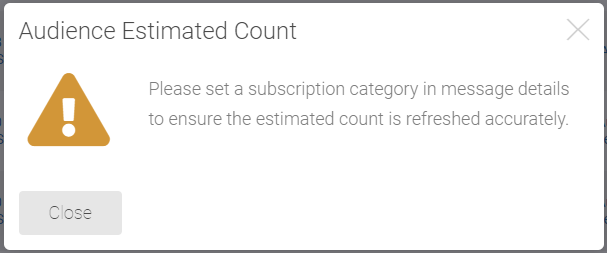
Spam Report
Unknown
Audience Exclusion
Segments and/or Lists in Audience Exclusion will be factored in the count
Segmented Campaign - Prioritization
If prioritization is turned on, a recipient in more than one version will only be counted once
NOTE: This will not automatically refresh items on the Lists and Segments Page.
General Campaign
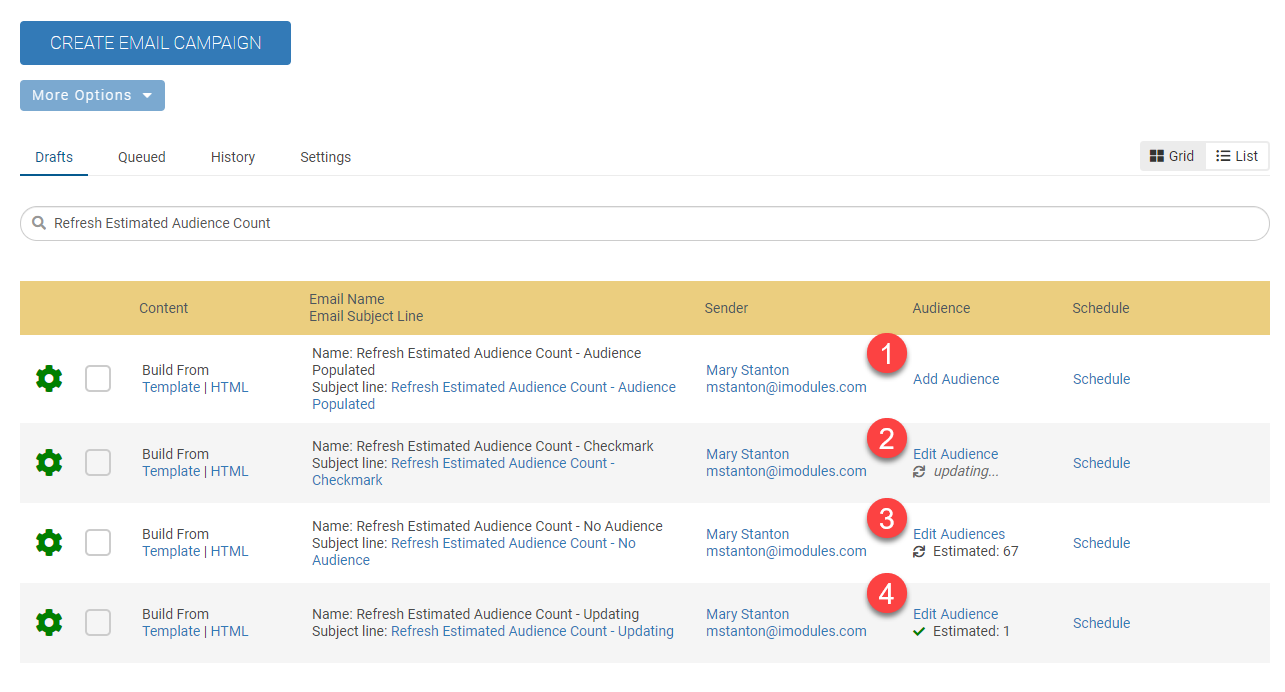 |
Add Audience - Refresh is not available until an audience is populated
Refresh Icon/Updating - Refreshing is in progress
Refresh Icon/Estimated Count - Displays the estimated audience count from the refresh and is available to refresh.
Check-mark Update Complete - Displays once a refresh is complete and then returns to the refresh icon after approximately one minute.
Segmented Campaign
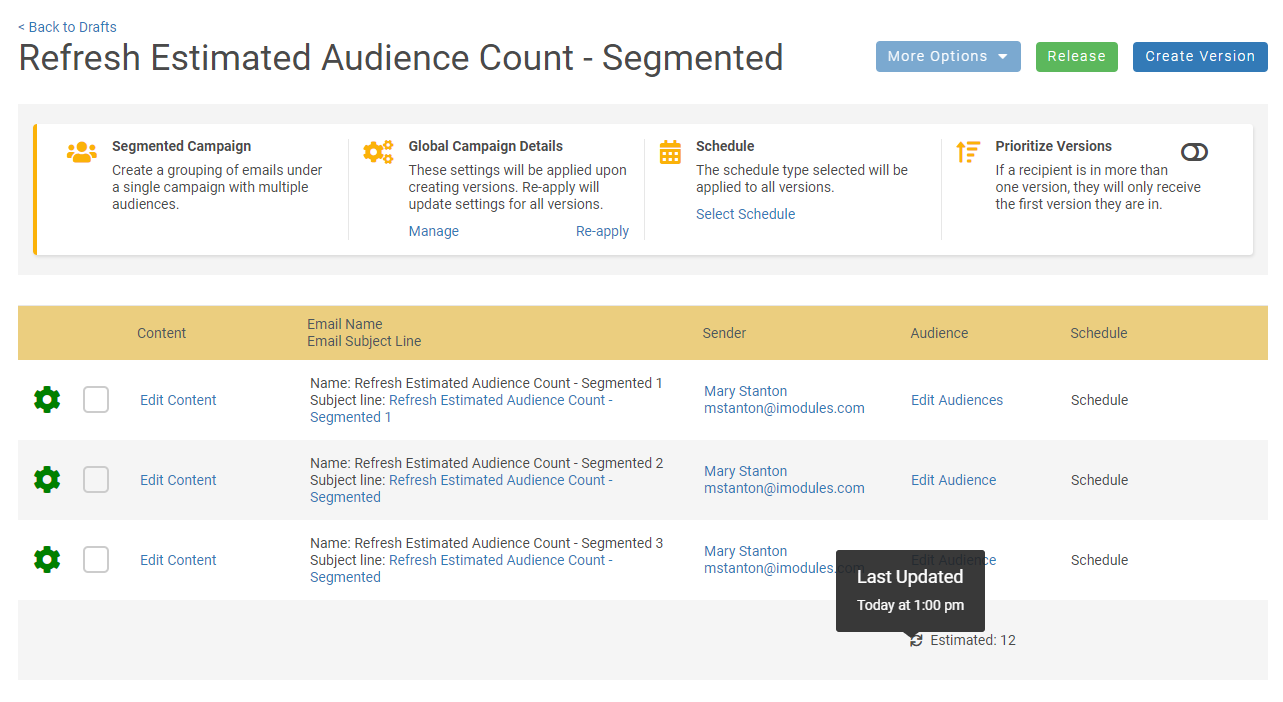
Refresh is also available for your Segmented campaigns.
On Segmented Campaign Home
All versions must have an audience populated before the refresh option will appear
You must refresh the count when audiences are added or changed
The estimated count is a total of all the versions
If prioritization is turned on, a recipient in more than one version will only be counted once
Refresh is also available to refresh from the Email Home Drafts page

Want to know the last time a refresh occurred?
A tool tip will provide the date and time the audience was last refreshed.
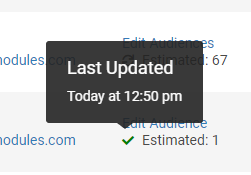 |
Defects
Email Reporting
Fixed issue where some segmented campaign summary totals were incorrect (ENC-39524)
Email Marketing
Encompass
Fixed an issue where ICP was not opening on forms in regular sub communities (ENC-35778)
Fixed an issue where "Remaining Payments" verbiage could not be updated (ENC-35020)
Fixed an issue where google or LinkedIn usernames containing special characters could not be saved (ENC-23426)
Fixed an issue where registration button was disappearing in inline edit mode on the event details page (ENC-38634)
Fixed issue relating to rounding for last payment in a scheduled payment (ENC-39927)
Fixed an issue where changes made to commerce tokens were not being applied to recurring billing confirmation emails (ENC-36864)
Fixed an issue where extra space was displaying under the full name field on the billing step. This space will now only be expanded when a validation error has occurred (EN C-39643).
Fixed an issue where failed transactions were being displayed on the donor roll (ENC-39257)
Using Enter after an inline edit of field display name no longer causes a page refresh (ENC-39079)
Fixed an issue where some customer directories were timing out when searching off specific fields (ENC-39634)
Updated reset password verbiage so that text was the same regardless of whether the email or password were incorrect. (ENC-39494)
Release Notes: Hot Fix - February 19, 2020
Please note that product releases are scheduled as followed by environment:Australian = Thursday morning | Canadian = Wednesday evening | U.S. =Wednesday evening
Enhancements
Scoreboards
For customers using Leaderboards as part of our Scoreboards module, we have now added an additional sorting option, so you can rank the leaderboard by Percentage of Goal.
Defects
Scheduled payments when using Stripe
Fixed an issue where scheduled payments were not being recognized when the perpetual gift option was disabled when using the Stripe gateway (ENC-39958)
Release Notes: Hot Fix - February 11, 2020
Please note that product releases are scheduled as followed by environment:Australian = Wednesday morning | Canadian = Tuesday evening | U.S. =Tuesday evening
Defects
Membership and Donation scheduled payments
Fixed an issue where membership and donation forms that utilized date/time fields were not calculating the correct amounts based on the number of payments configured (ENC-39903)
Release Notes: Hot Fix - February 10, 2020
Please note that product releases are scheduled as followed by environment:Australian = Tuesday morning | Canadian = Monday evening | U.S. = Monday evening
Defects
Import Tool
Resolved a problem where files were throwing bad data exceptions and failing to import. (ENC-39883)
Release Notes: Hot Fix - February 4, 2020
Please note that product releases are scheduled as followed by environment:Australian = Tuesday morning | Canadian = Monday evening | U.S. = Monday evening
Defects
Import Tool
Resolved a problem where files were throwing bad data exceptions and failing to import. (ENC-39883)
Release Notes: February 3, 2020
Please note that product releases are scheduled as followed by environment: Canadian = Monday evening | U.S. = Monday evening | Australian = Tuesday morning CST
Product Enhancements
Decision Analytics
The Metrics Overview section is no longer coming soon! Watch these metrics also change as you interact with different time frames and population cohorts. Very cool stats to capture at a glance.
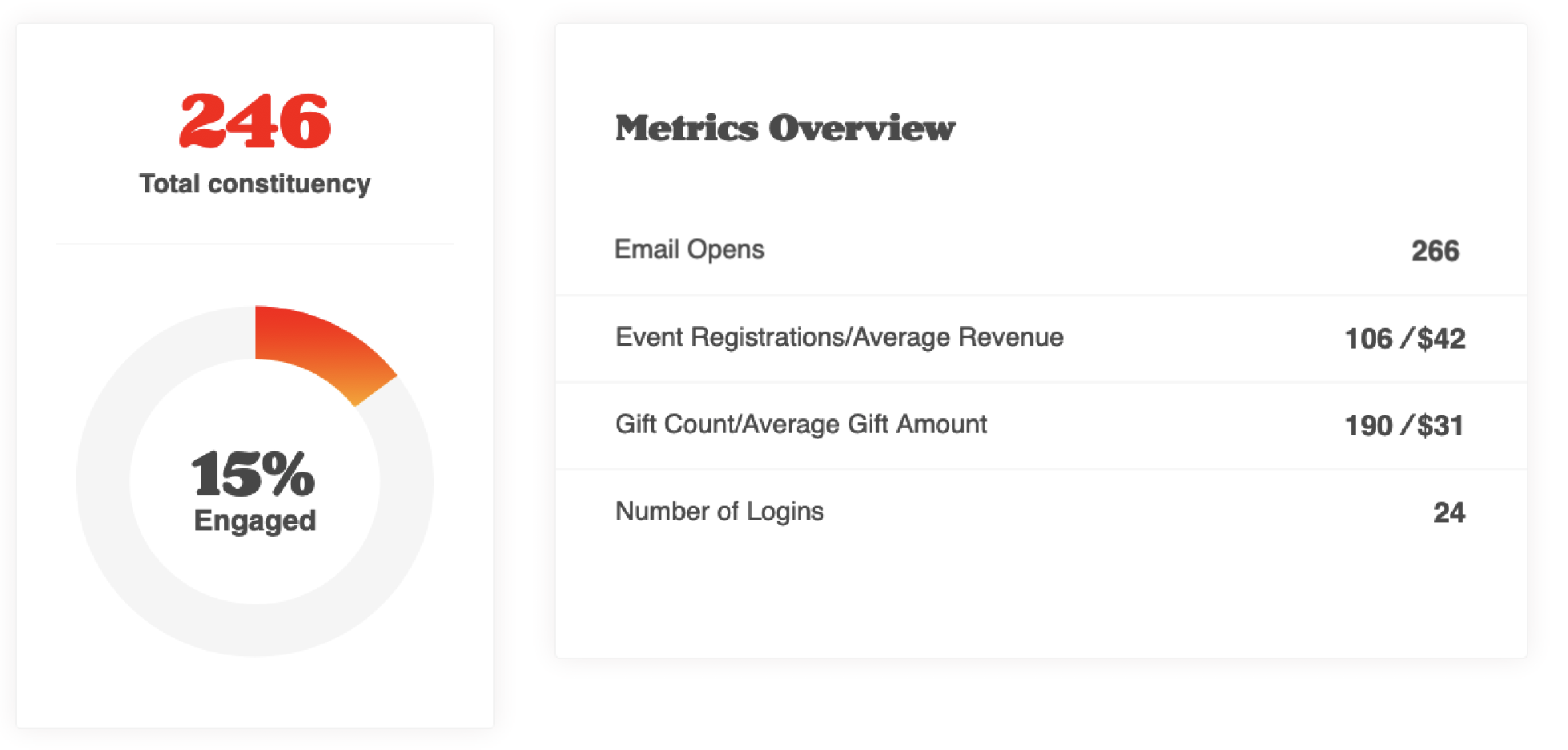
Population filter has a new friend that allows you to score your entire Alumni base. This one goes out to our early adopters who thought of this very awesome addition to this drop down.
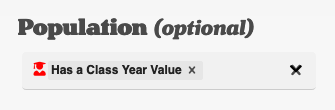
Another shout out to our early adopters and product portal participants who wanted to see another admin right, besides Super, that will grant admins access to the dashboard.

For customers who would like to grant staff access to the dashboard without giving up the keys to the entire data castle (aka Super Admin), feel free to assign the new admin right of Engagement Metrics Admin to those applicable staff and club volunteers.
Last but not least... welcome Volunteerism to the Dimension family. Now you can upload offline data for all of your volunteers to get an even truer picture of engagement.
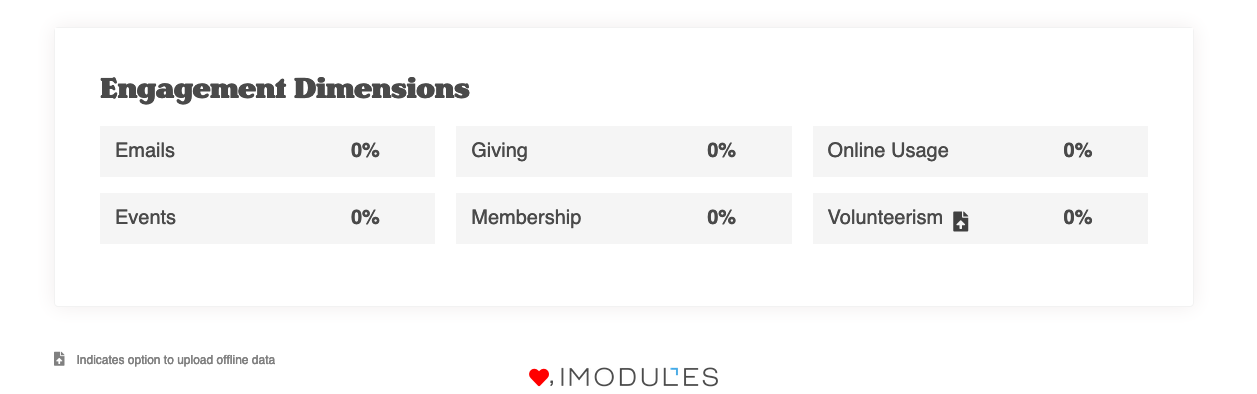
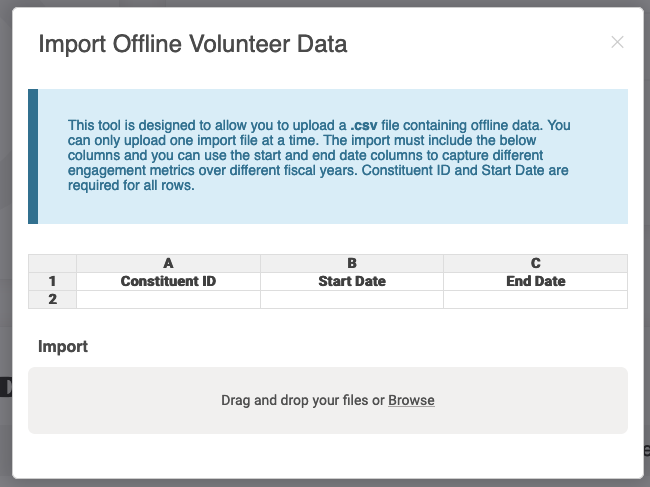
Simply provide a file of Constituent IDs and Start and End Dates to capture this activity in the dashboard. We will pull Class Year from those constituent records where applicable so feel free to use the filter criteria to change engagement snapshots from different class years and time.
Email Reporting
 The rolling 550 day time frame of email availability has been changed and you are now able to search and view email drill down metrics from 1/1/2018 to present. This should reduce the amount of emails unavailable as emails sent prior to 1/1/2018 should be accessible through the Legacy Reporting system. The default date range will still be the previous 30 days but by clearing out the From date field will automatically change the search to capture all of 2018.
The email name column in the Negative Outcomes column for All Negative Outcomes and for Segmented campaign roll ups are now hyperlinked allowing users to jump directly to the specific message detail.
Now you are able to easily to tell if prioritization was turned on for a segmented campaign by viewing the campaign within email reporting. On the campaign rollup page, if prioritization was used then the version summaries will be sorted in priority order instead of the sent time and users will see "Prioritized" at the top of the table. This will allow you to confirm whether you had that feature turned on when you released the campaign and view the version order.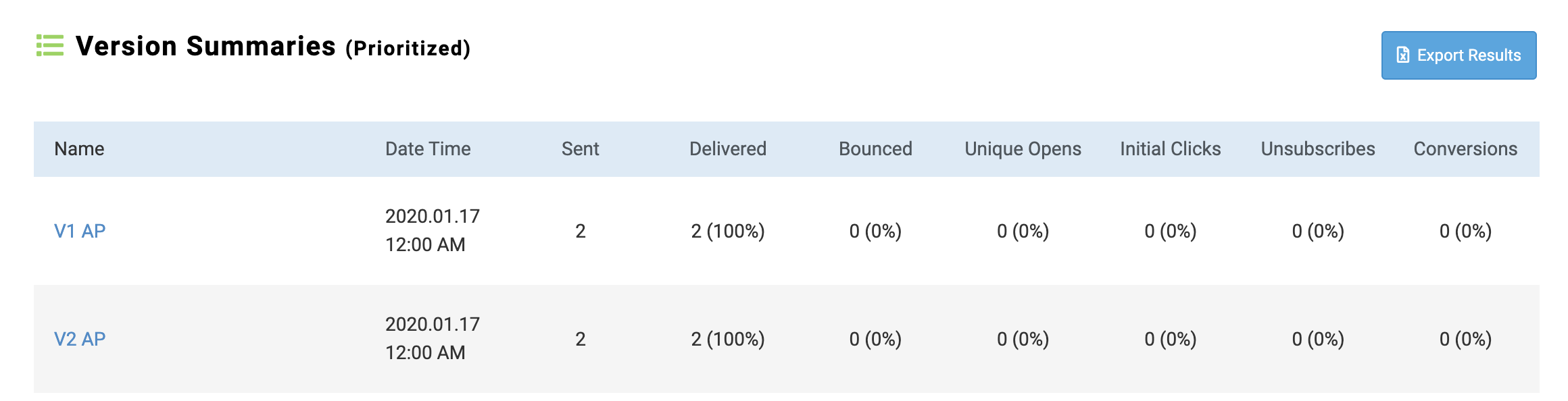
E-Commerce Partners
In an effort to make Encompass as compliant as possible and to reduce the amount of fraudulent charges our customers experience, we now require the CVV code to be entered for all constituent facing transactions, through all Gateways. We have not made any changes to the requirements of the Admin side of billing forms, so any mail-in donations can still be manually entered by admins through the admin side if a CVV code is not present. Please note that this does not change the CVV requirements in your Gateway configuration - if you have configured your Gateway to require CVV, then CVV will be required for both constituent and admin forms. For more information on this change, please visit our support page here.
Defects
Email Reporting
Updated no results found verbiage so it no longer displays by default (ENC-39056)
Corrected opens percent calculation within export. (ENC-39402)
Fixed click reporting counts to match drill down report. (ENC-38805)
Email Marketing
Emails failing to send due to the AuthKey token included in links. A warning message will now display the links which include the AuthKey Tokens. (ENC-38674, ENC-38173)
Fixed the issue where the Sendgrid tracking token (##SENDGRIDOPENTRACKING##) was visible in View in Browser, BCC's and Pre header. (ENC-38714)
Encompass
Fixed an issue where a "Reset password" link was only sending to the highest Member ID with a matching email, not the specific Member record that requested it. (ENC-38928)
Release Notes: January 6, 2020
Please note that product releases are scheduled as followed by environment: Australian = Monday morning | Canadian = Monday evening | U.S. = Monday evening
Product Enhancements
Decision Analytics
Excited to announce some new additions to the already AWESOME dashboards in your site. First and foremost we welcome Email Marketing to the dimension family. Now your staff are able to get the full picture of engagement across both your alumni base, friends, donors and non-members. Cheers to happy scoring!
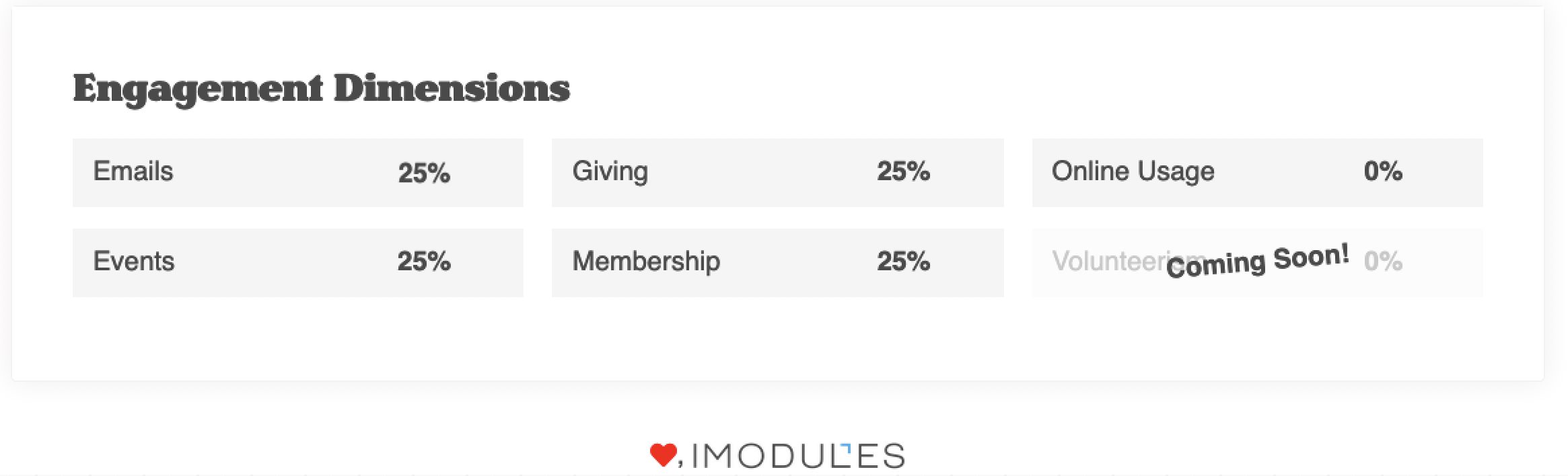
BUT WAIT.... there's more!
We have opened up the date filter so that you can view and measure your online and offline (with appeal codes that lead constituents back to your site) efforts. For those of you that have been customers with us for a long time... have fun looking back in time at this incredible data.
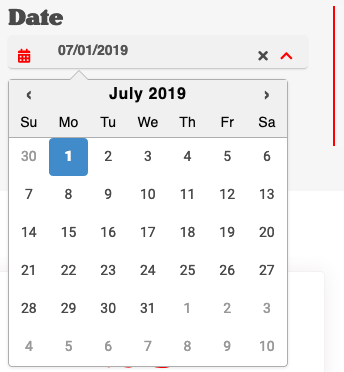 |
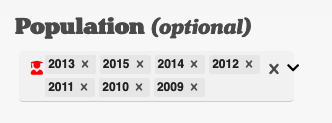
aaaaaaand there is more!!! What would you say if we made the Population filter a multi-select guy so you can easily target different cohorts? Your office may look like this right now:

Look at us targeting recent alumni.... well kinda but you get the idea!
Three more exciting things for us to share!  alllllll the things!!! Whatever time frame you select will allow you to export all records - member and nonmember - engaged and not engaged - and be in the following format:
CONST ID | MEMBER ID | CLASS YEAR | EVENTS | EMAIL | GIVING | MEMBERSHIP | ONLINE USAGE
Each dimension will contain a YES or a NO on each row depending on if that constituent took an action within your specified time.
We have even added some helpful tool-tips so you know exactly how we are calculating the dimension percentages.
and last but certainly not least...
 |
Your dashboard now has a photo shoot mode. Oh SNAP! Share internally whatever snapshot in time you may have captured with the  icon in the bottom right of your dashboard. Keep in mind, photo shoot mode is not available in IE or Edge browsers (GRRRRR) so hop on over to Chrome, Firefox or Safari to capture these different views.
Email Marketing
 |
Now when you select a Sender Identity in Message Details, the associated reply handling address will pre-populate.
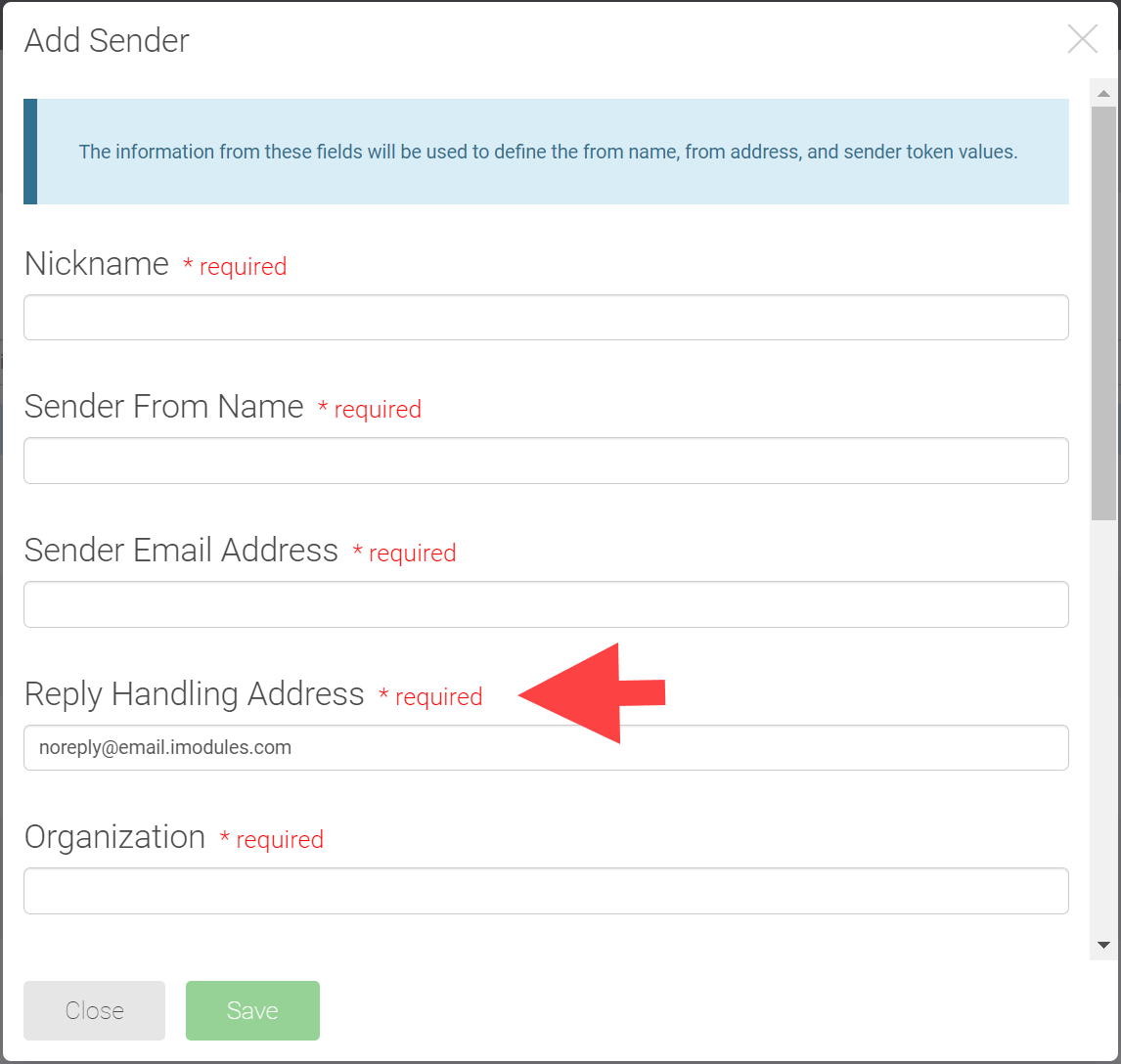
The "Reply Handling Address" field will now be available when you add or edit a Sender.
 |
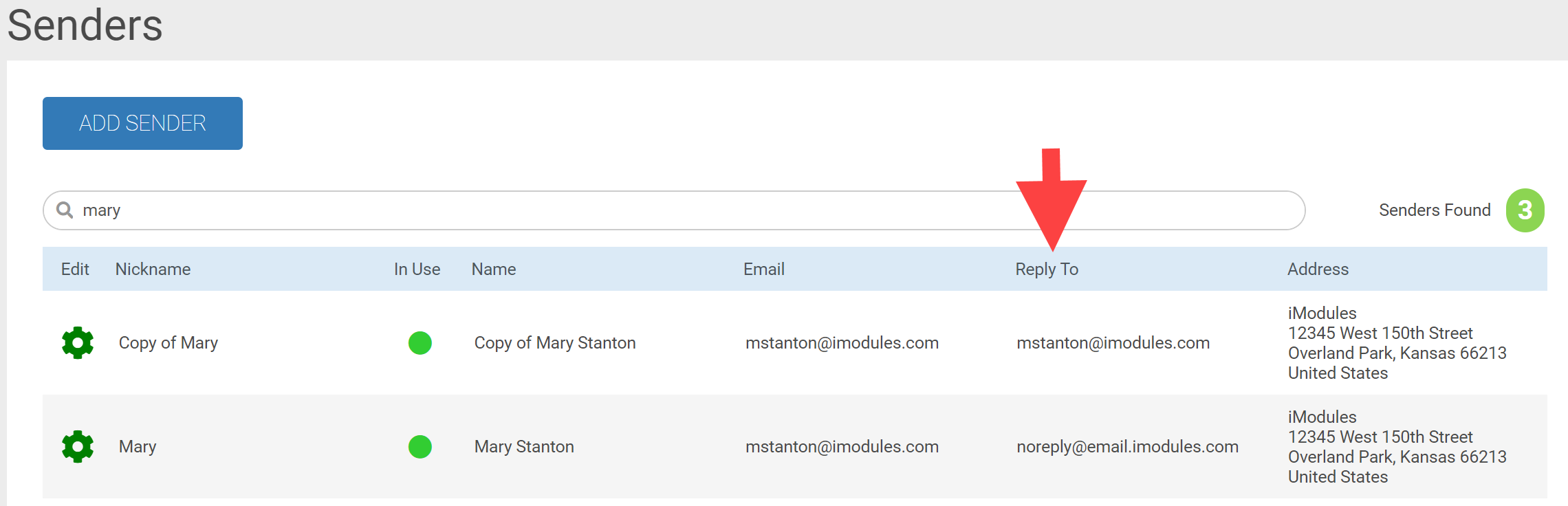
A column displaying "Reply To" has been added to the Sender list so you can easily identify who will be receiving any replies.
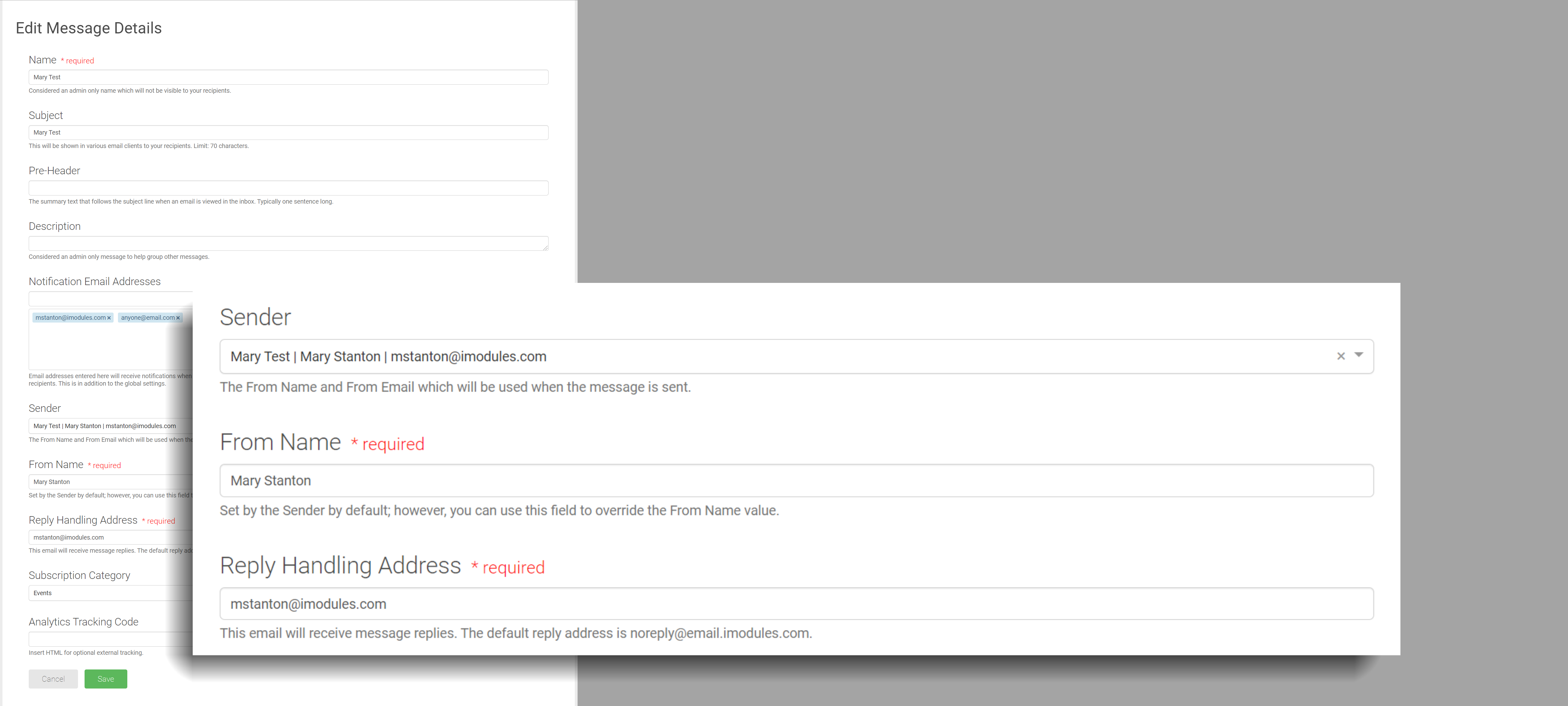
When you select the sender in "Message Details" it will automatically populate the "Reply Handling Address".
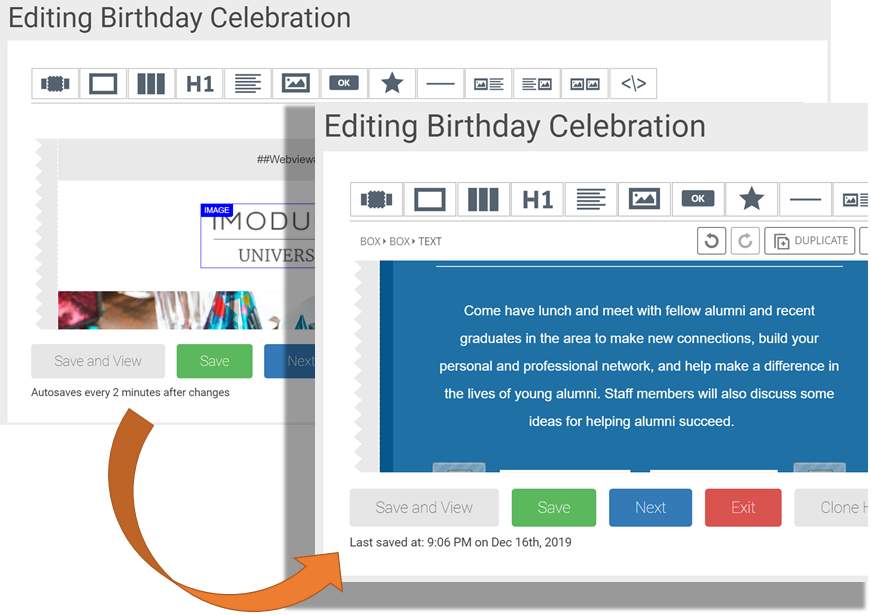
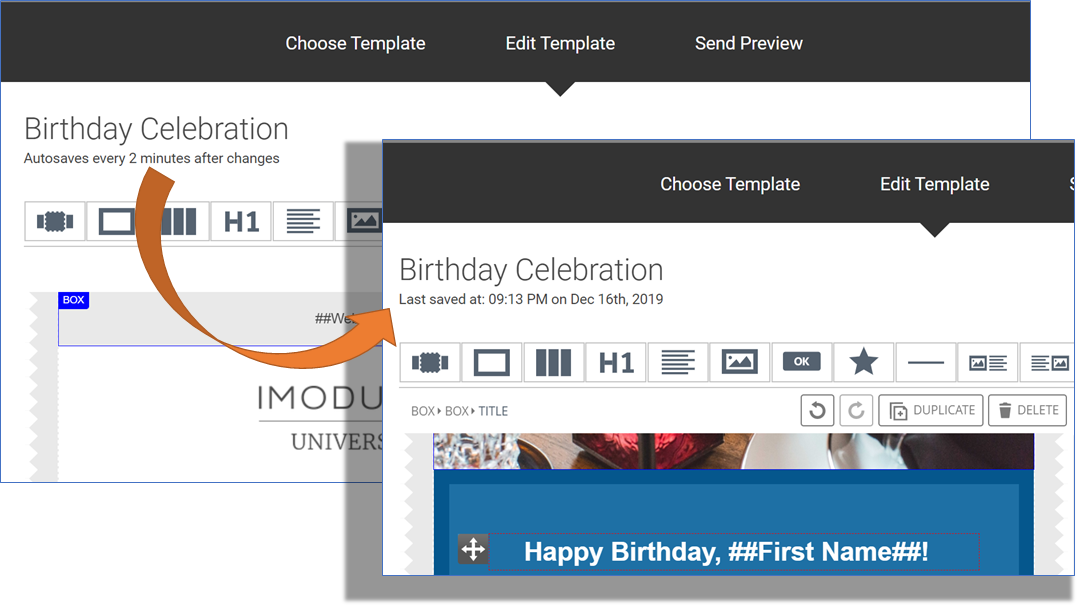
WHAT! Did you say auto save on the editor? If you are on the Email, HTML or Template editors it will now automatically save every two minutes after you make a change.
Email Editor Example
Template Editor Example
In December we released the ability to identify who should receive a notification email when a message has been sent successfully or unsuccessfully at the Global Community level. Now you will also be able to identify who should receive the notification for each message.
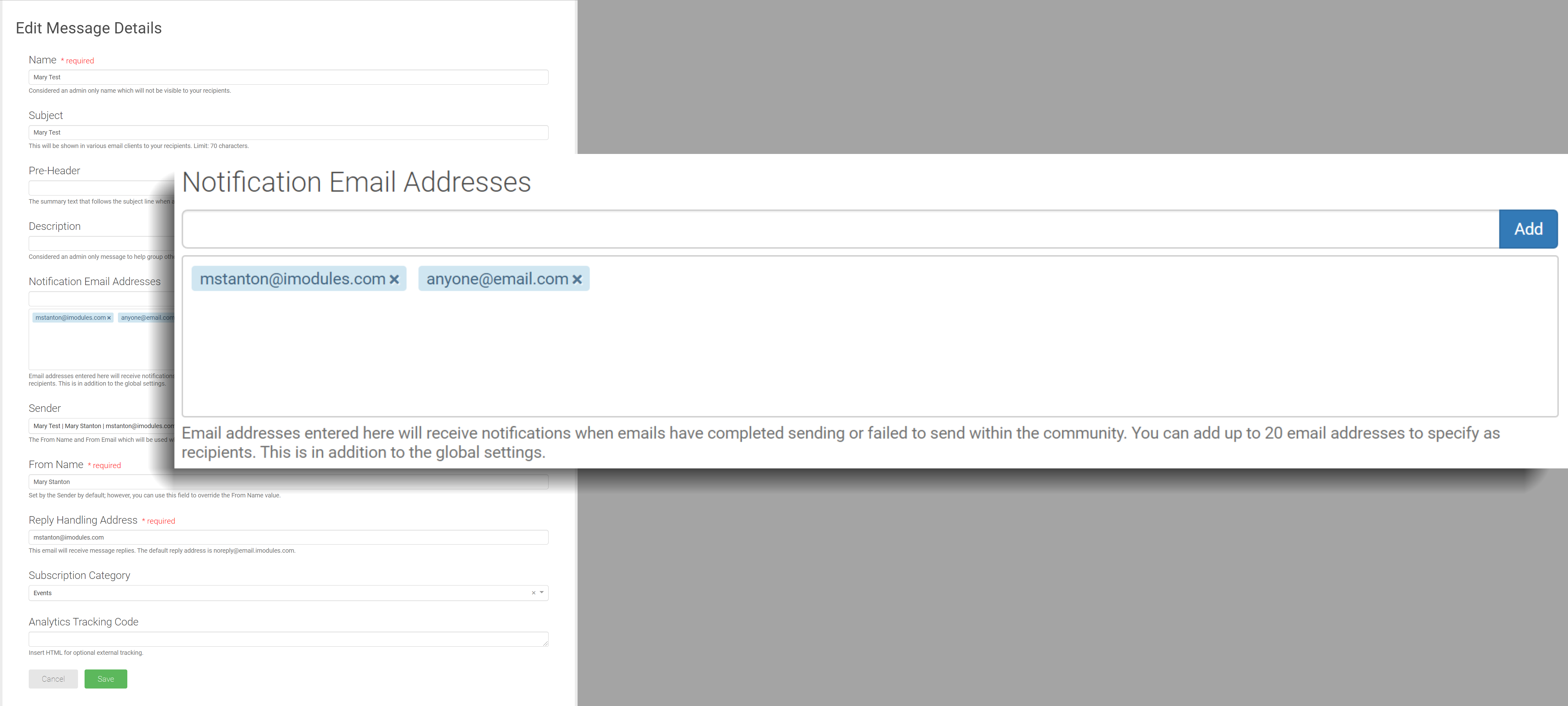
Enter notification recipients on the Message Details page.
Email addresses entered here will receive notifications when emails have completed sending or failed to send for that message.
You can add up to 20 email addresses to specify as recipients. This is in addition to the recipients identified at the global community level.
You can add multiple emails at one time if they are separated by commas.
If a notification recipient is duplicated in at the community and message level they will only receive one notification.
Segmented Campaign - Set the notification recipients at the Global Campaign Settings so it can be applied to all versions in the campaign. (Note: Each message can still be set up separately.)
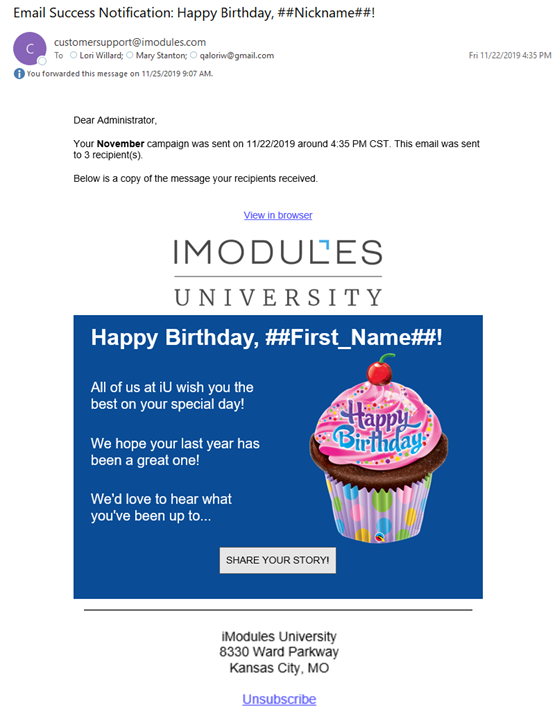
Successful Email Notification
Unsuccessful Email Notification
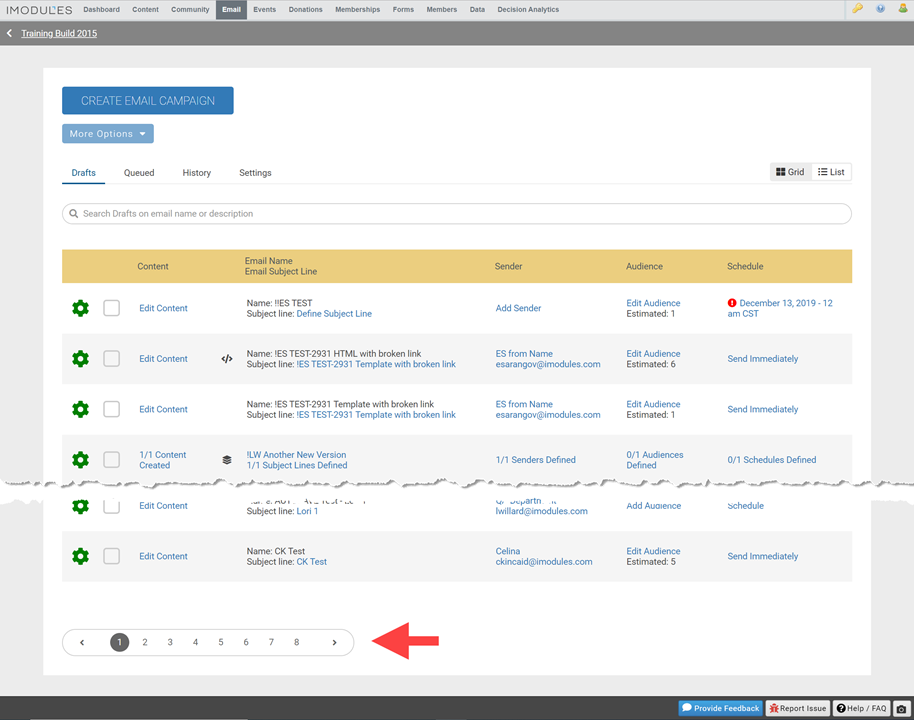
In order to provide a better experience when viewing your campaigns we have added pagination to Email Home Drafts and Queued pages. Adding pagination decreases the time it takes to view those important messages allowing you to quickly find the next message you want to focus on. You will be able to see 20 emails per page.
Email Reporting
The breadcrumbs in reporting have been updated to follow the page hierarchy and allow users to easily see where they are within the product. Depending on the type of campaign and where you are in the product, the breadcrumb should display campaign name, version name and the date of the send if a version has multiple sends associated with it. This will enable users to jump directly to a specific message while still seeing what campaign or version it was associated with and easily click to those pages to view performance at a higher level.
Here is an example of a breadcrumb for a recurring segmented campaign: 
The breadcrumbs will be clickable to give users the ability to jump to related pages quickly no matter how the current page was originally accessed.
Encompass
In preparation of our new Attendee check-in module (currently in Early Adopter phase) we have created a new Optimized Event Export which captures event attendance.
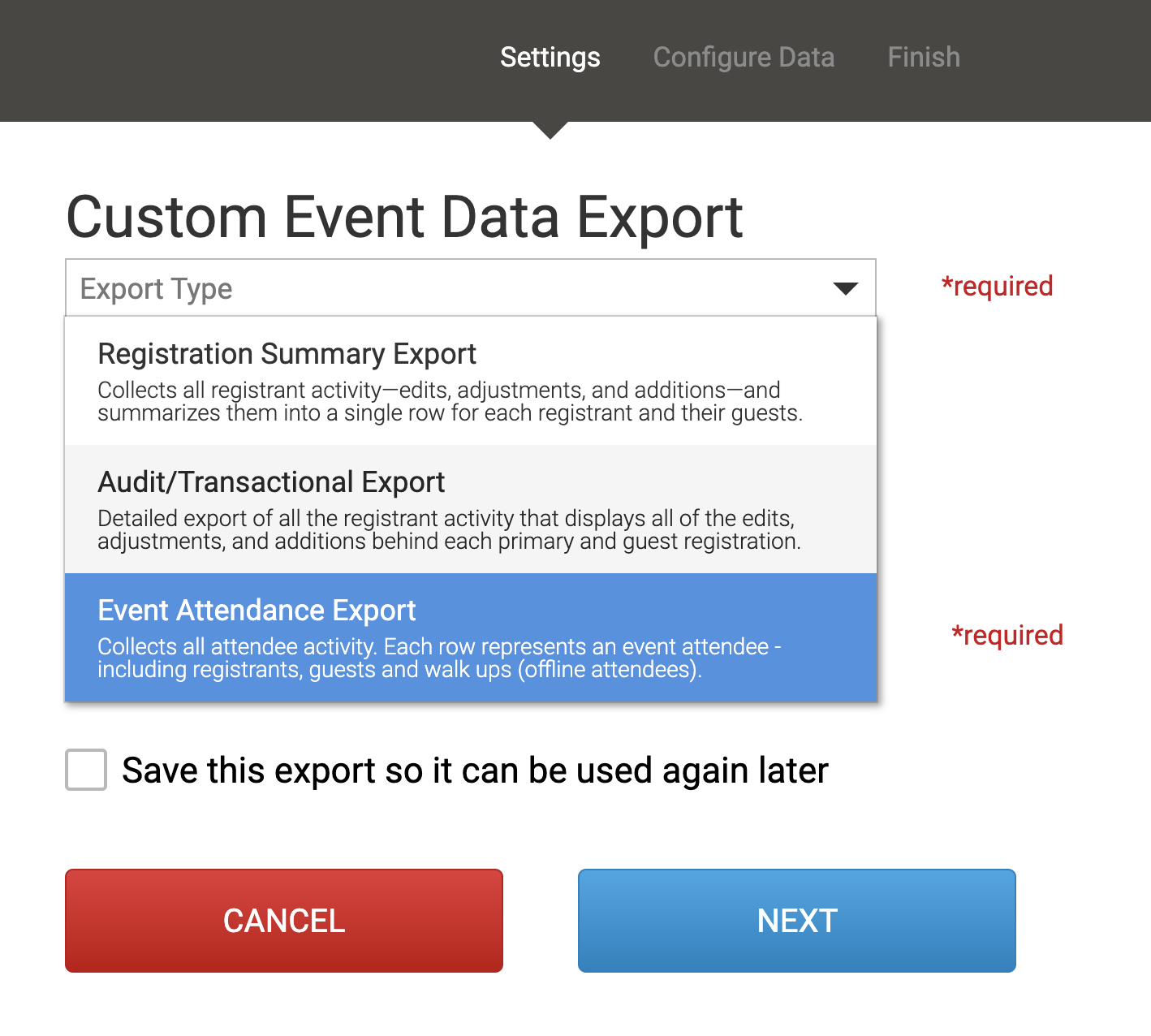
This export contains the same data outlined in the Registration Summary Export with the addition of 3 new columns which specify whether a registrant was checked in, who checked them in and at what time.
This export is currently only intended for Early Adopters of the Attendee Check-in module.
For more information please visit our support center page here.
E-Commerce Partners
For all of you who are looking for easier and more modern ways to let your constituents give, we now have the ability to complete transactions in Encompass using ApplePay, GooglePay or MicrosoftPay through the Stripe Payment Gateway.
Stripe is our newest Payment Gateway partner, and we have just enhanced the integration with Stripe to allow for digital wallets to be used to complete transactions through your Encompass site.
If you have a digital wallet set up with a valid card and are using a compatible device, digital wallet options will now display on the billing form:
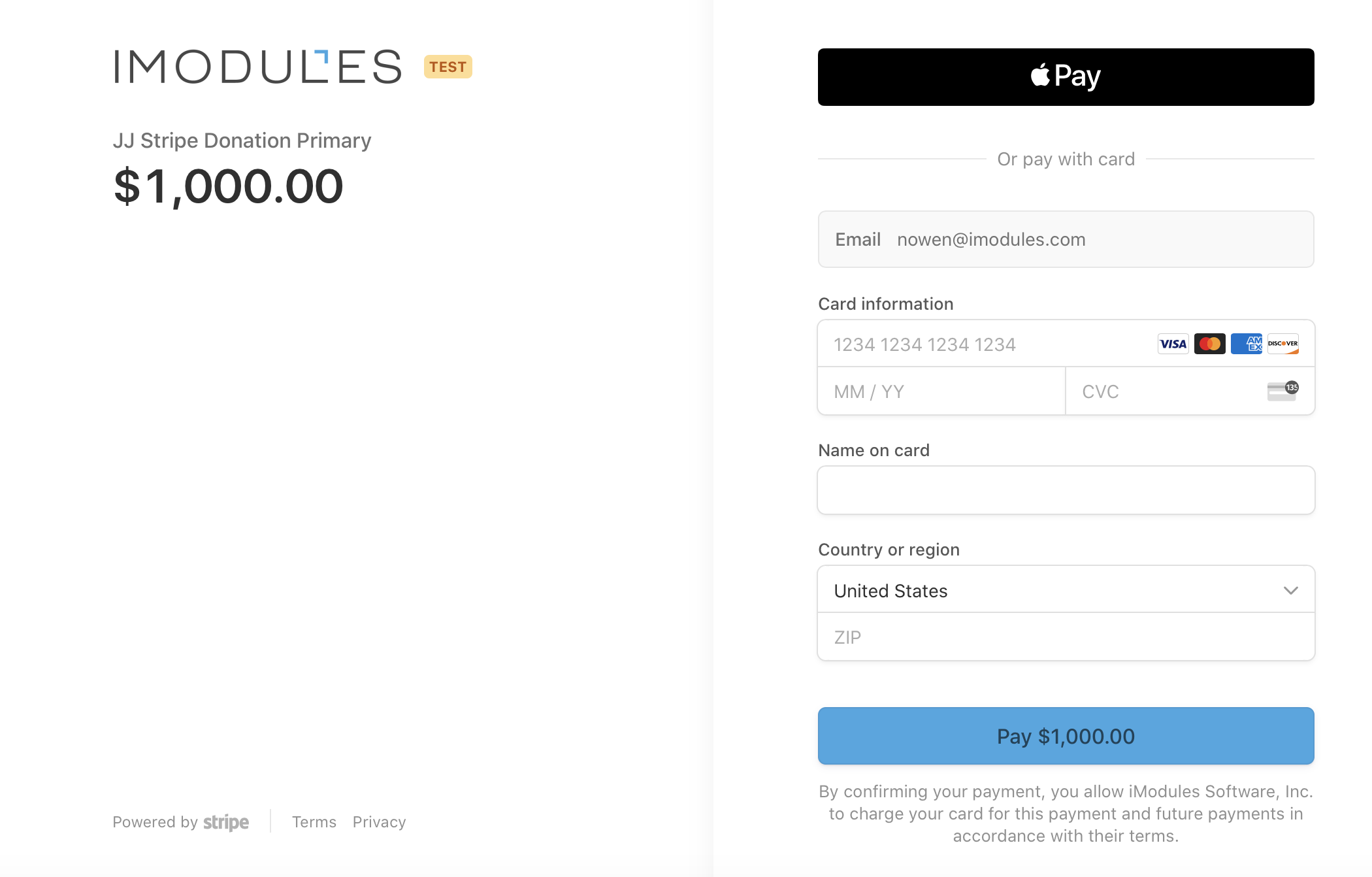
When Stripe is set as Primary gateway you will be redirected to the Stripe checkout (hosted) platform:
When Stripe is set as secondary gateway, any compatible digital wallet options will display at the bottom of the last step in the form:
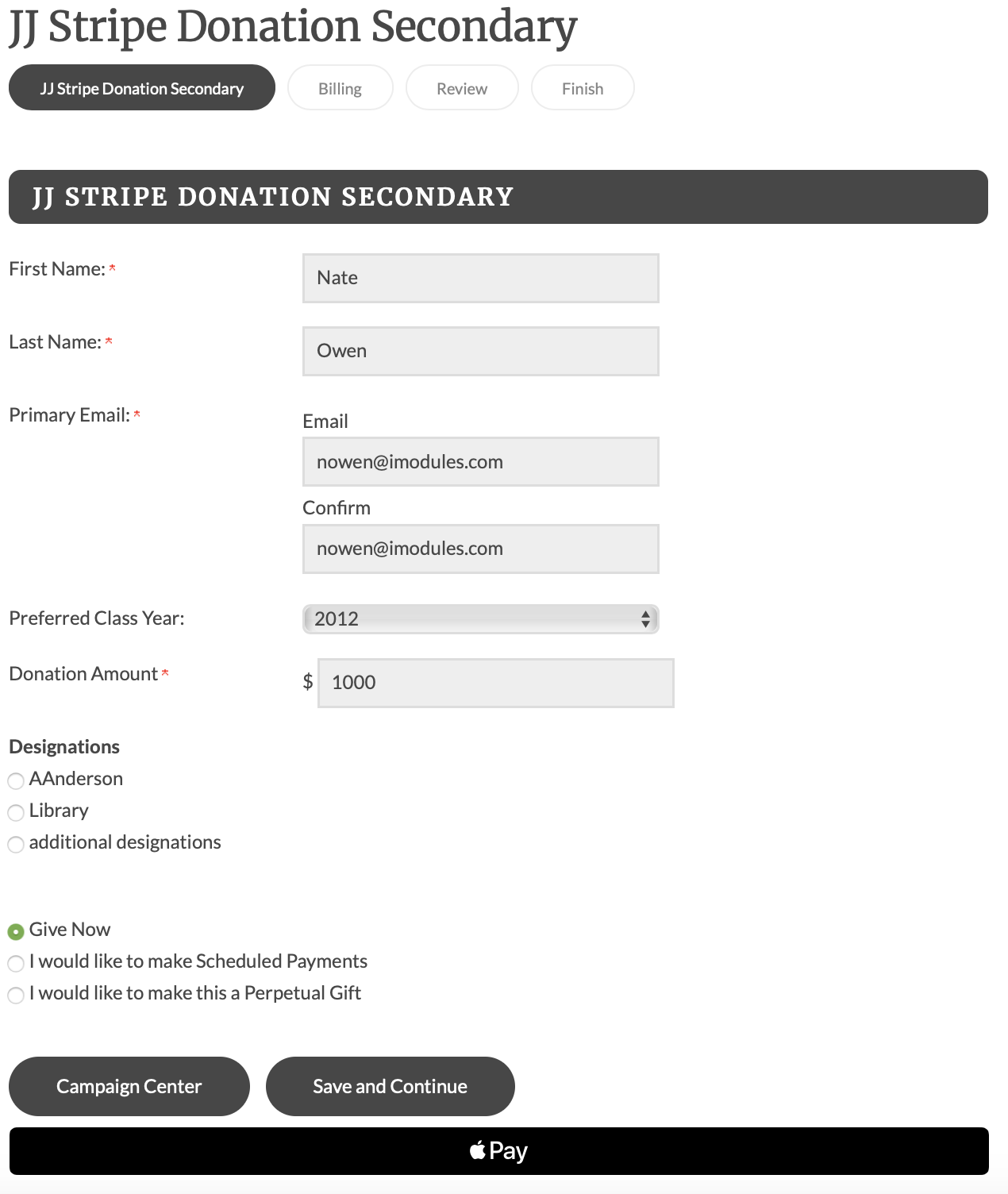
Please note that for ApplePay to work on your site you will need to add your domain name to your Stripe Dashboard account. For assistance doing this please reach out to your CSM to work with our PMO team.
For more information on the benefits of Stripe and how you can set up an account and start using Digital Wallets please read our Stripe page on the Support Center, here.
Defects
Email Reporting
Updated Bounce logic so blocks (soft bounces) will cause a member's primary email address to be set as "invalid". The number of blocks before email is updated is dependent on the bounce settings (ENC-38642)
Fixed Unique Unsubscribe metric (ENC-38994)
Email Conversion numbers showing 0 for Individual Email Summaries (ENC-39158)