データ辞書
Note
このドキュメントは、AIを活用した機械翻訳によって翻訳されました。翻訳内容は「現状のまま」提供されており、その正確性については一切保証いたしません。このコンテンツの英語版が公式かつ権威ある情報源となります。
Blackboard Illuminateディベロッパのデータディクショナリ―は、テーブルと列の定義を読みやすい形式で表示します。このリソースを使用してレポートを作成します。利用可能なエンティティのソース、使用法、および関係について学習します。
注記
Illuminate uses the Snowflake data warehouse. Visit the Snowflake documentation website for tutorials and help with all supported SQL commands, functions, and operators.
Browse by schema, table, or column
From the navigation bar, you can quickly access the Schemas and Entity Relationships.
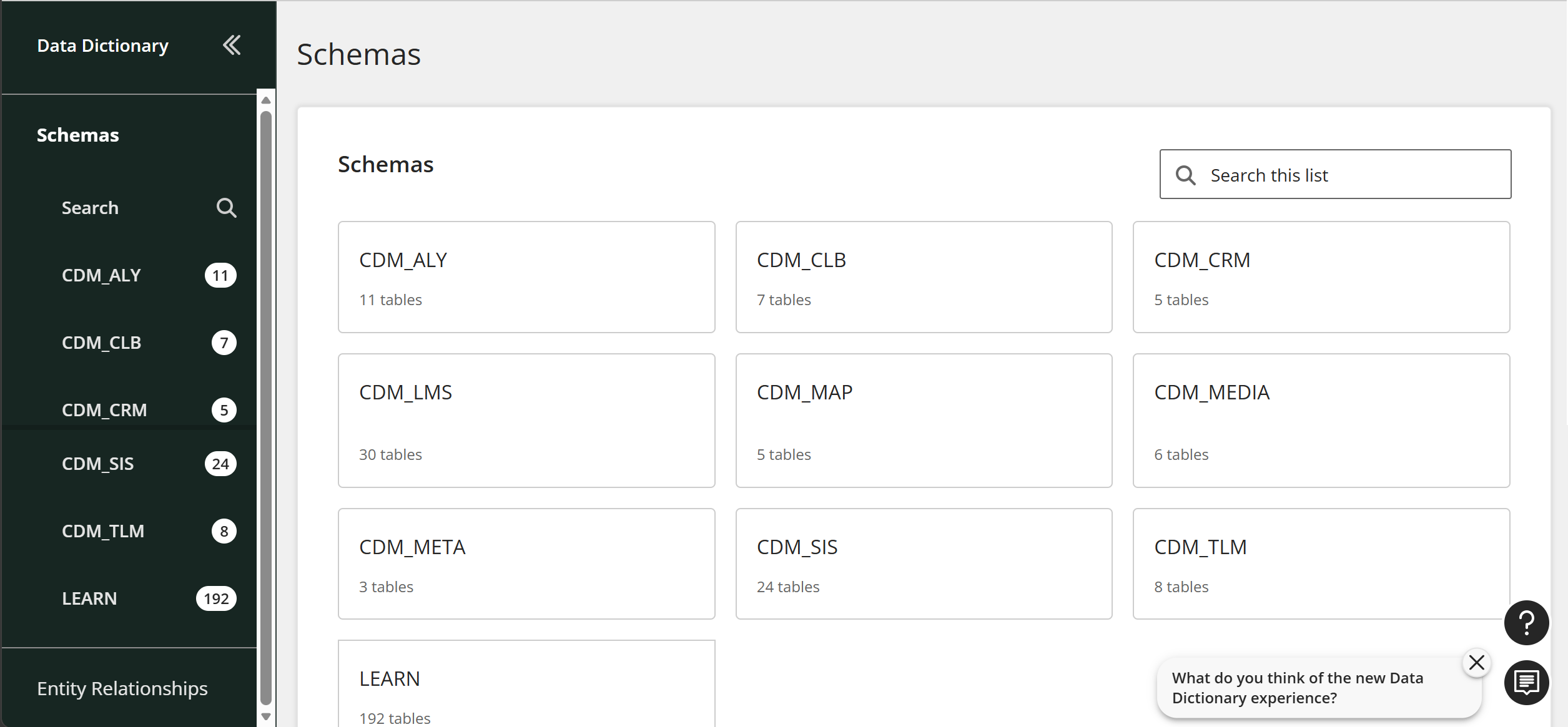
Schemas
Browse the list of schemas to view all available canonical data models.
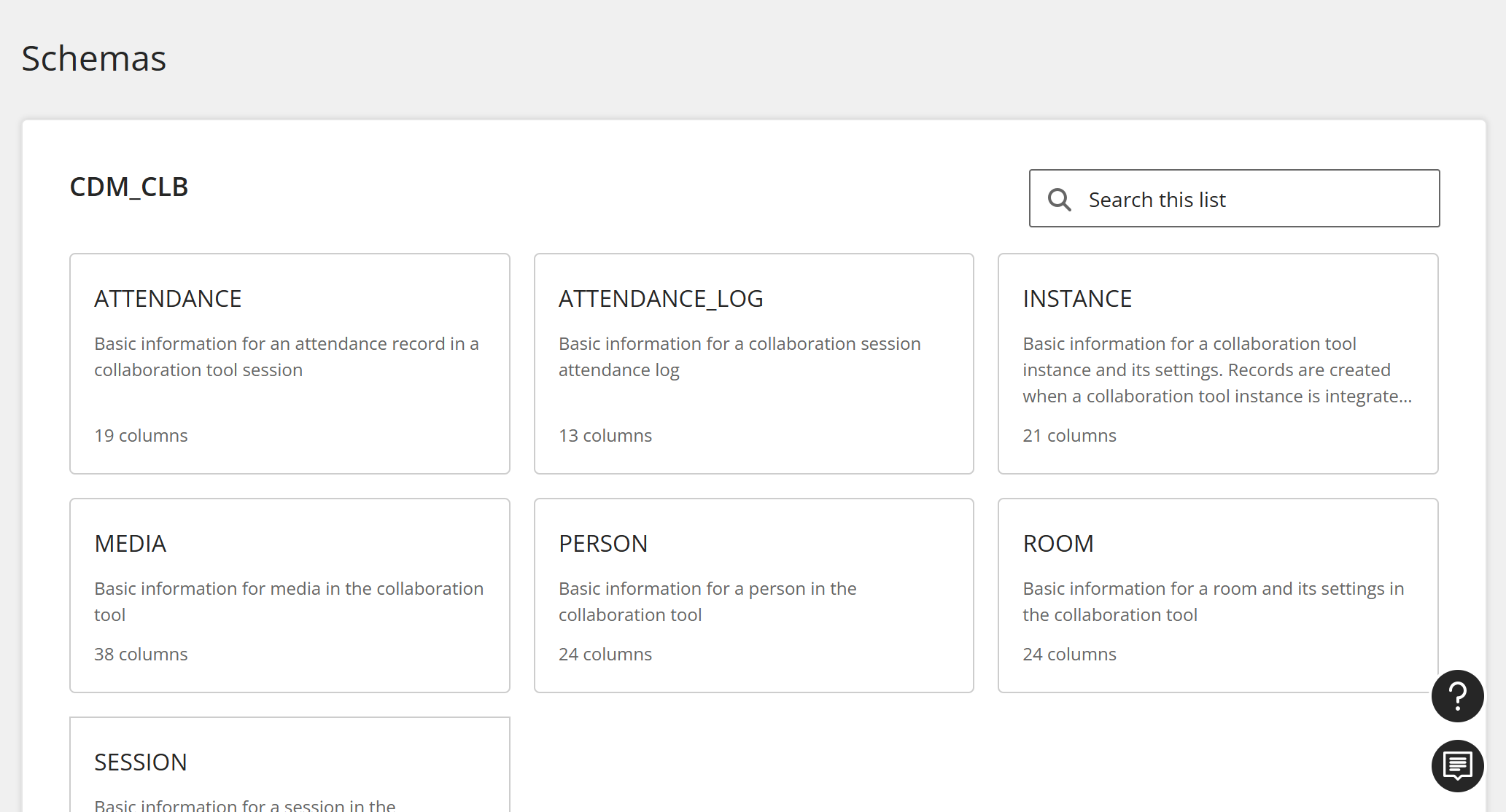
Tables
When you select a CDM, you can view all of its tables. Select a table.
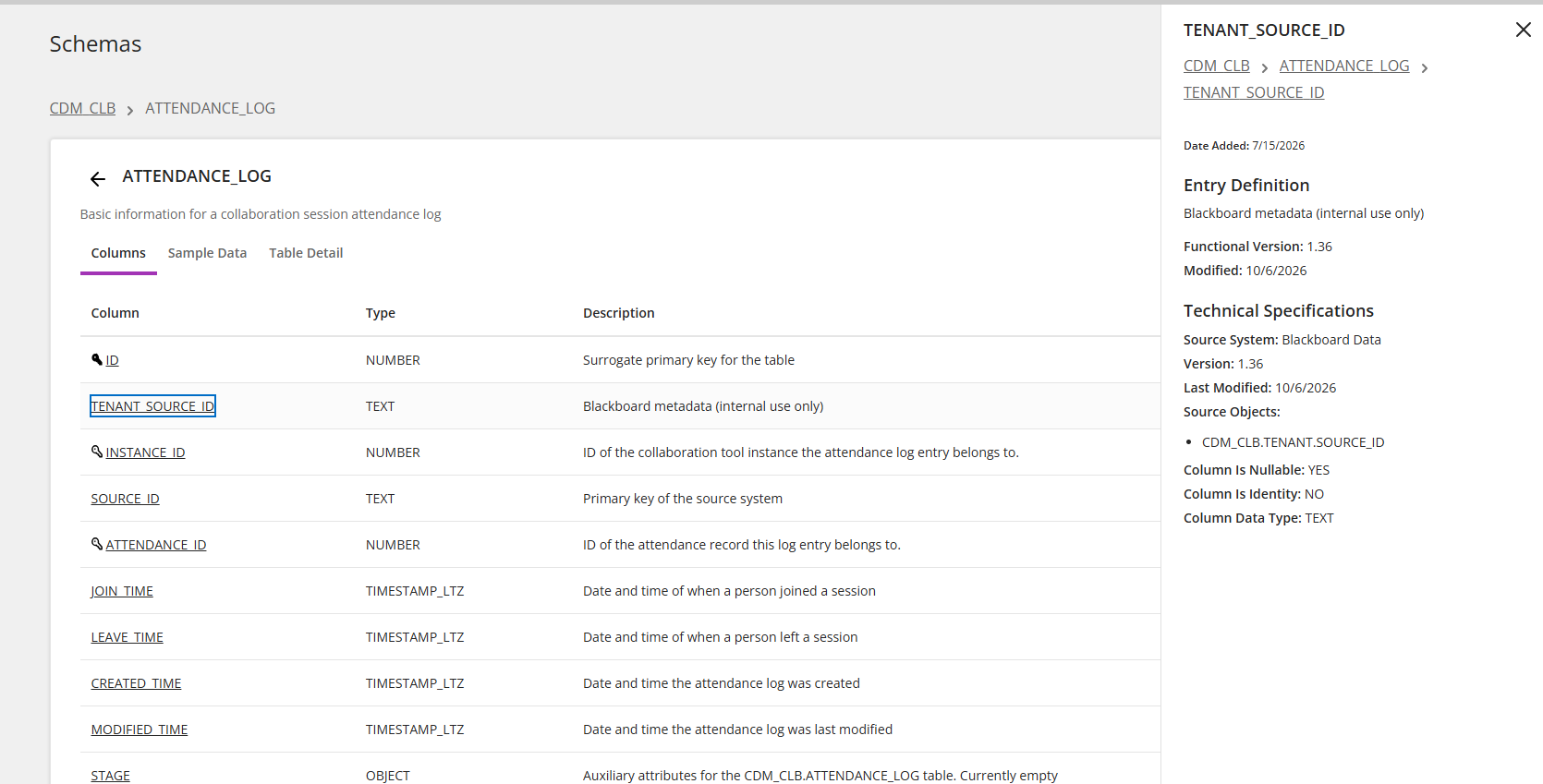
Each table has Columns, Sample Data, and Table Detail tabs.
Columns
From a table, select Columns. Then select a column to see its entry definition and technical specifications
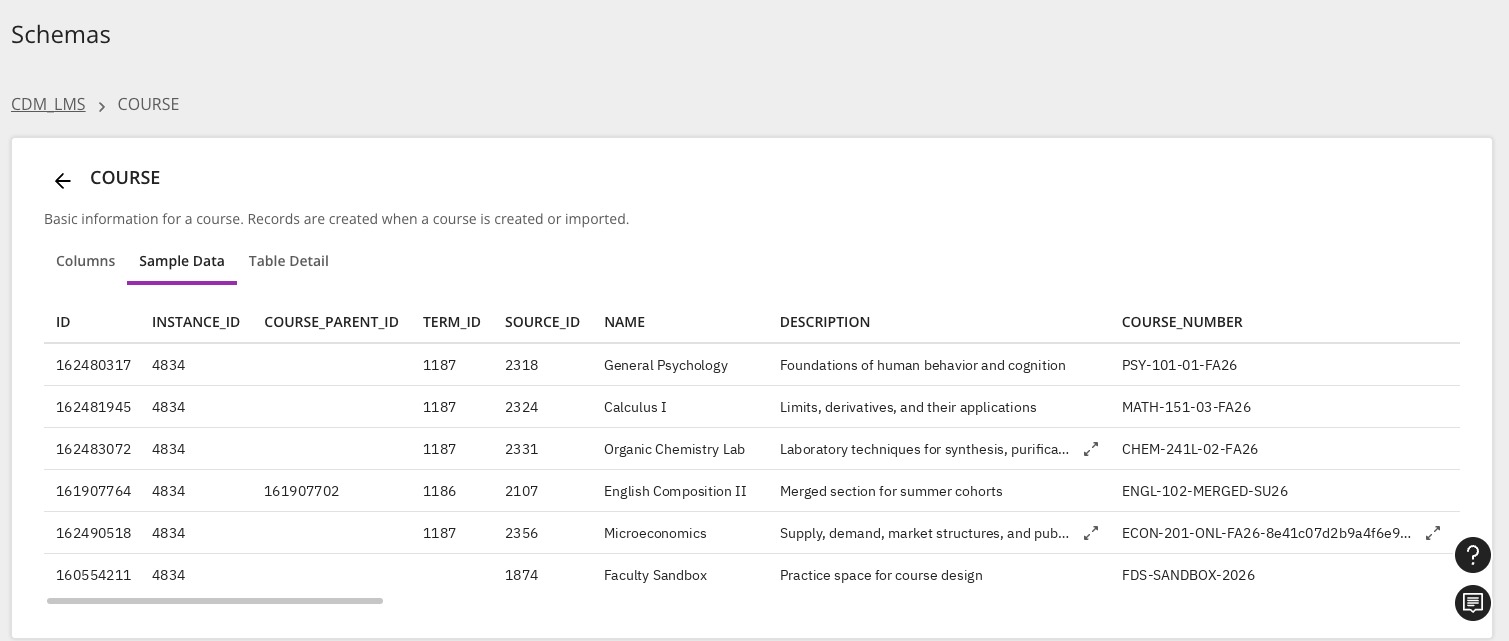
Sample data
From a table, signed-in Administrators, Authors, or Developers can select Sample Data to view up to 100 example rows of their institution's own data. You can copy samples directly from the table. For longer description values, select the expand button and then copy the description from the window.
注記
Loading sample data for the first time can take a few seconds.
エントリ
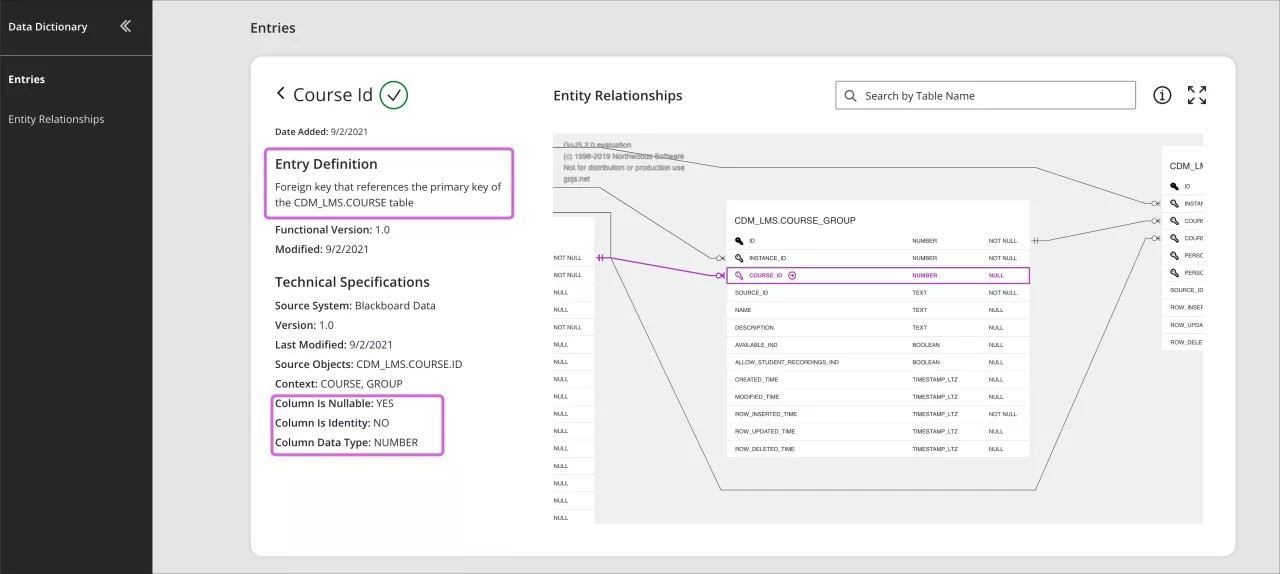
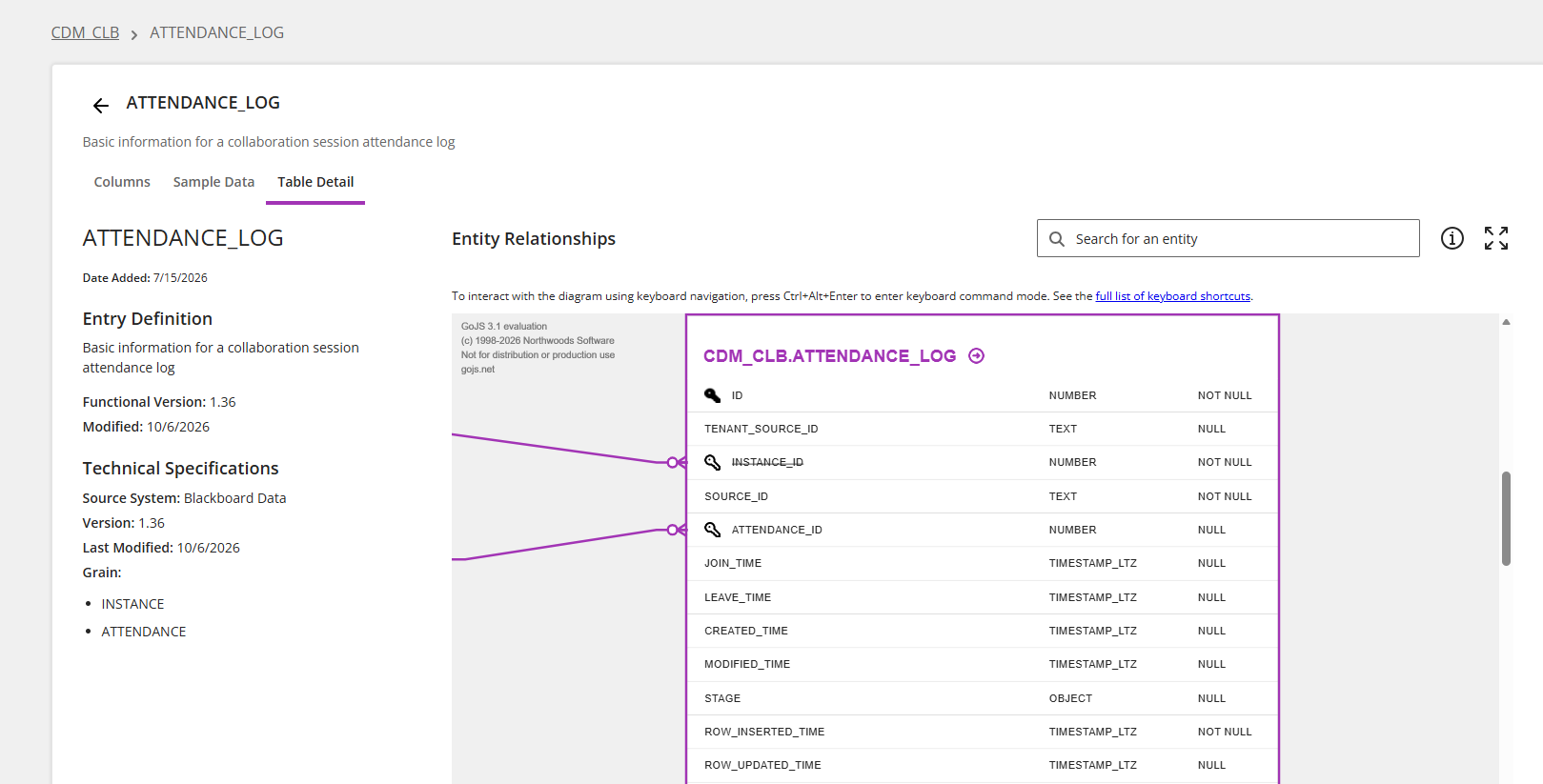
エントリはテーブルと列を文書化します。エントリを選択すると、そのエントリの定義、技術仕様、エンティティ関係が表示されます。
チェックマークアイコン:エントリーが推奨通りマッピング・検証されているか一目で確認できます。
エントリー定義:テーブルまたは列を読みやすい形式で記述する
ソースシステム:情報の出所を特定します。例 : Blackboard Learn。
ソースオブジェクト:情報の出元であるスキーマ、テーブル、カラムを特定します。
コンテキスト:どこにエントリーが適用されるかを特定します。たとえば、コース、ユーザセッションなど。
列はnull可能:列データがNullにできるかどうかを教えてくれます。
列は同一性:列が単位列かどうかを示します。
カラムデータタイプ:カラム内のデータの種類。
エンティティ関係性:エンティティ関係図(ERD)は、データベース内のデータの関係性と流れを示します。Blackboard IlluminateのERDは、カラスの足記法を使用して、関係を示します。
Enhanced search
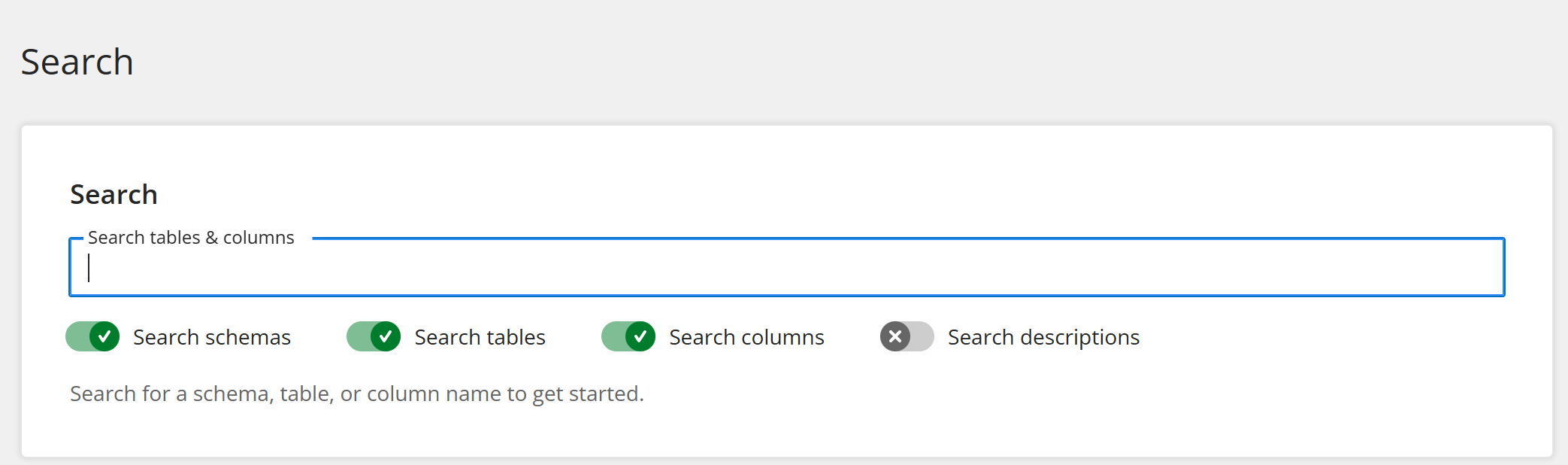
Using the Search field in the navigation bar, you can search across all tables and columns at one time. Use the toggles to filter which types of items to include in the search.
For a more granular search, you can use the search field found on each schema, table, or column page.
ヒント
If you receive no results when searching by name, select Search descriptions too to search descriptions as well.
エンティティ関係図
エンティティ関係図 (ERD) は、データの関係とフローを示します。
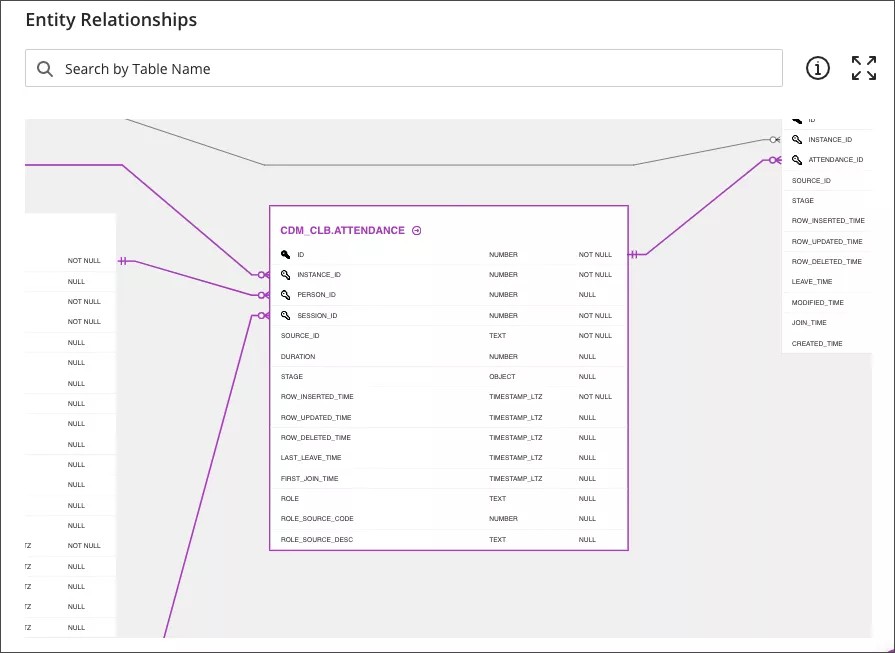
ERDはインタラクティブです。
関係性をハイライトするには、関係性をハイライトするテーブルまたは列を選択します。
エントリ定義を見るには、テーブル名または列名の隣にあるリンクを選択してください。

ビューを広げるにはフルスクリーンを選択してください。

ERDアイコンの凡例を見るには、ポインターを情報アイコンの上に移動させます。

ERD内のテーブルを検索するには、検索ツールを使用します。
二本指またはスクロールホイールを使用して、ERDを拡大/縮小できます。
[Ctrl]キーを押しながらERDを選択すると、移動できます。Macの場合は、[Command]キーを押しながらERDを選択します。
ヒント
ERDは、カラスの足記法を使用して、関係を示します。
ローカリゼーション
言語の選択を使用して、優先する言語を選択できます。ただし、現在ローカライズされておらず、別の言語を選択した後も英語のままとなる用語があります。これらの用語のローカライズ版は、2021年と2022年にかけて段階的に提供されますが、これらの分野に関連するデータ辞書用語は英語のままです。
エントリの説明
列は無効化可能です
列は恒等です
列データ型