アカウントをユニバーサル認証システム(UAS)に移行する
Note
このドキュメントは、AIを活用した機械翻訳によって翻訳されました。翻訳内容は「現状のまま」提供されており、その正確性については一切保証いたしません。このコンテンツの英語版が公式かつ権威ある情報源となります。
アンソロジーの標準化された認証方法は、教育機関のアイデンティティプロバイダーであるユニバーサル認証システム(UAS)をアンソロジー製品に統合します。機関認証とも呼ばれます。
Institutional Authentication is the recommended authentication method for Illuminate. It streamlines authentication by using your institution’s authentication system with existing usernames and passwords.
For institutions who use the older method called "native authentication," you can migrate your account to Institutional Authentication. Go to Settings and then select Snowflake Account Settings. A banner appears that says the migration is available.

移行フォーム
教育機関のリーダーアカウントを教育機関での認証 (UASベースの認証) に移行するには、Blackboard Illuminateユーザとそれに関連する教育機関での認証ユーザ間のユーザマッピングを提供する必要があります。
注記
Blackboard Illuminateと教育機関認証の違いは、Blackboard Illuminate認証ではユーザーがメールアドレスを通じて識別されるのに対し、教育機関認証ではユーザー名属性で定義される点であり、これは必ずしもユーザーの関連メールアドレスと同じではない点です。
Log in to Blackboard Illuminate.
From the navigation bar, select Settings.
Select Snowflake Account Settings.
From the migration available banner, select Configure Migration. The Migration to Universal Authentication System (UAS) screen appears.
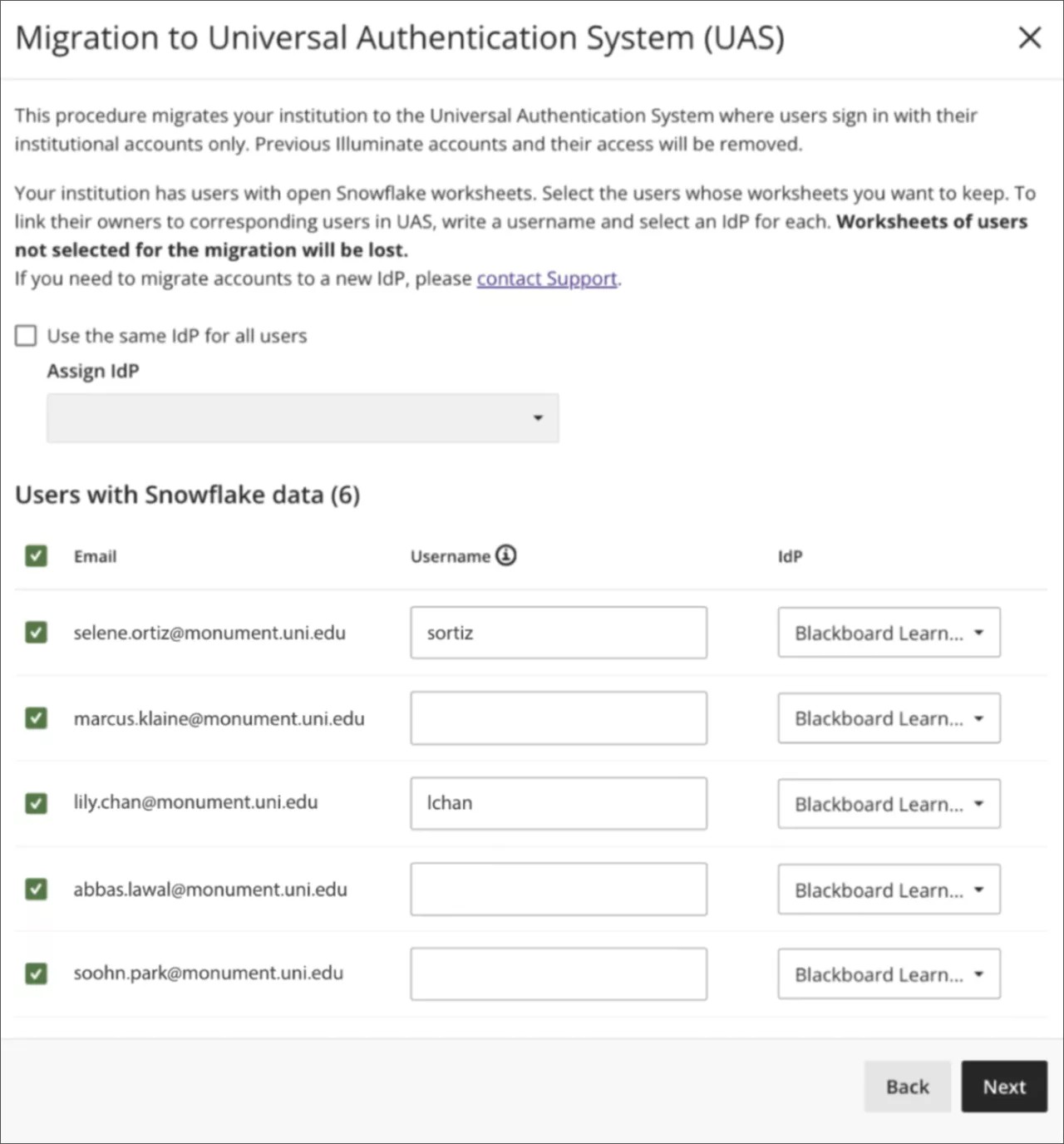
Under Users with Snowflake data select each user to migrate.
In the Username column, enter the existing username your UAS system assigned to the individual.
If your institution has multiple identity providers set up, you can select Use the same IdP for all users to apply the same one to all users.
Or you can select an IdP for each user in the IdP column. For more information, see IDプロバイダの詳細.
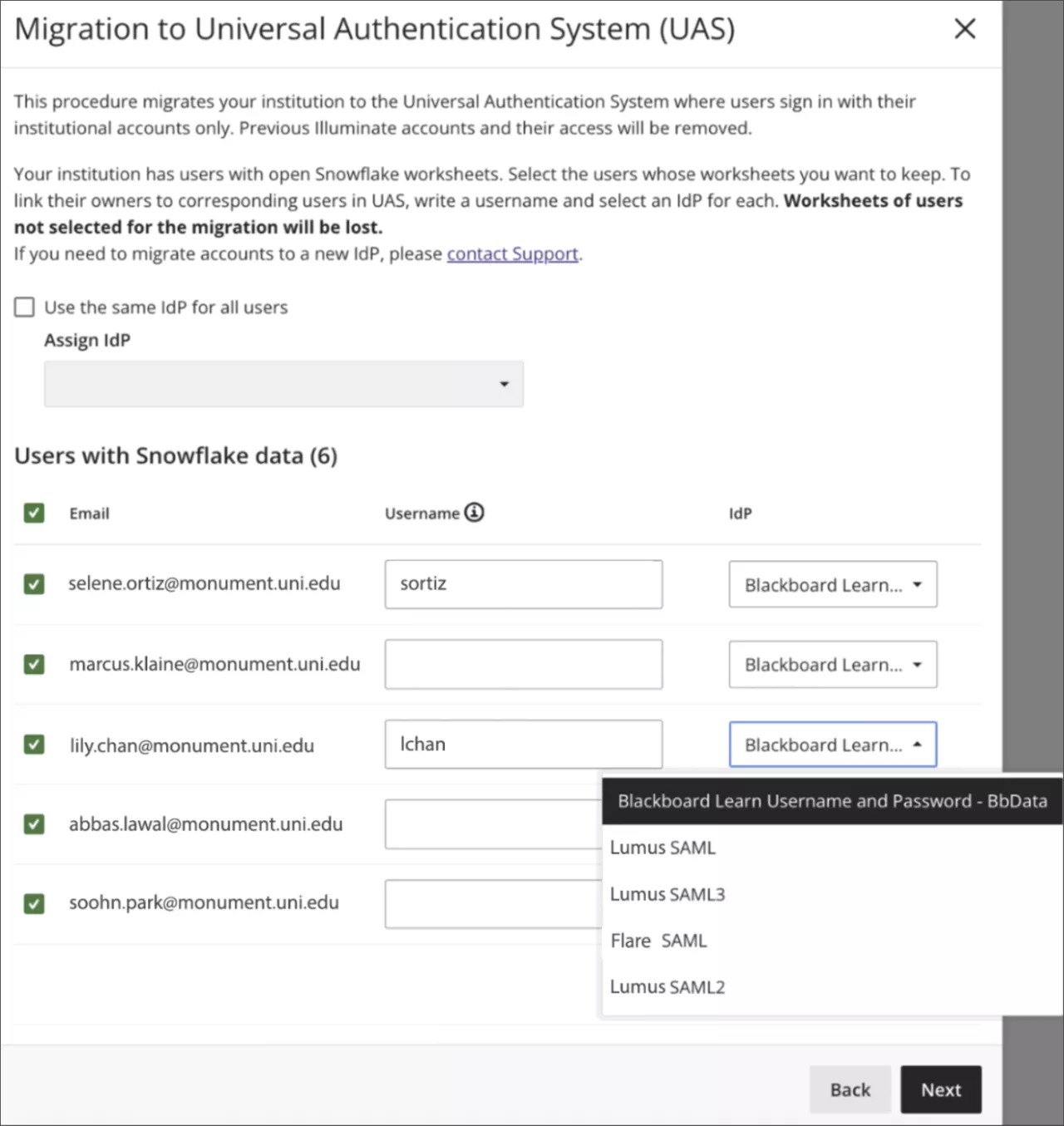
Select Next.
On the confirmation screen, review the list of users who will be migrated and removed.
注記
Users who aren't selected for migration are removed from Illuminate. They won't be able to use Illuminate credentials to log in to Snowflake, and they will lose all Snowflake data.
Users who migrate successfully will retain their content or tracking information from their reader accounts, such as Snowflake's worksheets, including SQL queries, activity history, etc.
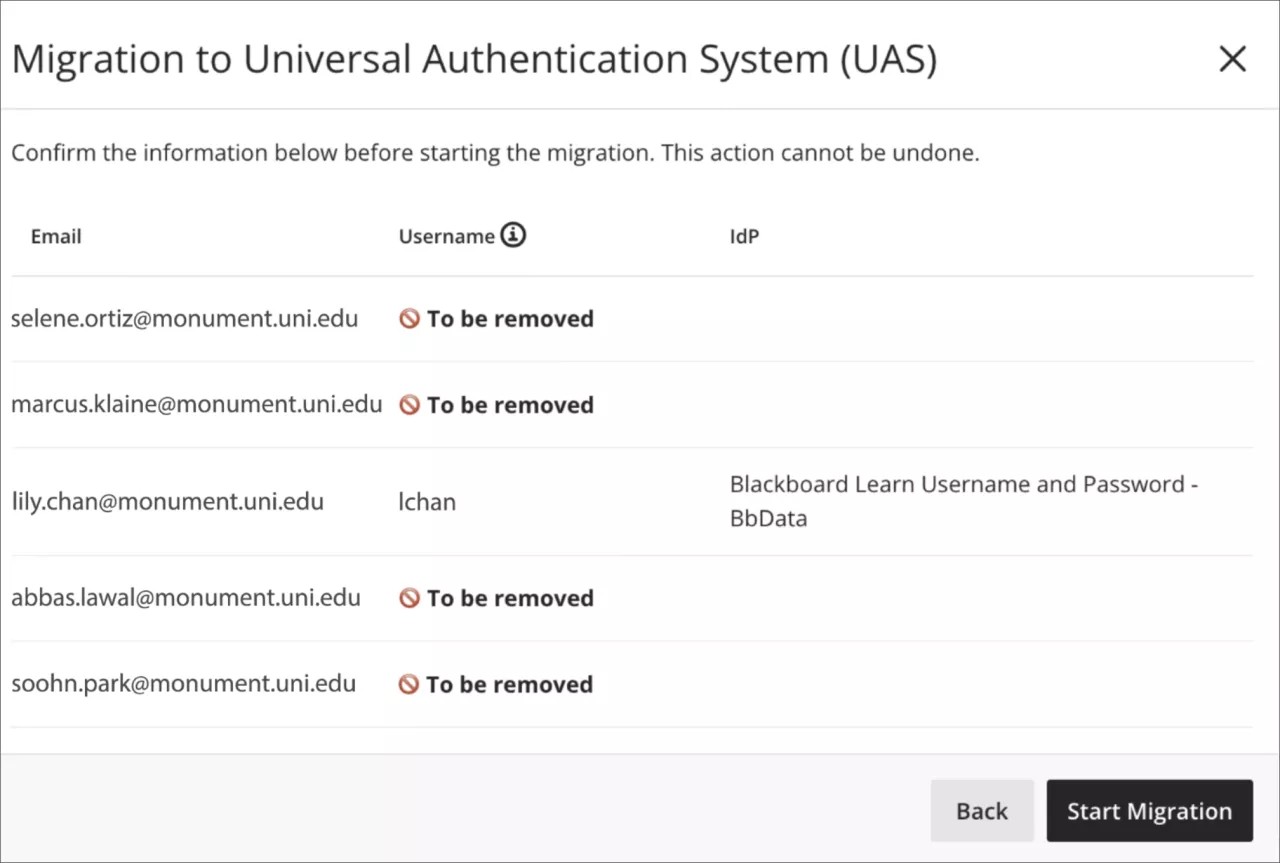
Select Start Migration.
As the migration processes, a status banner displays progress.
進行バナー:移行は現在進行中です。終了すると、バナーは成功または失敗の状態に切り替わります。
成功バナー : (1か月) 未満前に移行が成功しています。
失敗バナー : 移行の実行に失敗しました。移行プロセスを再開できる場合は、バナーに[移行の再設定]ボタンが表示され、フォームに正確で有効なデータを再入力した後に再開できます。
IDプロバイダの詳細
Blackboardは以下のアイデンティティプロバイダー(IdP)タイプをサポートしています:
Learnコネクタ : 一致するユーザがLearnユーザDBにある場合、マッピングされたユーザ名には、提案された有効な値が事前入力されます。
SAML: 一部の教育機関は独自のインフラを構築している場合もあり、その中にはIdPも含まれているため、独自のIDPを導入する必要があります。SAMLへの移行時に、マッピングされたユーザ名を提案または検証することはできません。
移行の実行
フォームの実行を確認するには、移行開始を選択してください。移行ステータスバナーには進捗が表示されます。
開発元:
DATA_D報告:
DATA_R制限閲覧者:
DATA_RV、または著者:
DATA_A
詳細については役割ごとのアクセスを参照してください。