데이터 사전
Note
본 문서는 AI 지원 기계 번역을 사용하여 번역되었습니다. 번역본은 '있는 그대로' 제공되며 정확성에 대해 어떠한 보증도 하지 않습니다. 본 콘텐츠의 영문 버전이 공식적이고 권위 있는 원본입니다.
Blackboard Illuminate Developer 데이터 사전는 읽기 쉬운 형식으로 테이블 및 열 정의를 제공합니다. 이 리소스를 사용하여 보고서를 만듭니다. 사용 가능한 엔터티의 소스, 사용 및 관계에 대해 알아보십시오.
참고
Illuminate uses the Snowflake data warehouse. Visit the Snowflake documentation website for tutorials and help with all supported SQL commands, functions, and operators.
Browse by schema, table, or column
From the navigation bar, you can quickly access the Schemas and Entity Relationships.
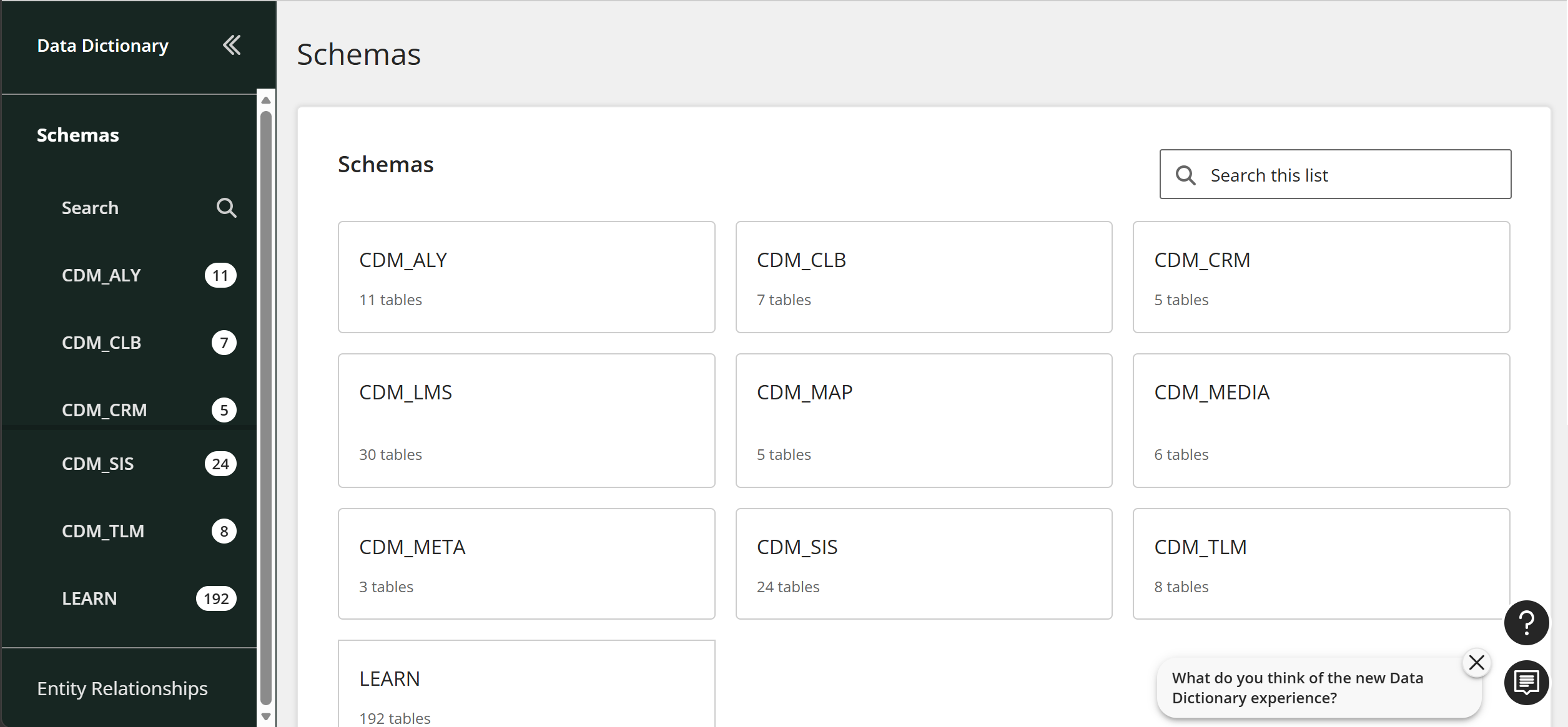
Schemas
Browse the list of schemas to view all available canonical data models.
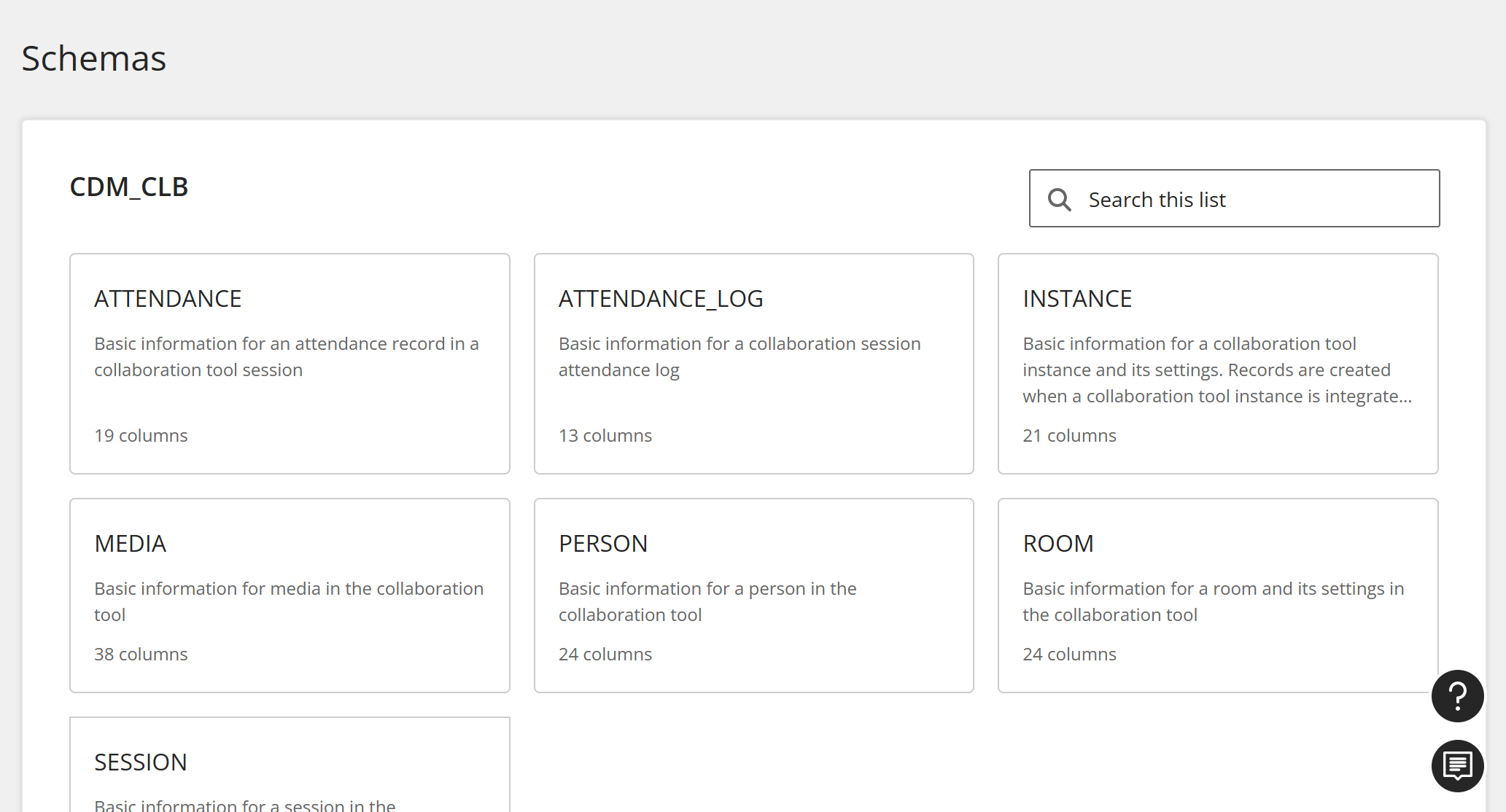
Tables
When you select a CDM, you can view all of its tables. Select a table.
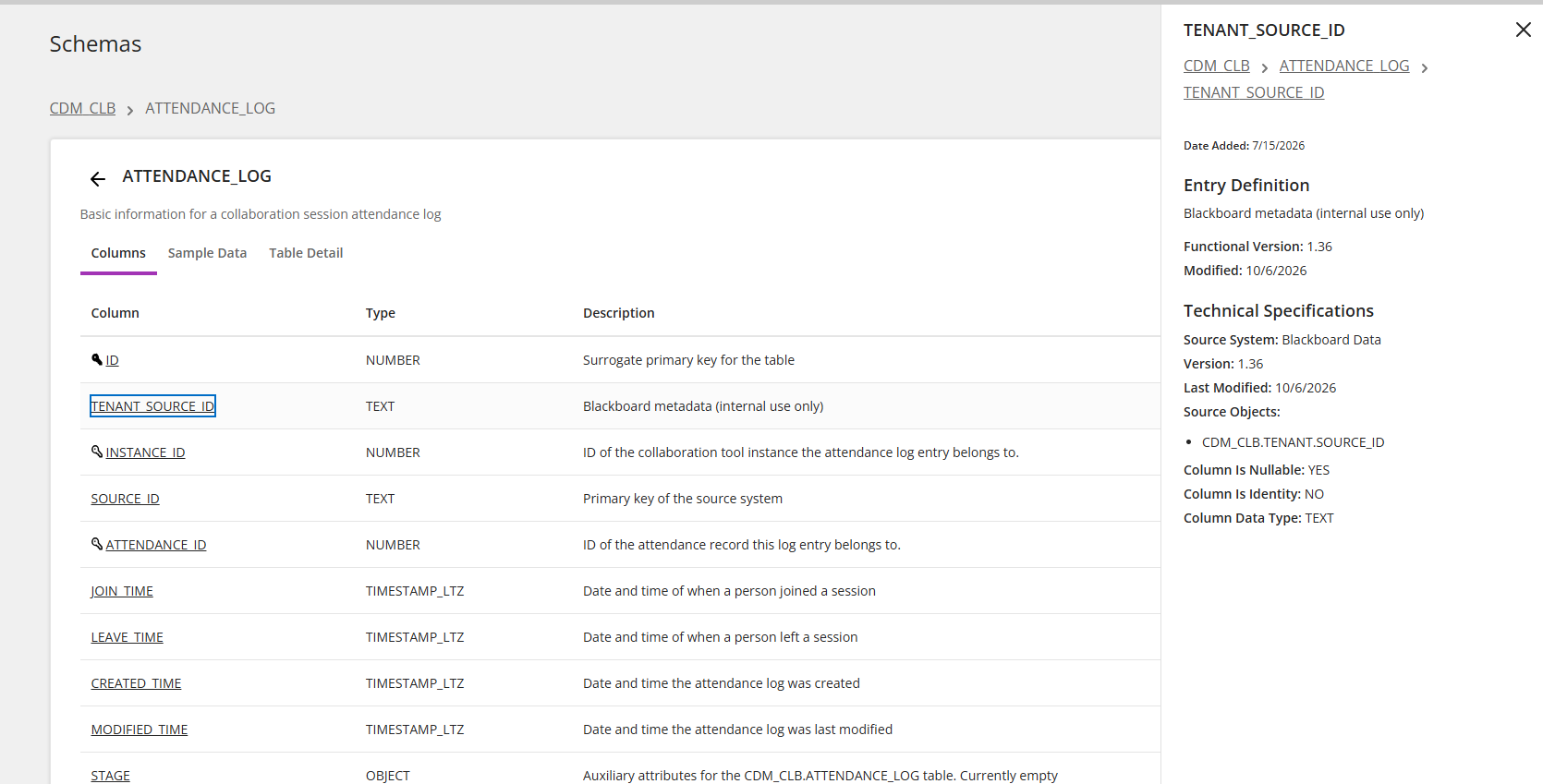
Each table has Columns, Sample Data, and Table Detail tabs.
Columns
From a table, select Columns. Then select a column to see its entry definition and technical specifications
Sample data
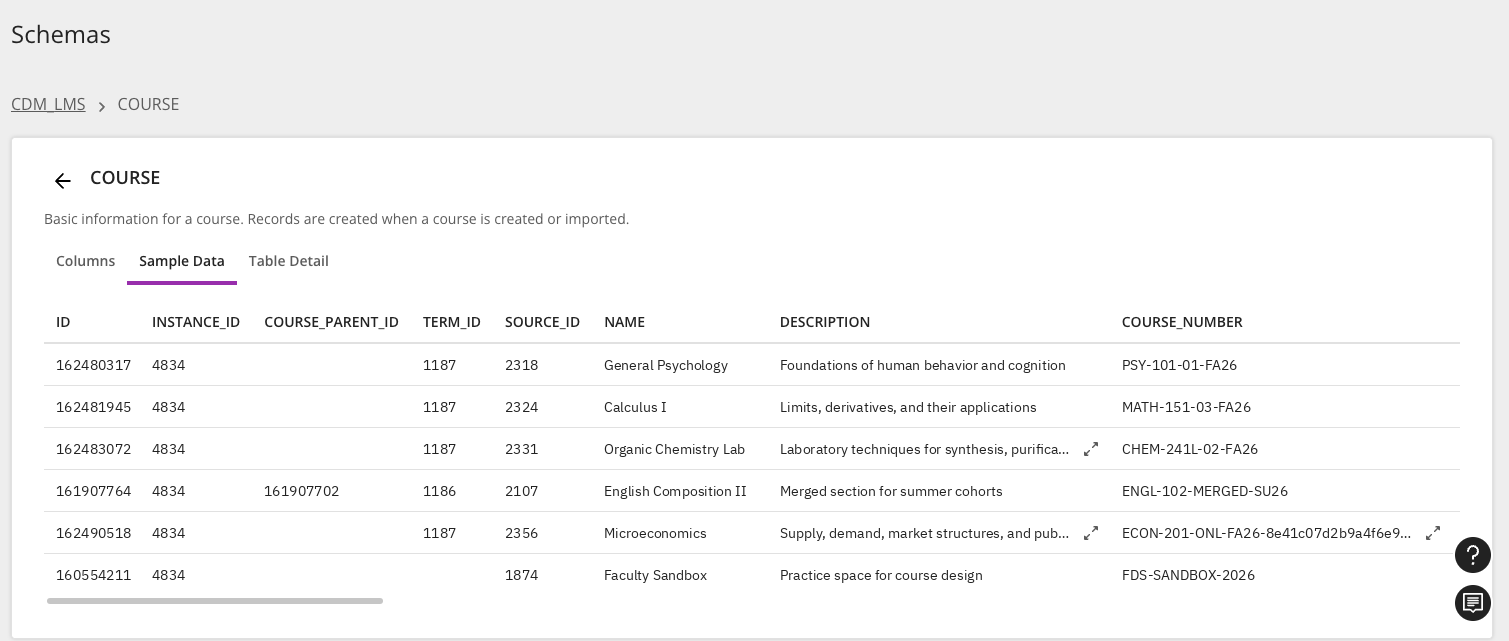
From a table, signed-in Administrators, Authors, or Developers can select Sample Data to view up to 100 example rows of their institution's own data. You can copy samples directly from the table. For longer description values, select the expand button and then copy the description from the window.
참고
Loading sample data for the first time can take a few seconds.
항목
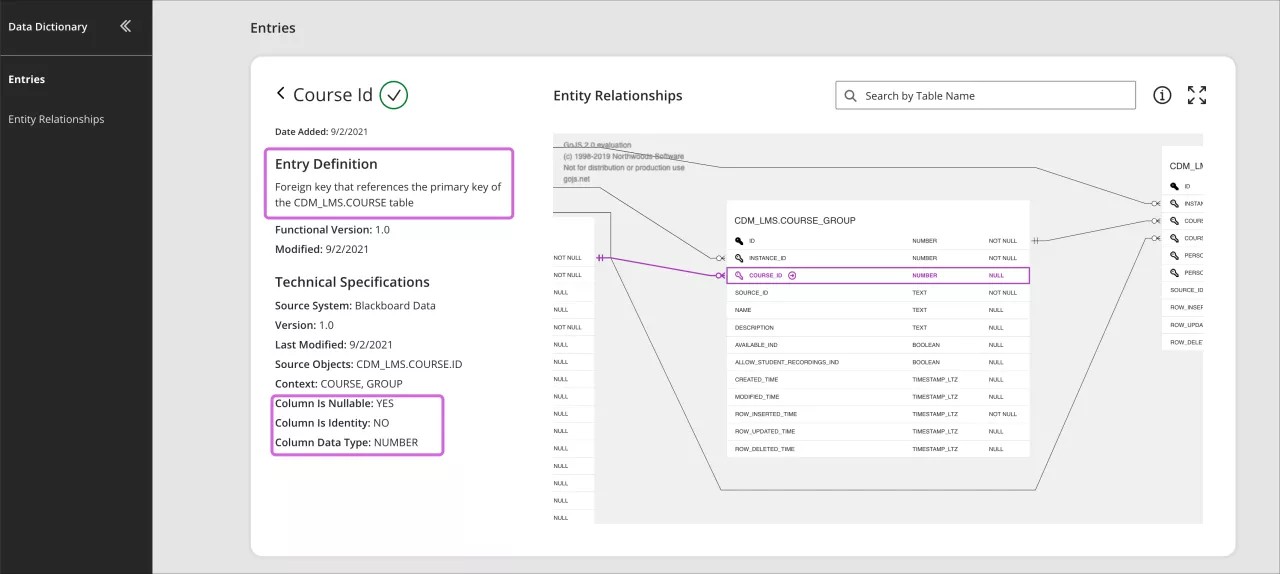
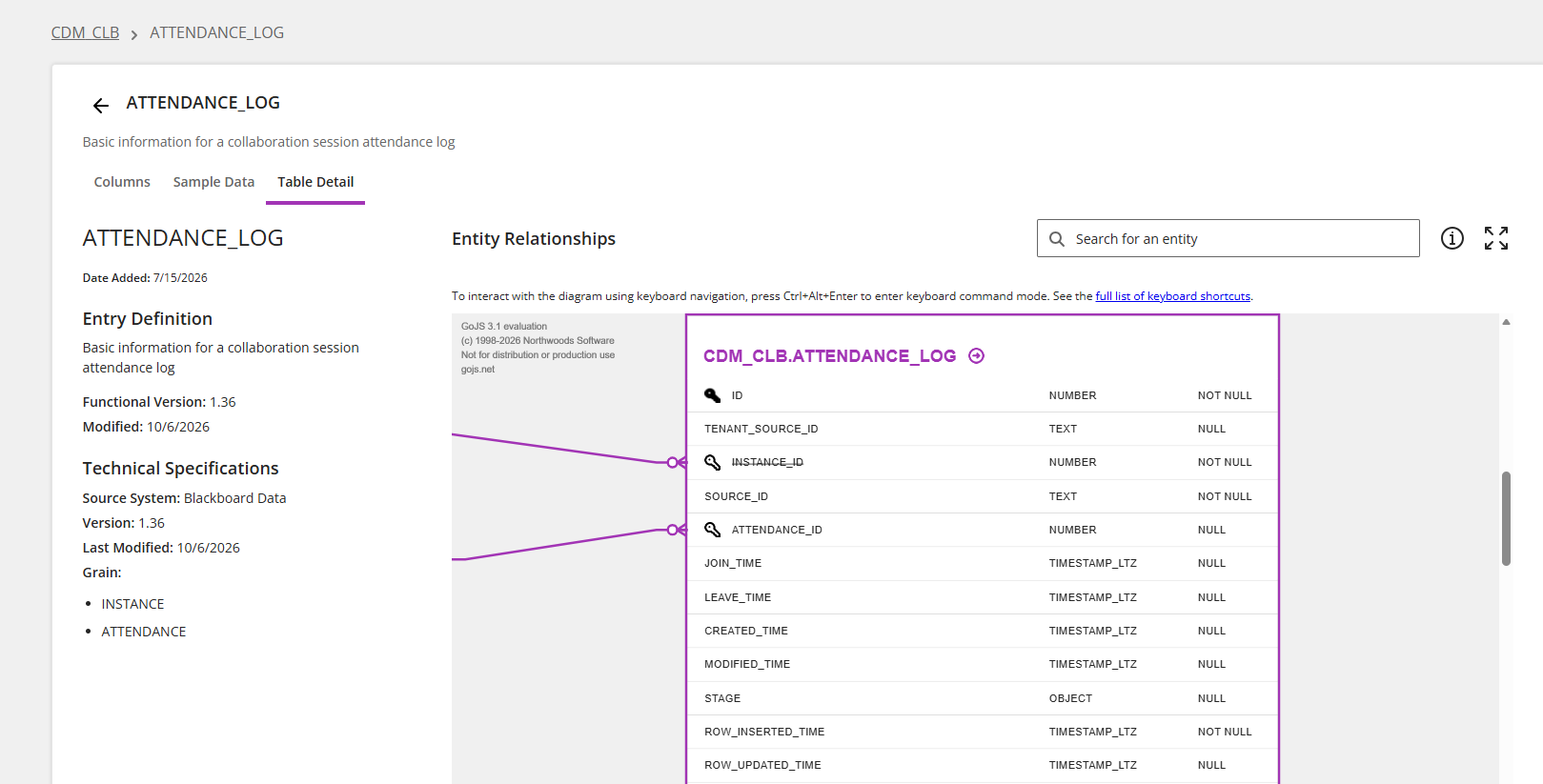
항목 문서 표 및 열 항목을 선택하여 항목의 정의, 기술 사양 및 엔터티 관계를 확인합니다.
확인된 체크 표시 아이콘: 항목이 권장대로 매핑되고 검증되었는지 한눈에 확인하세요.
항목 정의: 테이블 또는 열을 읽기 쉬운 형식으로 설명합니다
소스 시스템: 정보의 출처를 식별합니다. 예를 들어, Blackboard Learn입니다.
출처 객체: 정보가 오는 스키마, 테이블 및 열을 식별합니다.
컨텍스트: 항목이 적용되는 위치를 식별합니다. 예를 들어, 코스 또는 사용자 세션에서.
열은 Null 가능 여부: 열 데이터가 Null이 될 수 있는지 여부를 알려줍니다.
열이 ID인지 여부: 열이 ID 열인지 여부를 알려줍니다.
열 데이터 유형: 열에 있는 데이터의 유형.
엔터티 관계: 엔터티 관계 다이어그램(ERD)은 데이터베이스에서 데이터의 관계와 흐름을 보여줍니다. Blackboard Illuminate의 ERD는 까마귀 발 표기법을 사용하여 관계를 보여줍니다.
Enhanced search
Using the Search field in the navigation bar, you can search across all tables and columns at one time. Use the toggles to filter which types of items to include in the search.
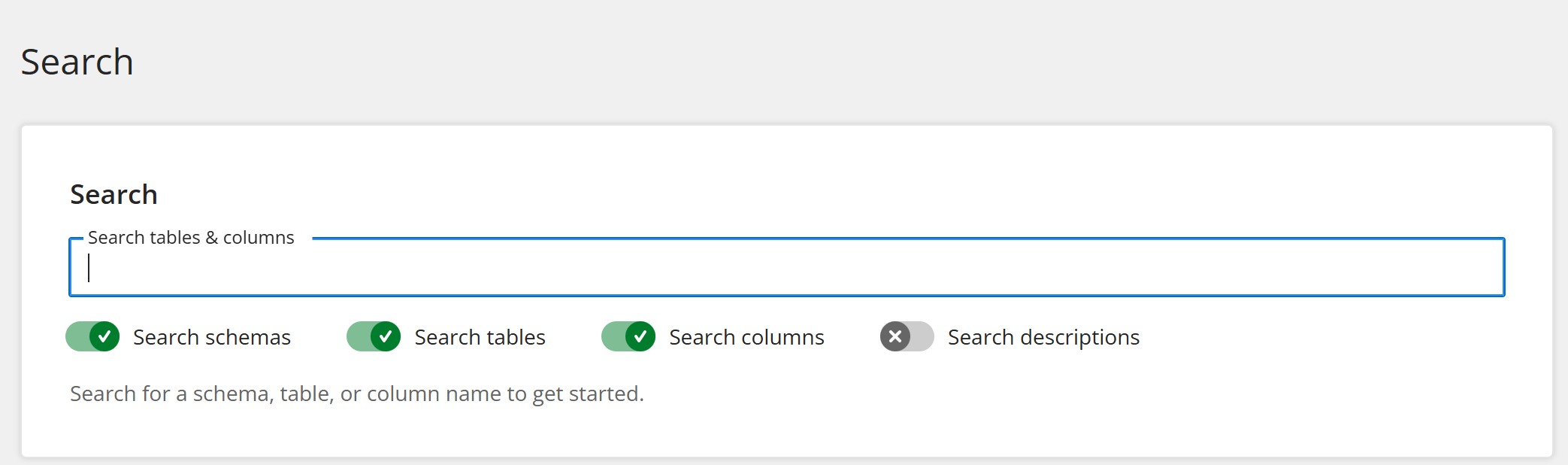
For a more granular search, you can use the search field found on each schema, table, or column page.
작은 정보
If you receive no results when searching by name, select Search descriptions too to search descriptions as well.
엔터티 관계 다이어그램
엔터티 관계 다이어그램(ERD)은 데이터의 흐름 및 관계를 보여줍니다.
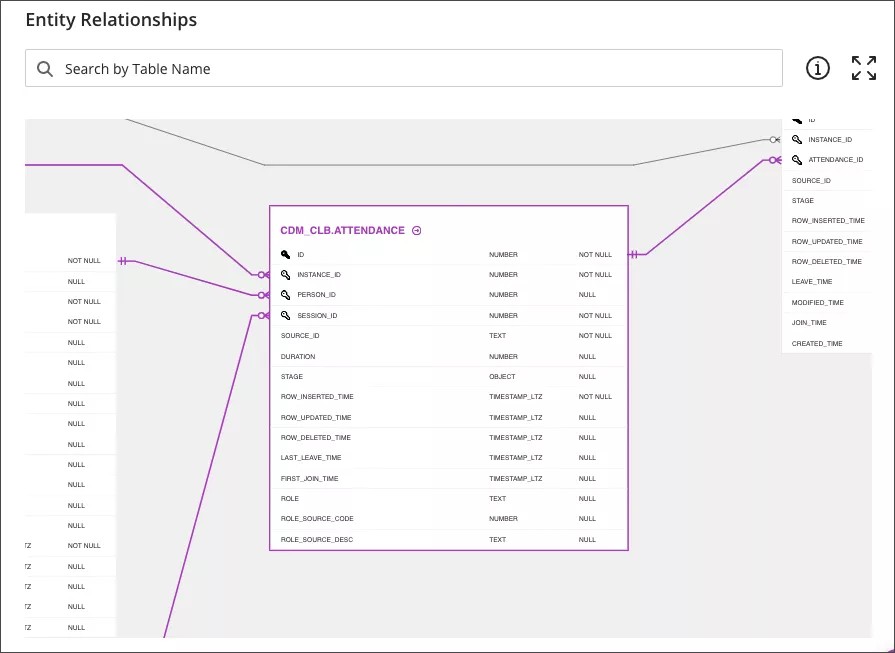
ERD는 상호 작용입니다.
관계를 강조 표시하려면 테이블 또는 열을 선택하여 관계를 강조 표시합니다.
항목 정의를 보려면 테이블 또는 열 이름 옆에 있는 링크를 선택합니다.

전체 화면을 선택하여보기를 확장하세요.

ERD 아이콘의 범례를 보려면 정보 아이콘 위로 포인터를 이동합니다.

ERD에서 표를 찾으려면 검색 도구를 사용하십시오.
ERD를 확대 또는 축소하려면 손가락 두 개 또는 스크롤 휠을 사용하십시오.
Ctrl 키를 누르고 ERD를 선택하여 이동합니다. Mac에서는 Command를 누르고 ERD를 선택합니다.
작은 정보
ERD는 까마귀 발 표기법을 사용하여 관계를 표시합니다.
현지화
언어 선택기를 사용하여 선호하는 언어를 선택할 수 있습니다. 그러나 현재 지역화되지 않은 용어가 있으며 다른 언어를 선택한 후에도 영어로 유지됩니다. 이 용어의 현지화된 버전은 2021년과 2022년에 걸쳐 영어로 유지되는 이 필드와 관련된 데이터 사전 용어를 제외하고 점진적으로 제공됩니다.
항목 설명
열을 Null할 수 있습니다
열은 ID입니다
열 데이터 유형