Salary Grids
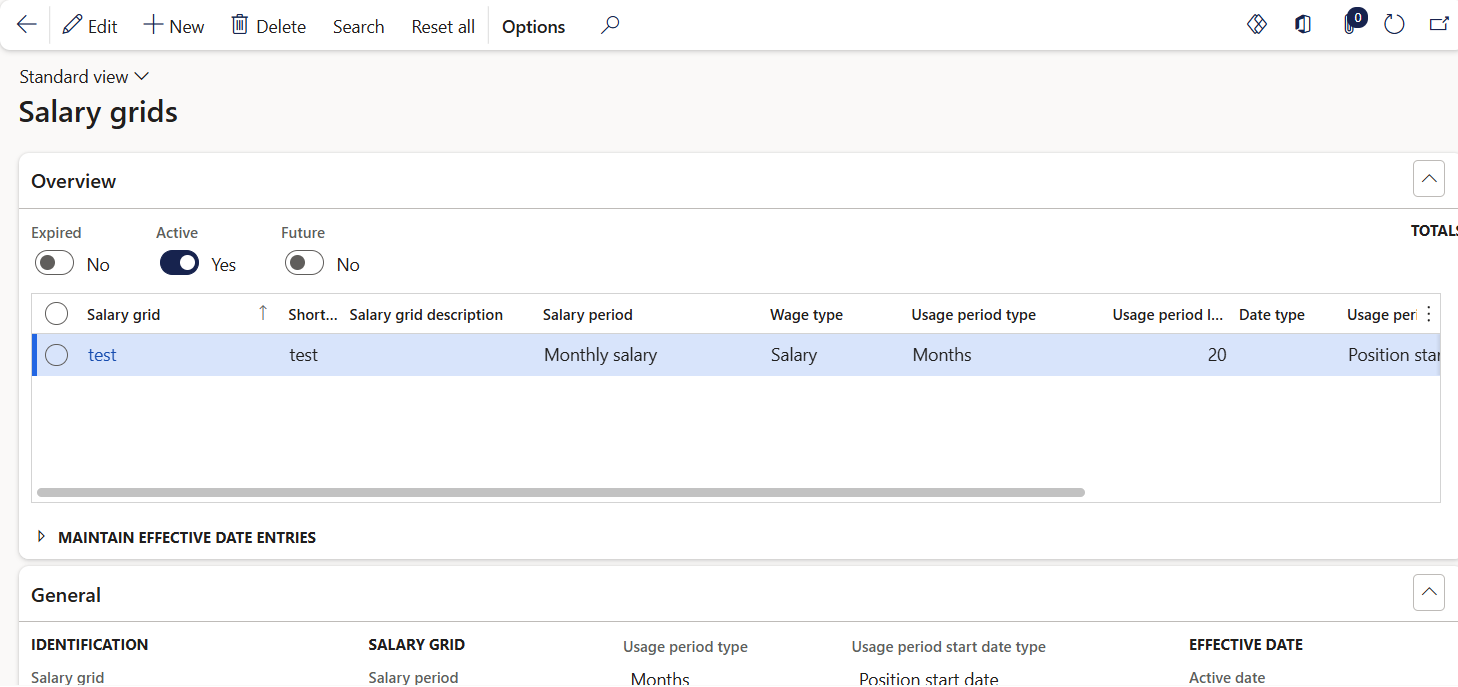
Accessed from:
- Setup > Tables > Salary > Salary grids
Description
Salary grids are pay schemes that use pre-set salary increases (steps).
Each salary grid must be associated with a salary code.
Fields
General
| Field | Description |
|---|---|
| Salary grid | Name of the salary grid |
| Short code | 5-character identifier. Defaults to the first five characters of the name. |
| Salary grid description | Long description of the salary grid |
| Salary period | Frequency of pay for the salary grid. Does not apply to Hourly wage types. |
| Wage type | Hourly or Salary |
| Usage period type | Amount of time (units and number of units) the worker must be in a salary step before they are eligible for advancing to the next. Each individual salary step can have a unique usage period to override this value. Optional. |
| Usage period length | Value for the above period type. |
| Usage period start date type |
The type of worker date to use when calculating the amount of time the worker has spent in a salary step. One of:
|
| Date type | If Usage period start date type is Worker date type, select the custom date type to use for calculating the usage period. Worker must be assigned this date type on the Worker dates form, which is used as their starting date for calculating the length of their usage period. |
| Active date | First date the record is in effect |
| Expiry date | Last date the record is in effect |
Salary steps tab
| Section | Description |
|---|---|
| Create steps from incremental amounts |
Starting salary step number, first step number to create. |
| Increment for the salary step number | Next step increase from the starting step. For example, with a starting step of 1 and increment of 2, the next steps created are 3, 5, 7... |
| Starting salary | Salary amount for the starting step |
| Salary increment | Salary or hourly increase for each new step |
| Create step | Select to generate salary steps based on settings specified above |
| Create steps from another salary grid | Salary grid code to copy from |
| Active date | Active date of the Salary grid selected. Read-only. |
| Adjustment factor | A multiplication factor to apply to the salary grid steps when copying. If specified, the resulting salary amounts are a product of the copied salary amounts and the adjustment factor. |
| Copy | Select to copy salary steps from the specified Salary grid and apply the Adjustment factor, if any |
Additional Tabs
| Tab | Tab Functions |
|---|---|
| Salary steps |
Create/edit the individual salary steps in the salary grid. Salary steps can be automatically generated, imported from another salary grid, or created manually. Each salary step may have its own usage period, which designates the length of time the worker is required to remain in that step before they are considered eligible for the next. |
| Steps | Step number in the salary grid |
| Salary amount | Amount of salary the worker receives when at this step in the grid |
| Usage period type | Amount of time (units and number of units) the worker must be in a salary step before they are eligible for advancing to the next. Values specified here will override any values at the salary grid level. Optional |
| Usage period length | Value for the above period type. |
