Generated Earnings
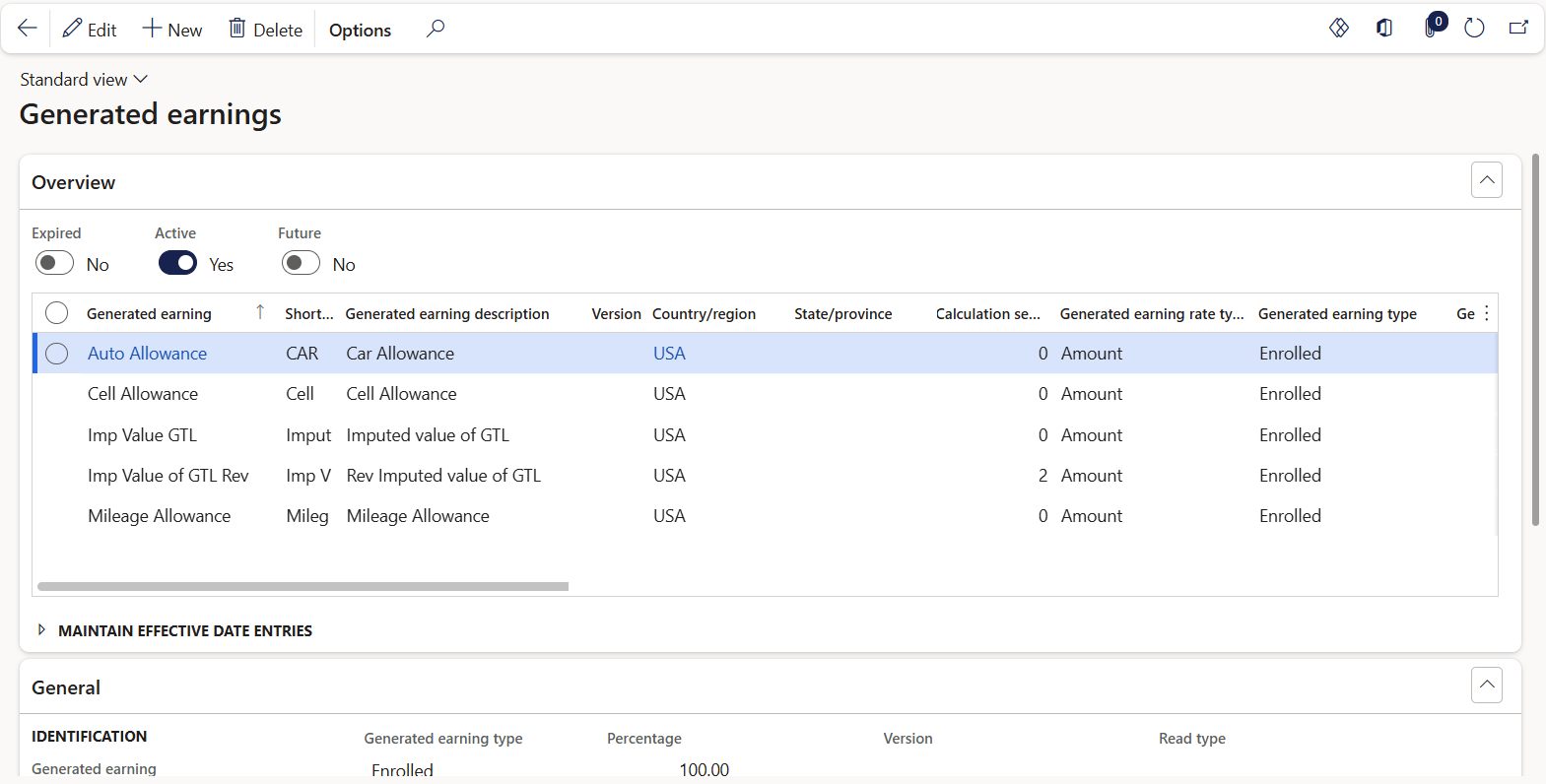
Accessed from:
- Setup > Tables > Earnings > Generated earnings
Description
This form shows all generated earnings configured for use in a particular company. Each generated earning is linked to a corresponding earning code. The earning rule group associated with the earning determines the workers eligible for the generated earning.
Generated earnings that are enrolled must be manually assigned to individual workers.
Fields
| Field | Description |
|---|---|
| Generated earning | Name of the generated earning code |
| Short code | 5-character identifier. Defaults to the first five characters of the name. |
| Generated earning description | Long description of the generated earning |
| Calculation sequence | Order of calculation during pay processing, as some generated earnings rely on the results of others. Lower sequence numbers are calculated first. This field should be set accordingly if the generated earning relies on a calculation that references an accumulator. |
| Generated earning rate type | Amount for amount-based earnings. Hours for hours-based earnings. |
| Generated earning type | Enrolled or Non-enrolled. Enrolled generated earnings must be manually assigned to individual workers. Non-enrolled generated earnings are automatically assigned to all workers with the qualified rule group. |
| Fixed compensation plan | Fixed compensation plan associated with the generated earning. |
| Variable compensation plan | Variable compensation plan associated with the generated earning. |
| Generated earning rate | Multiplier rate or flat amount of the generated earning. Hours-based earnings are multiplied by this rate and amount-based earnings use this rate as the flat amount. |
| Calculation | Calculated amount of the generated earning |
| Earning | Earning code to be generated. This code appears on the worker's pay statement. |
| Minimum amount | Minimum bound on the generated earning. Optional. |
| Maximum amount | Maximum bound on the generated earning. Optional. |
| Percentage | Percentage multiplier against the Calculation, if the worker is only to receive a portion of the calculated amount. Default is 100%. |
| Use FTE | Yes to apply the worker's full-time equivalency value to give only a portion of the generated earning. No, otherwise. |
| Apportion |
Yes to apportion the amount of the generated earning if the worker was hired or terminated in the middle of the pay period. No to use the value of the generated earning at the pay period end date for all eligible workers. |
| Apportion rate change |
Yes to apportion the amount of the generated earning if the rate of the earning changes in the middle of the pay period. No to use the rate of the generated earning at the pay period end date for all eligible workers. |
| Apportion source change |
Yes to apportion the amount of the generated earning if the earning source changes within the pay period. No to use the source of the generated earning at the pay period end date for all eligible workers. |
| Generate after termination | Yes to allow generation of the earning in the first pay period after a worker has been terminated. No, otherwise. |
| Version | Version number for generated earnings that are managed by the software provider. Earnings with version numbers cannot be modified. |
| Country/region | Jurisdictional information, if applicable |
| State/province | Jurisdictional information, if applicable |
| Accumulator | Accumulator reference to use in calculating the generated earning amount. Used with Generated earning rate. |
| Date period | Time period of the accumulator. Can be used as accumulator filter criteria. |
| Read type | Full amount or Incremental amount. Can be used as accumulator filter criteria. |
| Date period type | Date the accumulator updates its value. Can be used as accumulator filter criteria. |
| Prior date periods | Number of additional, past Date periods the accumulator retains its value for. Read-only. |
| Active date | First date the record is in effect |
| Expiry date | Last date the record is in effect |
