Accumulators
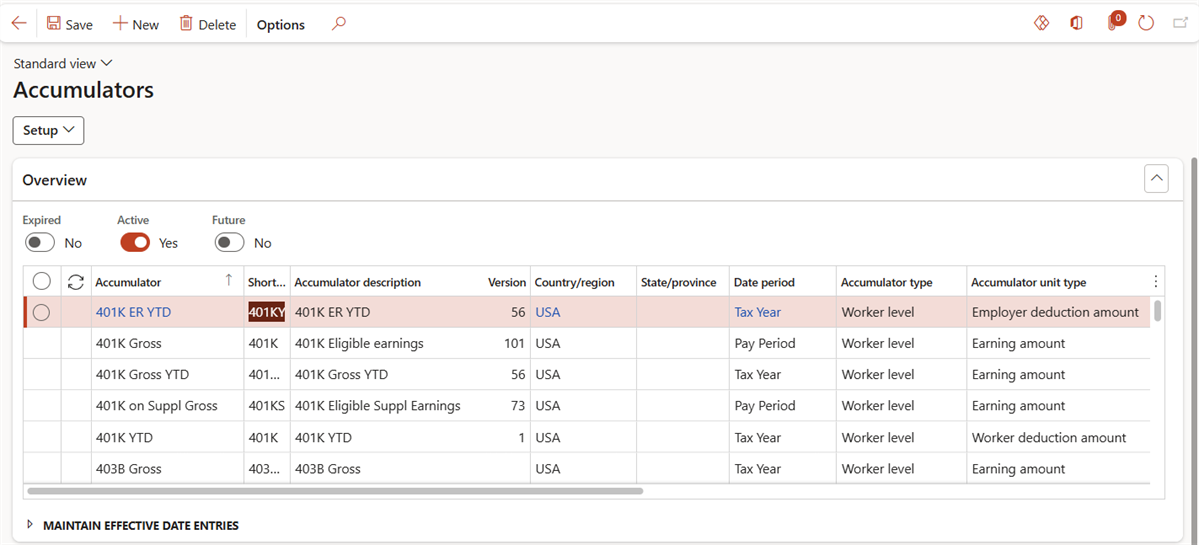
Accessed from:
- Setup > Tables > Accumulators > Accumulators
Description
This form shows all accumulators configured for use in a particular company. This includes accumulators created manually during implementation and accumulators imported from statutory deduction spreadsheets.
Links
| Button | Link |
|---|---|
| Setup | Accumulator eligibility |
| Accumulator values |
Fields
| Field | Description |
|---|---|
| Accumulator | Name of the accumulator |
| Short code | 5-character identifier. Defaults to the first five characters of the name. |
| Accumulator description | Long description of the accumulator |
| Version | Yersion number for accumulators that are managed by the software provider. Accumulators with version numbers cannot be modified. |
| Country/region | Jurisdictional information for the accumulator, if applicable |
| State/province | Jurisdictional information for the accumulator, if applicable |
| Date period | Time interval over which the accumulator stores data. At the end of the date period, the accumulator resets. |
| Accumulator type | Level of the accumulator:
|
| Accumulator unit type | Type of value to store in the accumulator:
|
| Date period type | Date in the period when the accumulator updates its value:
|
| Read type | How the accumulator handles multiple accumulations of the same values over a single date period:
|
| Apportion by state | Yes to divide the accumulated amount across jurisdictions. No, otherwise. |
| Print on statements | Yes to allow the accumulator to appear on pay statements. No, otherwise. |
| Statement description | Description of the accumulator that appears on pay statements |
| Statement sequence | List order of the accumulator on pay statements. Lower numbers are higher priority. This number is not unique. |
| Active date | First date the record is in effect |
| Expiry date | Last date the record is in effect |
