Ellucian products are based on an event-driven architecture in which a software element executes in response to receiving one or more event notifications. The main components in this architecture are the event broker and workflows. Events are used in workflows to perform specific activities in response to the events. Each event can be used to trigger one or more activities. Workflows are discrete tasks based on business rules and requirements. Workflow Composer provides activities, that is, 'chunks of code', for power users to compose tasks that are meaningful in a specific environment.
The workflow components include the Workflow Composer application with the built-in Package Manager and the Workflow Tracking Database. The installation of Workflow Composer is mandatory for users of Forms Builder version 3.x and later. The installation of the Tracking Database is optional.
Installation of Workflow Composer
For on-Prem customers, they need to do the installation using the steps below:
-
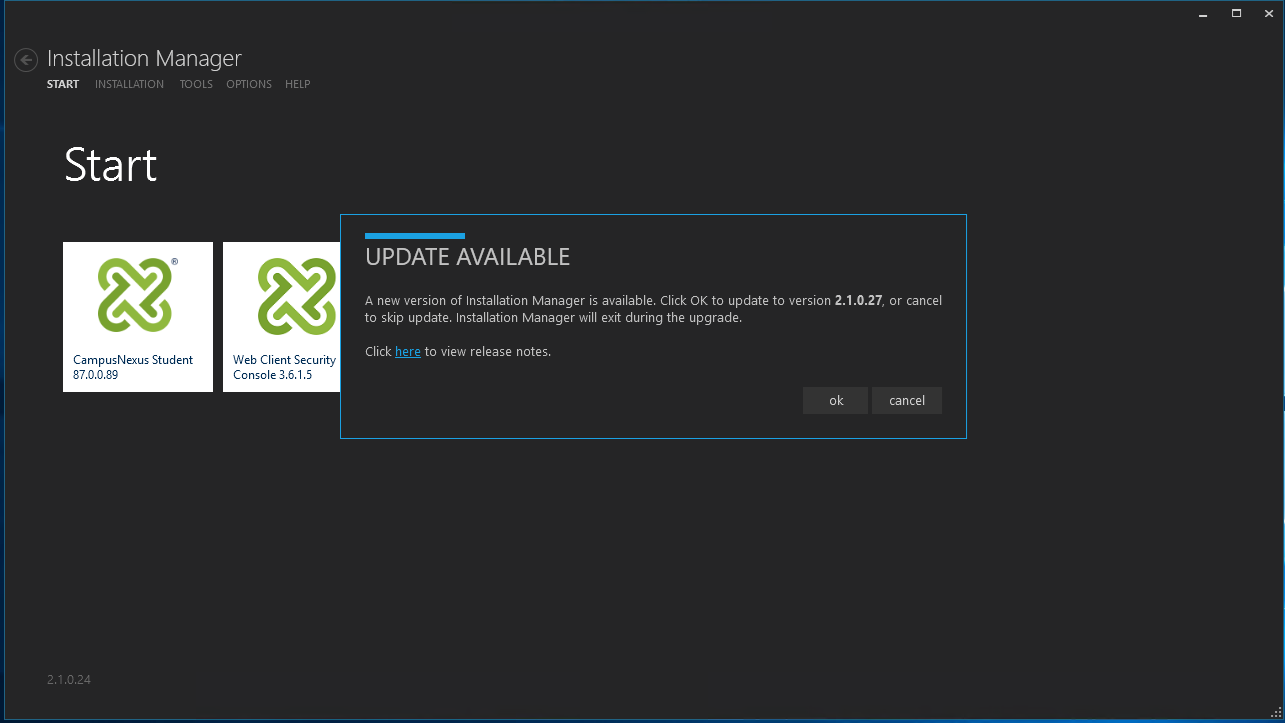
Launch the Installation Manager in on-prem environment.
Note: We can cancel the update of Installation Manager and proceed to install the latest Workflow Composer.
-
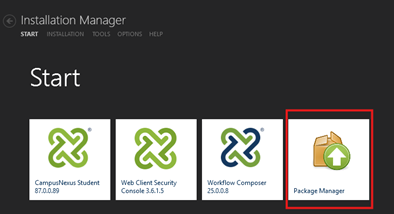
Click on Package Manager in the Installation Manager Start/Home page.
-
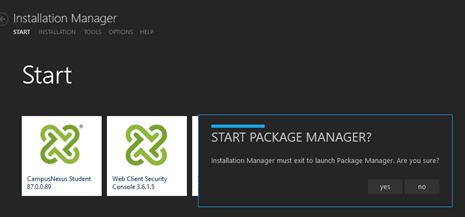
Click on Yes on the Start Package Manager popup menu.
-
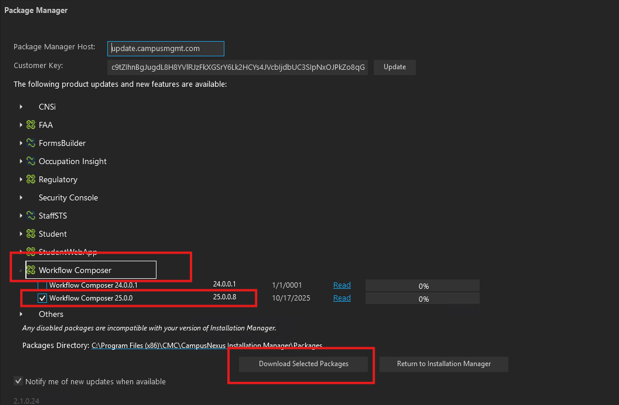
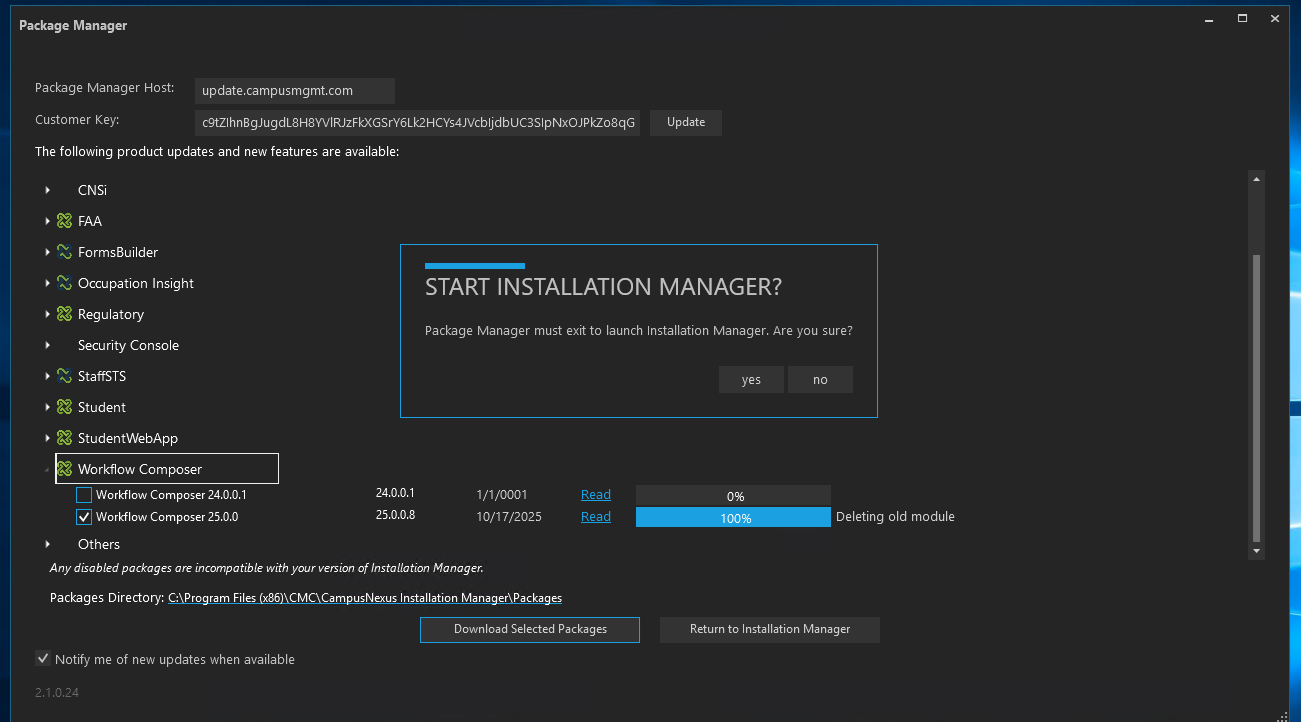
Once Package Manager is launched, expand the Workflow Composer product and select the specific version of Workflow Composer. Click on Download Selected Packages to download the required setup file to install the Workflow Composer
-
Once the download is completed, another popup is displayed to exist from the Installation Manager. Click on No.
-
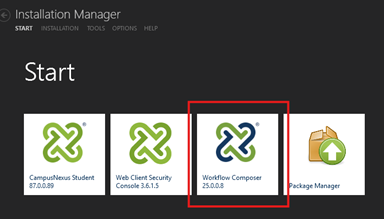
It will relaunch the Installation Manager and, in the Start/Home page click the Workflow Composer.
-
Once Workflow Composer is installed, it will open the installed SetupFiles folder.

You can double click the Workflow Setup file and install the Workflow Composer in on-prem environment.
For 1.x customers, installation is done through pipeline.
For 2.x customers, they use one-click install. ClickOnce.
|
Anthology Student All customers that upgrade Anthology Student must upgrade to the highest version of Workflow Composer that is compatible with the release they are upgrading to. If a customer is already on a lower version of Workflow Composer and is not upgrading Anthology Student, it is also recommended for customers to move to the latest version of Workflow Composer to ensure any changes introduced are adopted. CampusNexus CRM All customers that upgrade CampusNexus CRM must upgrade to the highest version of Workflow Composer that is compatible with the release they are upgrading to. If a customer is already on a lower version of Workflow Composer and is not upgrading CampusNexus CRM, it is also recommended for customers to move to the latest version of Workflow Composer to ensure any changes introduced are adopted. For detailed compatibility, please refer to Compatibility Matrix. Workflow Composer 4.x and above requires Microsoft .NET Framework 4.8. For more details, see |
For detailed installation instructions, see:
The remaining topics in this section are for reference only. The information about Logging, Event Logs, and Service Module Host may be helpful when troubleshooting issues related to workflows.
