Configuring Power BI in CampusNexus CRM
CampusNexus CRM can be integrated with Microsoft Power BI. In a Microsoft Azure environment, this enables the display of Power BI reports in CampusNexus CRM Web Client.
By default, this feature is disabled.
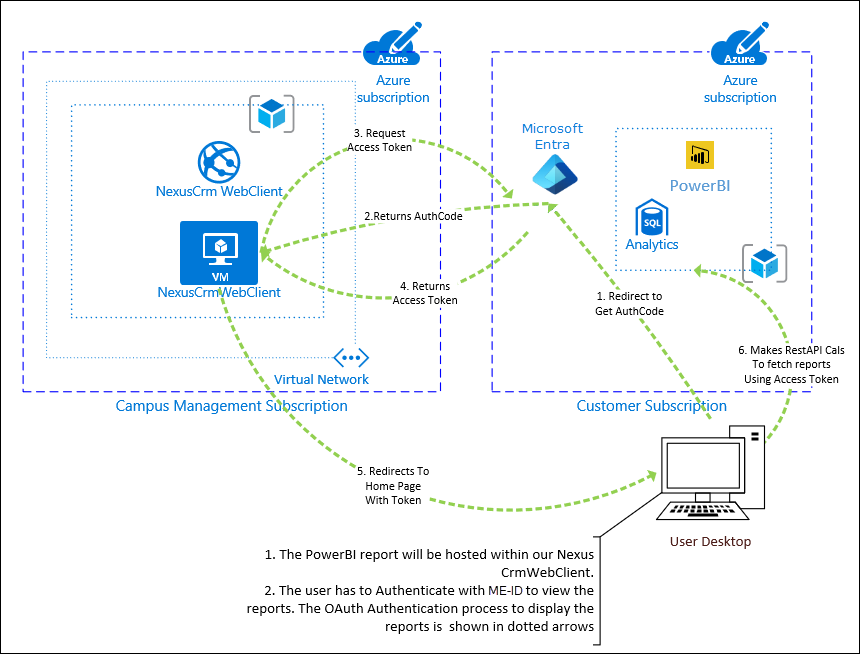
As indicated in the following image, Power BI app registration must be performed in the Customer Subscription box:
Summary of Steps
- Register CampusNexus CRM Web Client within Power BI.
- Obtain your Tenant ID and validate the Power BI registration.
- Configure the CampusNexus CRM Web Client solution.
- Test the integration.
Note
For information about the View Power BI Reports (Web Client Only) permission that Web Client users need to view the Power BI tile, see Global Permissions.