Working With Appointments on the Portal
The portal presents a simple and intuitive interface from where students and student advisors can interact with each other to discuss and resolve issues in their academic journey. Students can either search for an available slot based on the Appointment Type, or search for an advisor and their schedule, and then book an appointment.
How Do Meetings Happen?
Anthology Reach enables students to book an appointment based on an advisor’s availability in either of the following ways:
- In-person – Advisors and students meet up at a predetermined location.
- Virtual – advisors and students can converse with each other over the Internet, i.e., on their phones or computers.
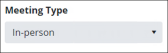 OR
OR 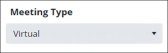
Why Should the Meeting Happen?
Anthology Reach enables students to choose the reason of the appointment by selecting an appropriate value in the Appointment Type field based on which they can see the list of advisors available for that type of a meeting. For example, the following appointment types can be displayed to students:
- Counseling
- Dormitory
- Degree Planning
Based on the selected appointment type and the advisor, Anthology Reach automatically determines the duration of the meeting as configured by the advisor. For more details on how advisors can configure appointment types and their corresponding durations, see Settings Prior to Working With Appointments.
Who will the Student Meet?
The student’s selected advisor can be recognized from the advisor’s picture that’s displayed. Advisors or administrators can upload or change advisor pictures in the advisor's user record in Anthology Reach.
