Create Jobs and Positions
A job is a collection of tasks and responsibilities that are required of a person who performs them. A position is an individual instance of a job. Jobs must be set up before creating positions.
The following topics provide information on creating a job and a position.
Create a Job
To create the job, perform the following steps:
-
Navigate to Human resources > Jobs > Jobs.
-
Select New to create a new job.
-
In the Job field, enter a unique name for the job.
-
Enter values in the appropriate fields.
-
Select Save and close the form.
Create a Position
-
Navigate to Human resources > Positions > Positions.
-
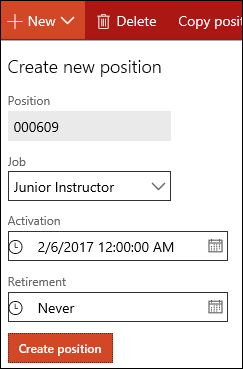
Select New to create a new position.
-
In the Job field, select the job that is associated with the position.
-
Select Create position.
-
Enter values in the appropriate fields on the Position form.
-
Select Save and close the form.
Note: Before using a position record in the payroll process, it is necessary to set up payroll parameters in Anthology Finance & HCM.
External Link:
Microsoft Documentation: Set up payroll for workers.
