My Statements
You can search current or older statements for all your enrollments in the Student Portal. You can view these bills, displayed either in the summary or detailed format, as PDF documents.
View Current and Historical Statements
-
Navigate to My Finances > Account Information. The Account Information page is displayed.
-
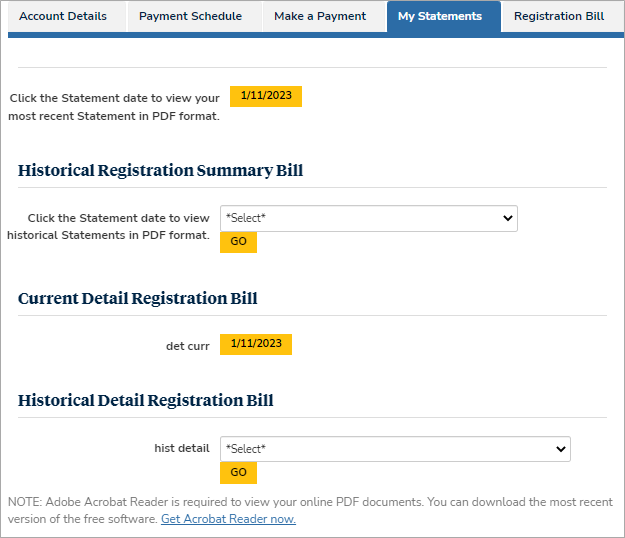
Select the My Statements tab. The statement selection form is displayed.
-
Select the Statement date to view your most recent statement in PDF format.
-
Select the statement date from the Historical Registration Summary Bill section and select Go.
-
Select the date of your current detailed registration bill in the Current Detail Registration Bill section.
-
Select the statement date from the Historical Detail Registration Bill section and select Go.
Each bill is downloaded as a PDF document.
