Make a Payment
You can make payments for your school bills in the Student Portal. Depending on the Portal configuration at your institution, you can pay using credit or debit cards, checking accounts, or other bank accounts.
Make a Payment
-
Navigate to My Finances > Account Information. The Account Information page is displayed.
-
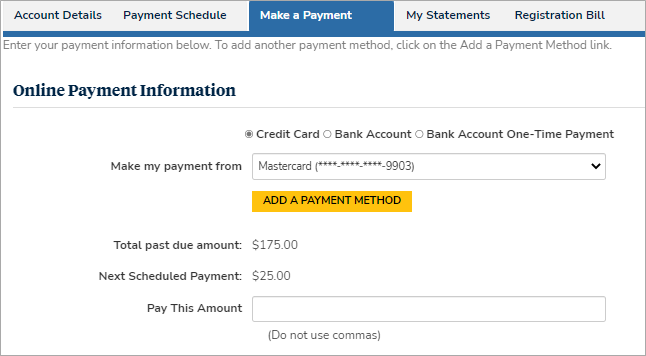
Select the Make a Payment tab. The Online Payment Information form is displayed.
-
Select the payment type (e.g., Bank Account) and source (account number). If necessary, select Add a Payment Method.
-
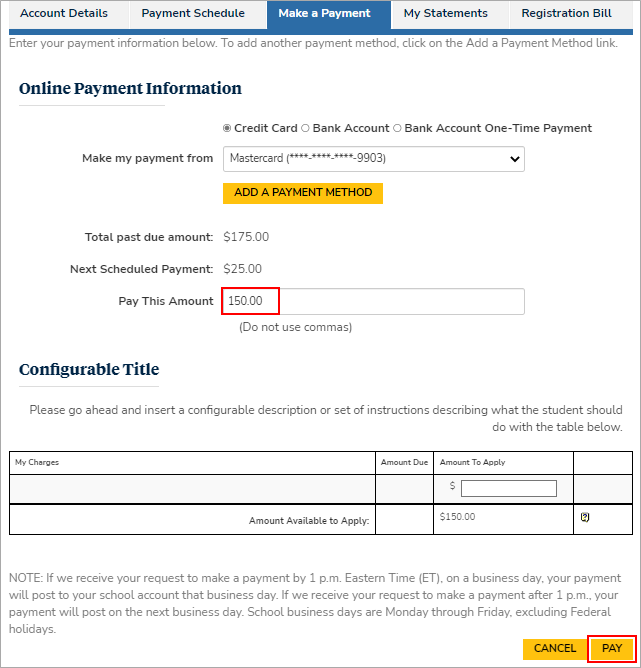
In the Pay This Amount field, specify the amount to pay.
-
Select the Pay button.
The transaction fee is calculated based on the fee configuration in Anthology Student.
-
Select the Confirm Payment button to make the payment.
