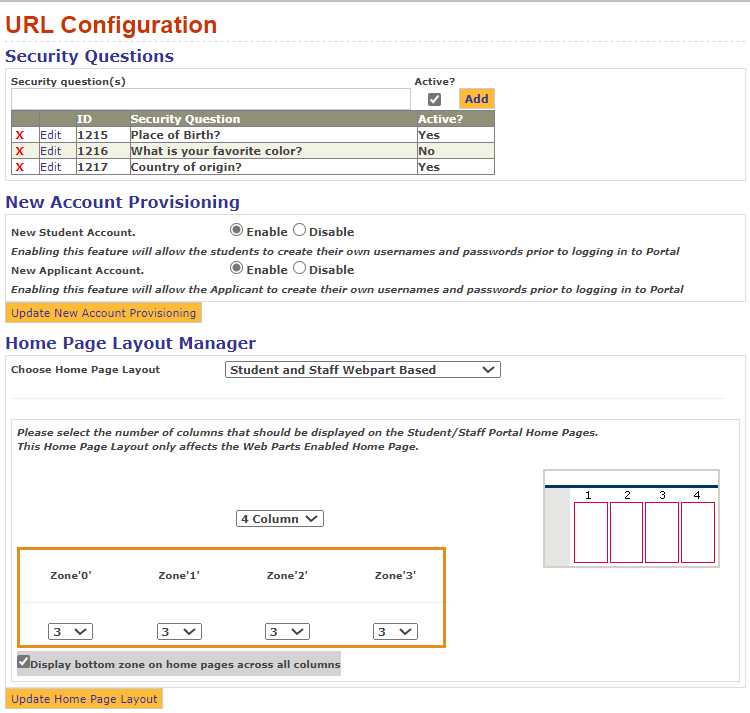
Home Page Layout
With the addition of tiles-based web parts, the following modifications can be made to the Home Page Layout Manager in the Portal Configuration tool. The Portal Configuration tool is also updated with few more settings where users can customize the tiles that are shown in the Portal when the layout is selected as Student Only Tile Based Layout (customizable).
Column Settings
Based on the selection of columns, we can define the size of each zone. The sum of all the zones must not exceed 12. This condition is validated in the Portal Configuration tool when you select the Update Home Page Layout button.
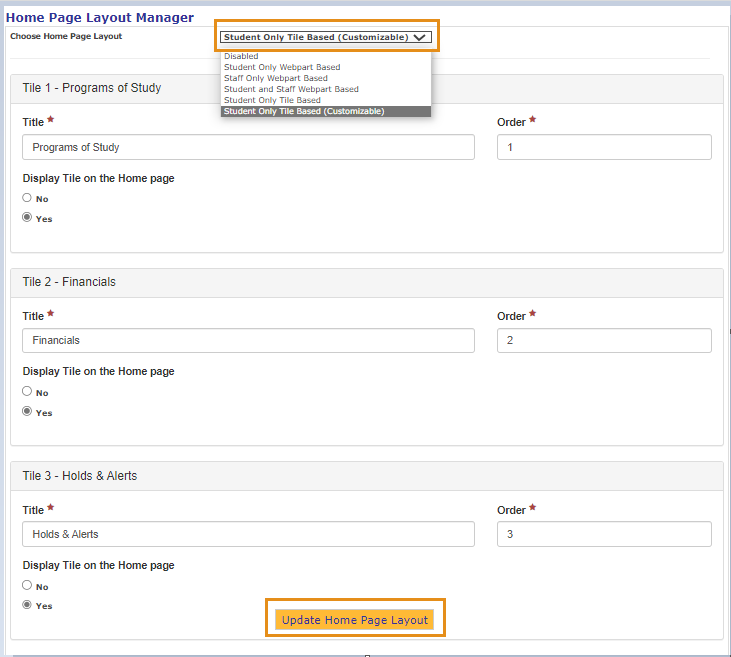
Student Only Tile Based Layout Settings
You can now:
-
Customize the Home page tiles in the Portal Configuration tool
-
Manage the visibility, title and order of the tile
-
Add any URL as well as the title of the URL in case of Classes and Advisors
Note: No Two tiles can have the same order number. The character limit is 50 for the tile field and in the URL title.
Carousel Settings
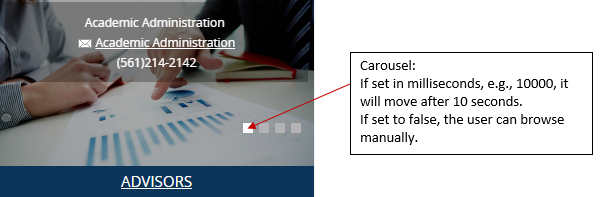
Some web parts have extensive content which is displayed in the form of a carousel. The carousel is time based.
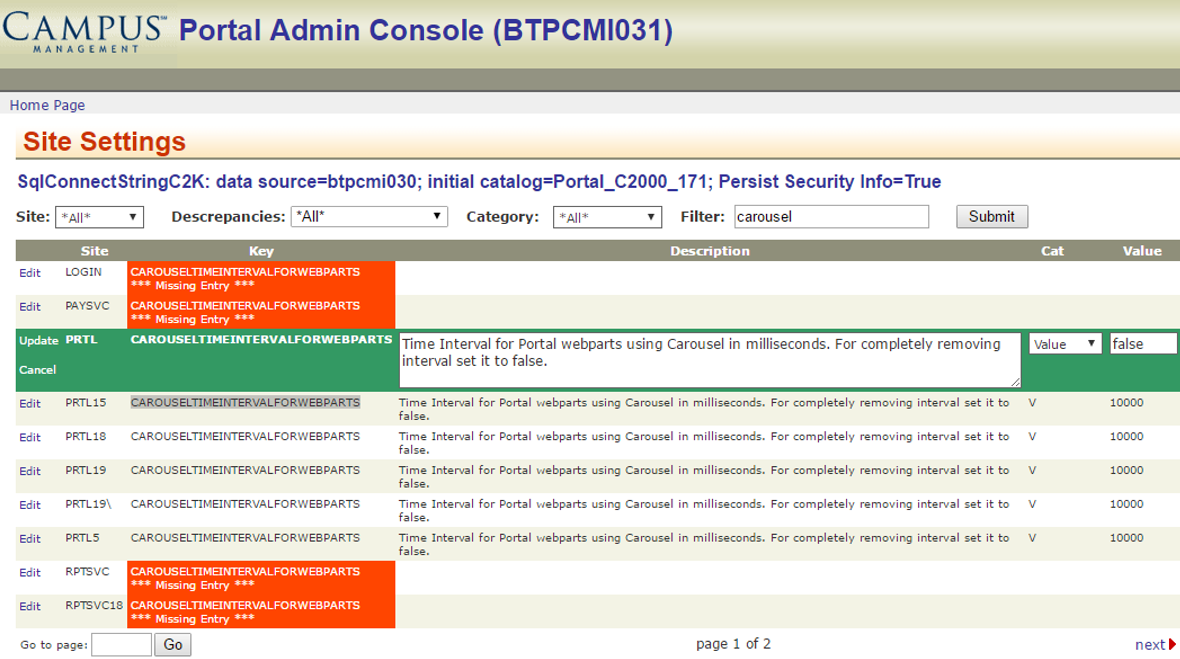
You can set the carousel in the Admin console under Site Settings. Search for “CAROUSELTIMEINTERVALFORWEBPARTS”.
- The time interval can be set in milliseconds (e.g., 10000 for 10 seconds).
- To turn it off, set it to false.