Contact History
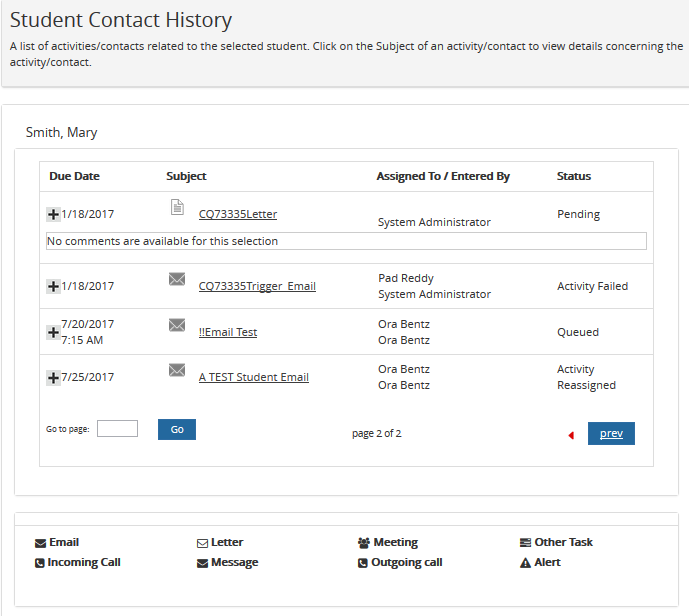
Portal maintains a complete record of the communication between a student and the institution. These contact details are displayed on the Contact History page.
-
Click Find Student at the top of the page. In the search results, click the name of a student whose details you want to view.
— OR —
Select a student from the Recent Students list at the top of the page.
-
Navigate to My Students > Contact History. The Contact History page of the selected student is displayed.
Icons indicate the various forms of communication between a student and the institution.
-
Click
 or select the Subject link to view comments for an item.
 -
Click Next and Prev to browse through the grid pages or type a page number in the Go to page box and click Go.
