Manage Portal Documents
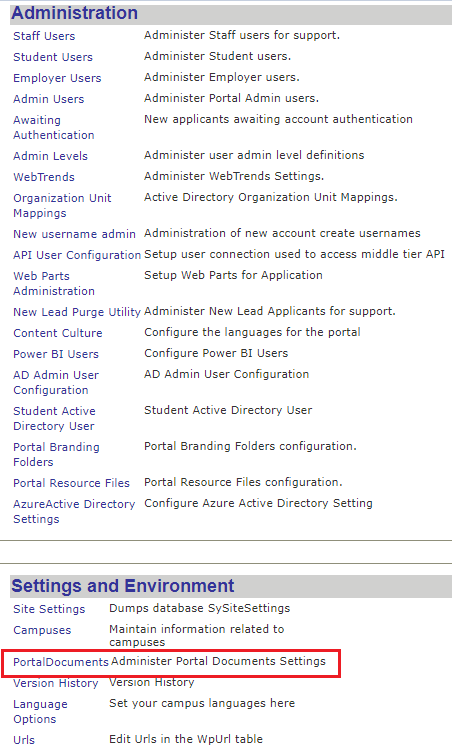
You can manage portal documents on your own by using Portal Admin Console ( Admin Console >Settings and Environments > Portal Documents).
You can use the Portal Documents page to upload files or link to a particular document type available.
Using this page, you can also:
-
Download a document
-
Save a document
-
Choose a particular file
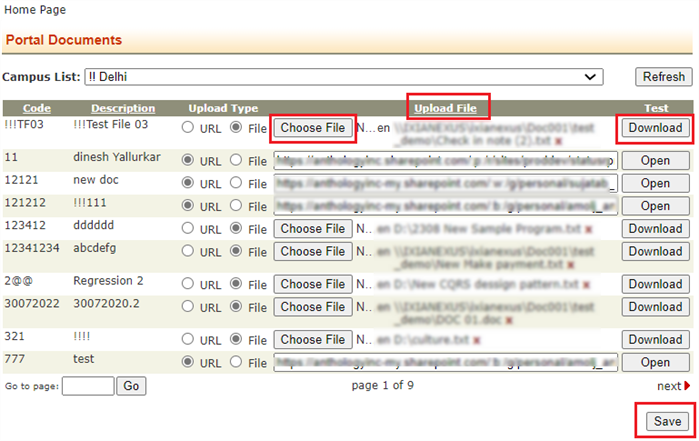
Note: The Choose File option allows you to access all the files from the shared drives that you have access to.
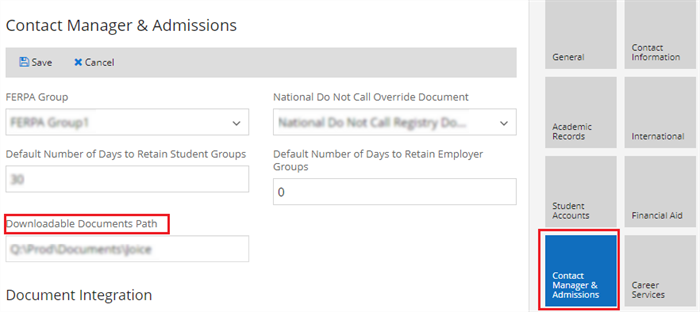
The documents that you upload here are placed at the file storage path configured at Anthology Student campus level settings under Contact Manager (Settings > System > Campuses > Contact Manager & Admissions > Downloadable Documents Path).