Scheduled Tasks
The Integration Hub supports scheduled background processes, batches, and tasks. Users will be able to create background processes and deploy the code to the integration space. The Integration Hub will access the code from a provided URL.
A Web Job-based integration process provides a scheduling service for legacy and/or integration modalities that are not event-based. This service is intended for use only in triggering integration operations related to an Integration Offering or Component; this is not a general usage task execution mechanism, as its logging, control, and monitoring are tied to the Integration Hub.
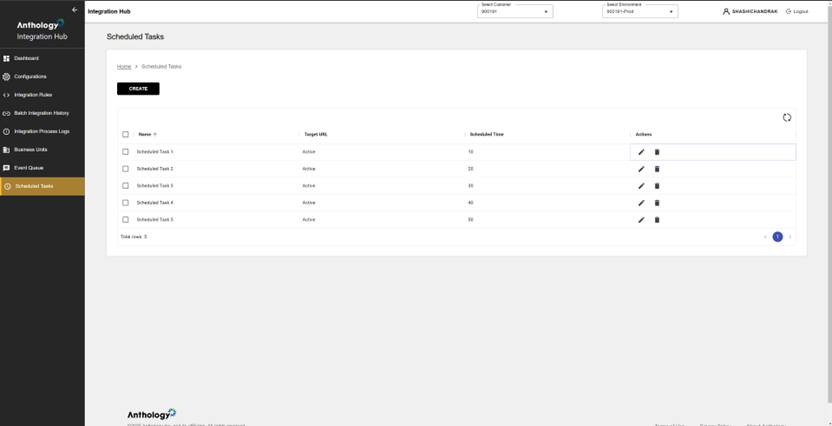
The Scheduled Tasks screen leverages the Scheduled Task API endpoints.
Features
-
Task Automation – Enables scheduling of integration-related jobs.
-
Real-Time Monitoring – Shows which tasks are currently active.
-
Task Configuration Management – Users can create, update, or delete tasks as needed.
-
Time-Based Execution – Ensures tasks run at predefined intervals.
-
Cron Scheduling Support – Users can define complex scheduling patterns.
-
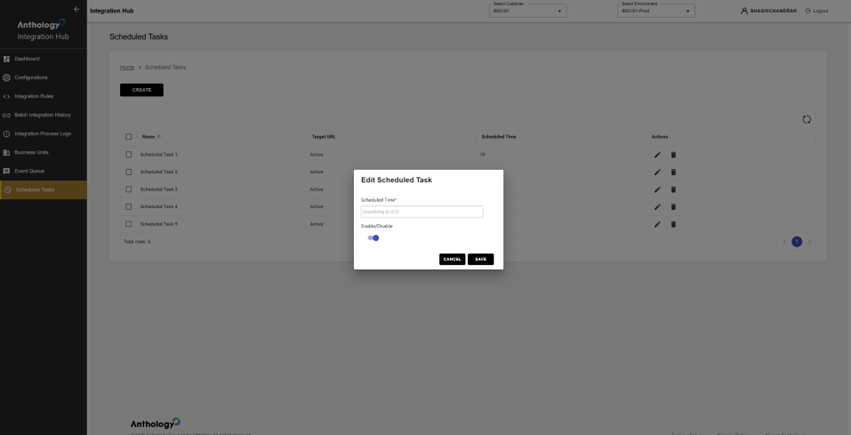
Enable/Disable Control – Tasks can be temporarily turned off without deleting them.
-
User-Friendly Interface – Simple pop-up form for quick task modifications.
-
Real-Time Task Management – Changes take effect immediately upon saving.
Planned Features
-
Configure custom background processes.
-
Provide an API endpoint for scheduling.
-
Support HTTP-based triggers with authentication.
-
Enable Cron-based scheduling for automation.
