Viewing the Tracking Id for a Flow
The topics in this section provide the instructions to find the Tracking Id of a cloud flow which can be used in KQL queries in Azure Application Insight to analyze the data. For more information, see see Import Best Practices.
You can get the Tracking Id for a flow using one of the following methods:
Method 1 - Using a Query in Azure App Insight
Run the following query snippet in the Azure App Insight to get the Tracking ID of a flow.
union traces
| union exceptions
| extend TrackingId = tostring(customDimensions['Trackingid'])
| extend InvocationId = tostring(customDimensions['InvocationId'])
| where message startswith "Entered the queue trigger"
| where timestamp between (datetime(2025-10-14T10:00:00Z) .. datetime(2025-10-14T11:00:00Z))
Method 2 - View the Tracking Id for a Flow From the Power Automate Flow
-
Navigate to https://make.powerapps.com/.
-
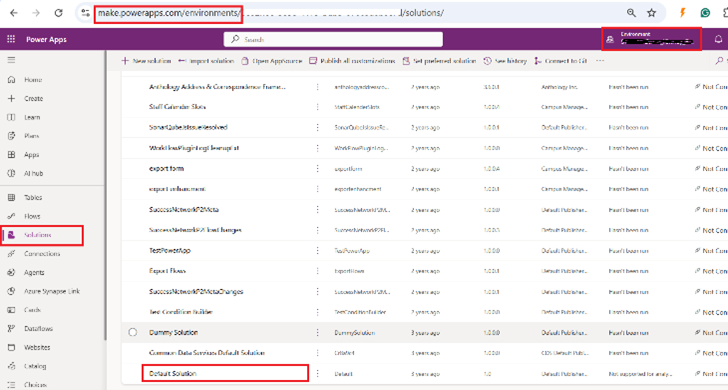
Select the required Reach environment and open the Default Solution by selecting Solutions on the left side of the page.
-
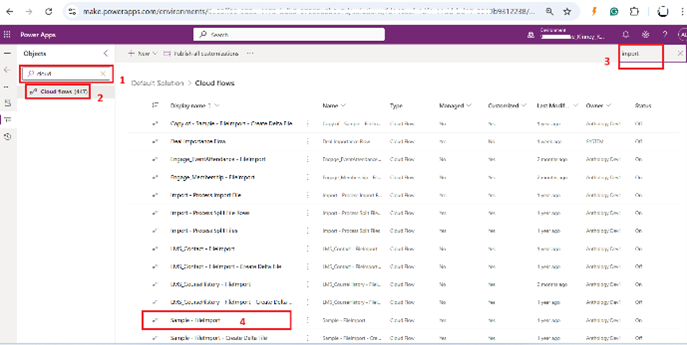
Search for Cloud Flows using search bar on the left side of the page and select Cloud Flows.
-
All the cloud flows are displayed in a view.
-
Find your import flow (based on the template) and click on it to open.
-
-
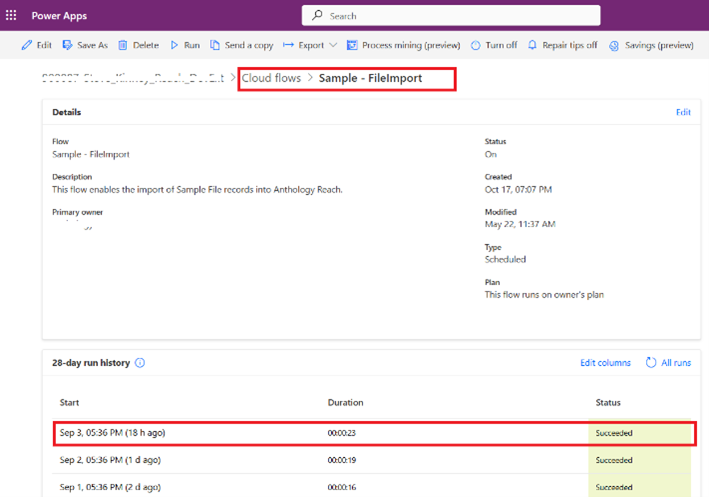
After opening the flow find the recent runs and open the recent run to find the Tracking Id.
-
Open the latest flow run.
-
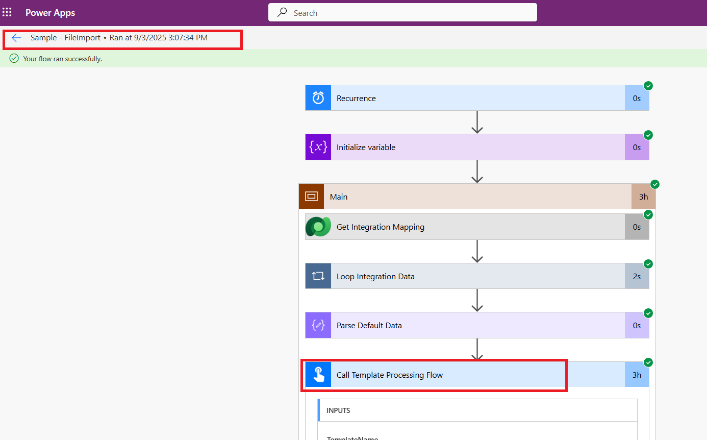
Navigate to the step Call Template Processing Flow and click on it to open.
-
Find the section called “Headers” and find the “x-ms-correlation-id” and copy the value next to it (Make sure you copy the full value).
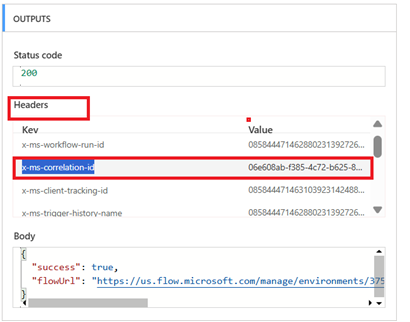
The copied value is the Tracking Id which needs to be used in the KQL query to determine the optimal value for the import parameters such as, Row Batch Size, Batch Size, Max Degree of Parallelism. For more information, see Import Best Practices
-
