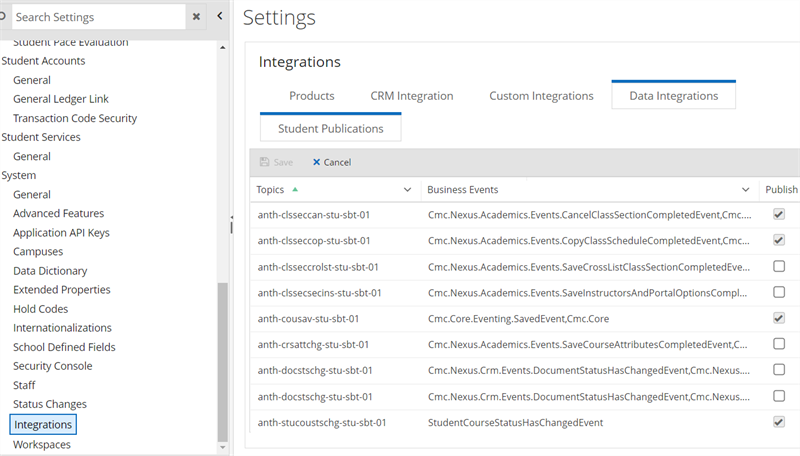
Data Integrations
You can use the Data Integrations tab from the Integrations page to configure integration with the Azure Service Bus. The connection between Anthology Student and the Azure Service Bus is created through pipelines. All available topics will be deployed as part of the pipelines.
Once the connection is established, the system administrator can view the list of topics that can be used to publish data to the service bus.
Only the system administrator can access this page for cloud based applications.
Prerequisites
You must have System - Settings - Manage authorization.
Access Method
Select the Settings tile > expand System > select Integrations.
Procedure to Edit Items
-
Review or select the following values.
Student Publications Grid
-
To activate a topic, select the check box in the Publish column and select Save.
-
Select Save.