Set Up the Batch Job to Post Student Transactions
When Anthology Finance & HCM is integrated with Anthology Student, student transactions from Anthology Student that are added or imported to Anthology Finance & HCM must be posted. This is achieved using the "Ledger journals batch creating and posting" batch job that must be set up to run recurrently.
Use the following steps to set up the Ledger journals batch creating and posting batch job:
-
Navigate to Student accounting > Periodic tasks > Ledger journals batch creating and posting.
-
Expand the Run in the background FastTab.
-
Set the Batch processing option to Yes.
-
In the Batch group field, select a batch group.
-
Select the Recurrence link.
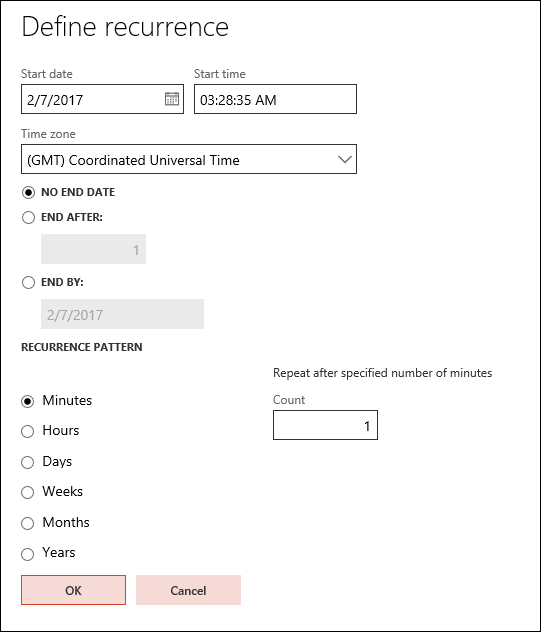
The Define recurrence pane is displayed. In this pane, you can configure the batch job to recur on a specific schedule.
-
Select the NO END DATE option.
-
In the RECURRENCE PATTERN area, select Minutes.
-
In the Count field, enter 1 to run the job every minute.
-
Select OK twice.
