Set Up a Ledger
The ledger is a part of the setup for the general ledger. It is required to set up the ledger for the legal entity.
To set up the ledger, perform the following steps :
-
Navigate to General ledger > Ledger setup > Ledger.
-
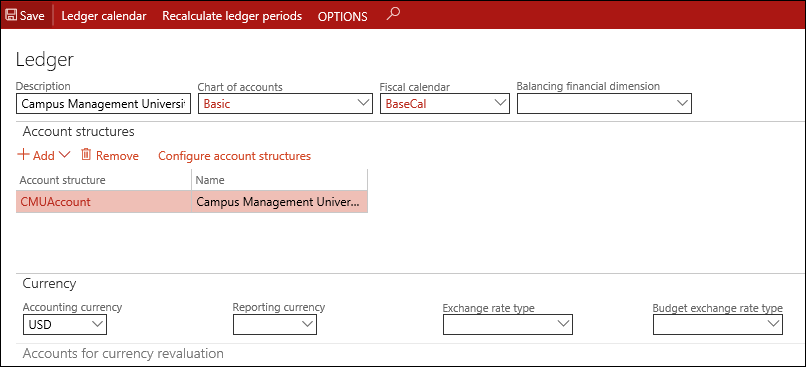
In the Chart of accounts field, select the Chart of accounts created in the Create a Chart of Accounts and Main Accounts procedure.
-
In the Fiscal calendar field, select the required fiscal calendar created in the Create a Fiscal Calendar with Fiscal Years procedure.
-
In the Account structures area, select Add and select the account structure configured in the Configure an Account Structure procedure.
-
In the Accounting currency field, select the accounting currency for your legal entity.
-
Select Save.
This adds an account structure to the ledger.
Note: You will only be able to use ledger accounts from the active account structures that are added to the ledger.
-
Select the Recalculate ledger periods option.
